
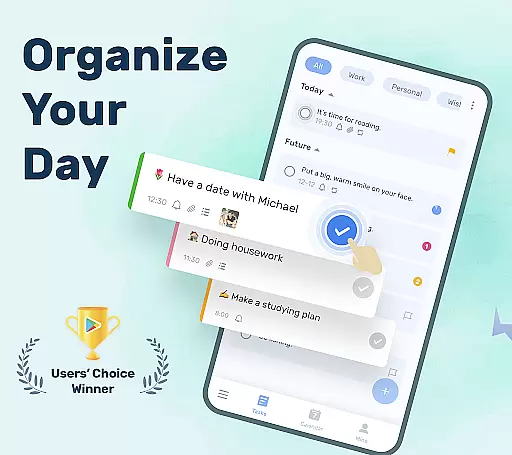
To-Do List is a comprehensive task management application designed specifically for Android Wear users. This app allows you to efficiently organize your daily tasks, set important reminders, and manage your schedule with ease. With its user-friendly interface and customizable themes, the app makes task tracking both simple and visually appealing.
One of the standout features of To-Do List is its ability to sync your tasks across multiple devices using cloud storage. Whether you're at home, in the office, or on the go, you can access your to-do lists from your smartphone, tablet, or Wear OS watch. The app also supports recurring reminders, priority settings, and calendar views, ensuring that no important task is ever overlooked.
This app is particularly useful for busy professionals, students, and anyone looking to improve their productivity. By providing timely reminders and an intuitive way to categorize tasks, To-Do List helps users maintain a balanced work-life routine while achieving their personal and professional goals.
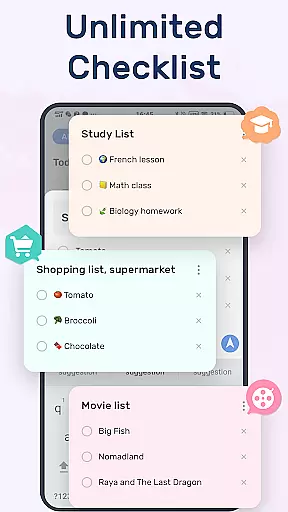
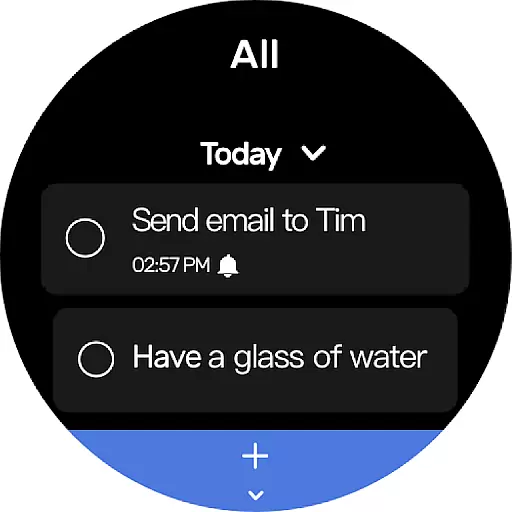
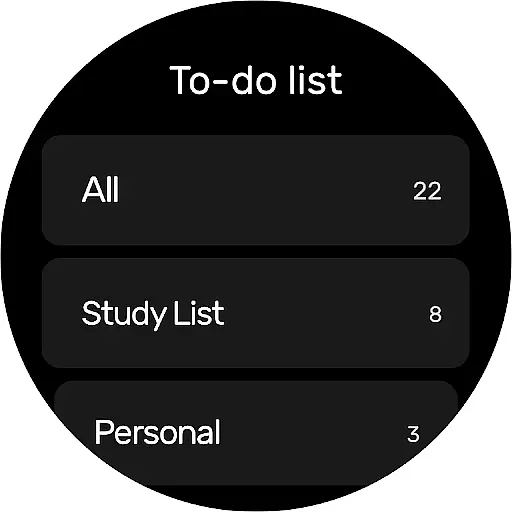
To-Do List offers a wide array of features that cater to various productivity needs. First and foremost, the app provides an easy-to-navigate interface where users can create and manage multiple to-do lists with just a few taps. Its beautiful theme options allow users to personalize their experience, making task management more enjoyable.
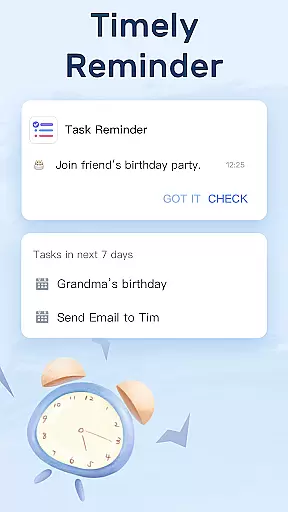
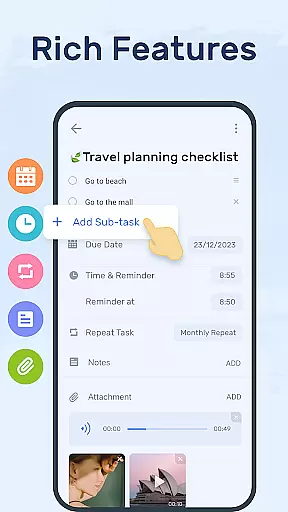
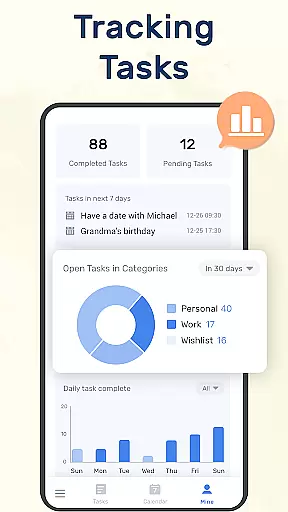
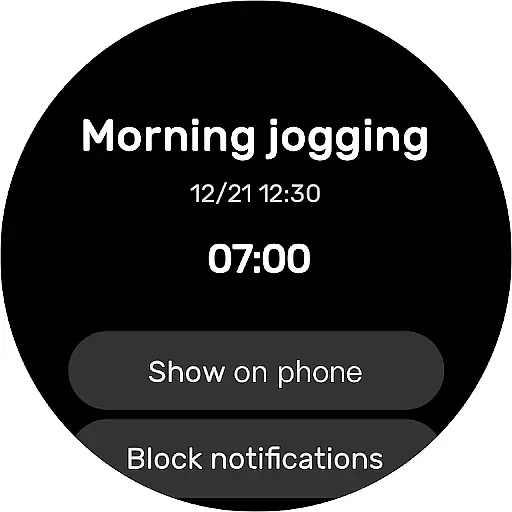
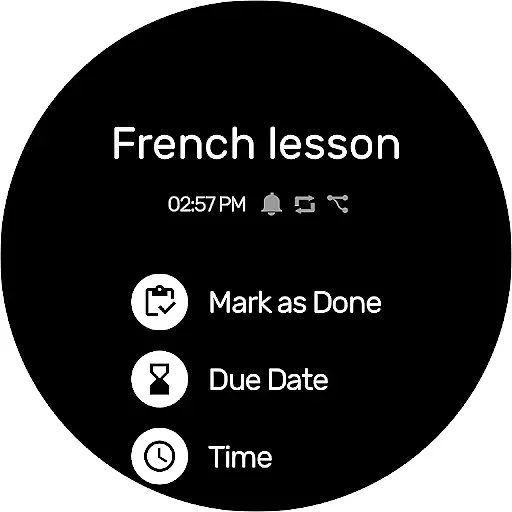
The app excels in its reminder system, which includes alarms and repeat notifications for recurring tasks. Users can set specific times for reminders, ensuring they never miss an important deadline or event. Additionally, the task tracker categories, priority settings, and checklist functionalities enable users to organize their tasks effectively and focus on what truly matters.
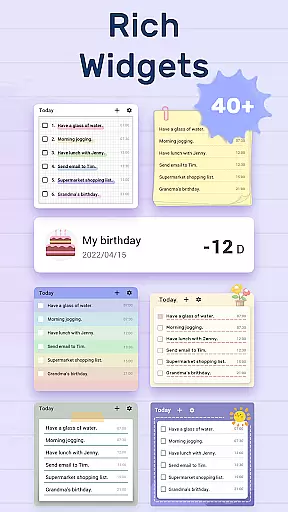
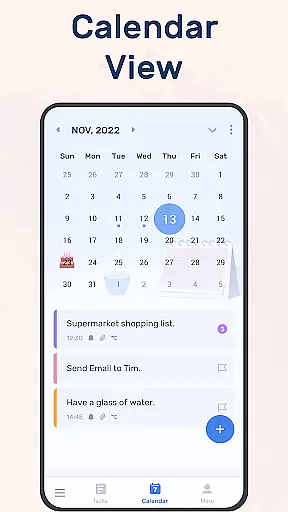
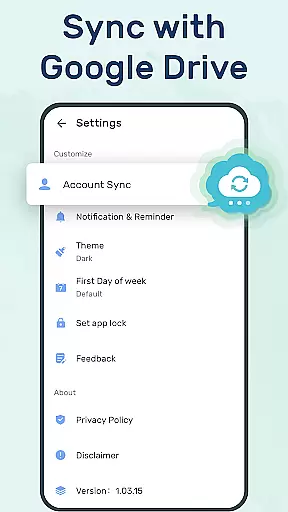
Another notable feature is the calendar view, which gives users a broader perspective of their schedules. This is complemented by the app's synchronization capabilities, allowing seamless updates across all devices via Google Drive. With the added convenience of Wear OS support and home screen widgets, To-Do List ensures that your tasks are always within reach, helping you stay productive throughout the day.
For users of wearable devices, having a reliable companion app is essential. To-Do List offers seamless integration with Wear OS devices, ensuring that your tasks and reminders are always synchronized across all platforms. This means you can conveniently access your to-do lists right from your smartwatch.
The application employs advanced syncing technology, which allows real-time updates between your mobile device and Wear OS watch. Whether you're updating a task on your phone or checking off completed items on your watch, the changes are instantly reflected on both devices. This ensures that you never miss an important update or reminder, regardless of the device you're using at the moment.
Furthermore, the intuitive design of the companion app makes it easy to navigate through your lists and manage tasks directly from your wrist. With just a few taps, you can add new tasks, set reminders, or mark tasks as complete, making multitasking throughout your day effortless and efficient.
By providing comprehensive functionality on both mobile and wearable devices, To-Do List enhances productivity and keeps you organized no matter where life takes you.
Compatibility with various devices is crucial for any application targeting the Android Wear platform. To-Do List excels in this area by offering broad support for different Wear OS-powered smartwatches. This extensive compatibility ensures that whether you own a high-end model or a more budget-friendly option, you'll be able to utilize the app's features without compromise.
In addition to supporting a wide range of devices, To-Do List also optimizes its performance based on the specific capabilities of each smartwatch. This tailored approach guarantees smooth operation and maximizes battery efficiency, which is particularly important for maintaining uninterrupted service throughout your busy day.
Moreover, regular updates to the app ensure ongoing compatibility with newly released Wear OS devices. By staying current with the latest advancements in wearable technology, To-Do List remains a versatile tool that evolves alongside your needs and preferences.
Ultimately, the commitment to maintaining top-notch Wear OS/device compatibility underscores the dedication of To-Do List to deliver a superior user experience across all supported platforms.
User-friendly interface
Customizable themes
Cloud synchronization
Recurring reminders
Wear OS compatibility
Limited advanced features
No team collaboration
Basic free version
Occasional bugs
Ads in free version

Christmas is near, let's count together the days left until Santa comes
 4.1
4.1
Deck out your Wear OS Watch face with a beautifully decorated pine wreath!
4.50
Simple Analog-Digital Watchface For Wear OS 3.0 and Up Smartwatches
4.2
Fitness interactive virtual pet super fighter boy watch face
4.0
Kia Access makes getting your vehicle information easier than ever
4.60
The ultimate destination for kids ages 3-8 to explore the Marvel Universe!
4.30
Real-time results, stats, schedules and player profiles for all leagues
4.60
Real-time weather radar with temperatures, warnings, hurricanes, and widgets
4.80
A realistic hybrid watch face with many customization options.
4.60
Period, ovulation & pregnancy tracker. Fertility insights & menstrual calendar.
4.90
Hyperlocal rain alerts by MyRadar using patent-pending technology, radar & more
4.80
A modern hybrid informative watch face for Wear OS designed by BALLOZI
4.80
WTW M17 is a premium and luxurious hybrid watch face
4.70
Your second brain for organizing your life: to-do, calendar, reminder.
4.70
Bold, Modern Hybrid Watch Face for Wear OS. 10 Colors, Rich Info Display.
4.30
Animated video-game inspired “secret agent” simulation, right on your wrist!
4.20
Daily Weather forecast with 15 weather images for Day & Night plus Big Bold time
4.10
A digital watch face that celebrates Christmas.
4.00
Get helpful reminders, take progress photos and find answers to your questions.
3.90


User Reviews