
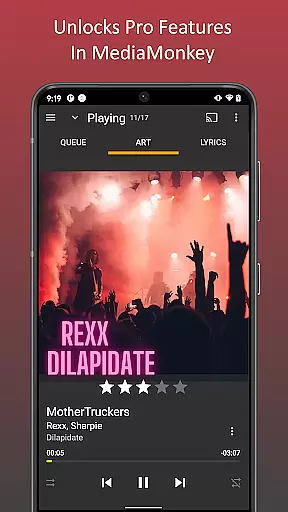
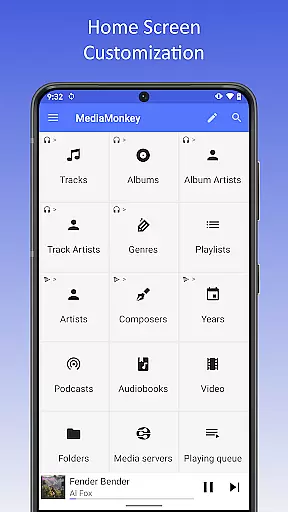
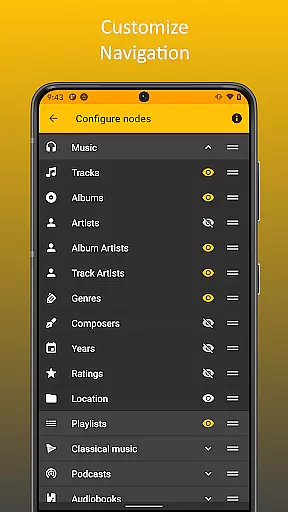
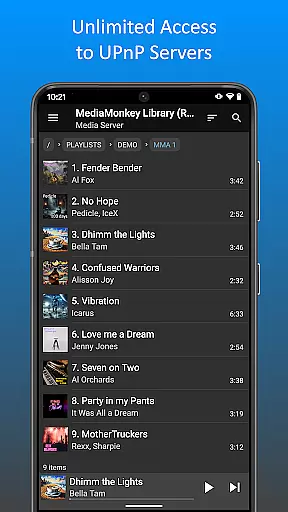
MediaMonkey Pro is a premium music management application designed for serious music collectors who require advanced features and seamless synchronization. This app serves as an unlock key for the free version of MediaMonkey, providing users access to exclusive functionalities such as Wi-Fi Sync, UPnP/DLNA support, folder browsing, and a configurable home screen.
The app is particularly beneficial for those with extensive music libraries on both mobile devices and Windows PCs. By enabling wireless synchronization of ratings, play history, and volume levels, it ensures that your music collection remains consistently organized across all platforms. Additionally, its support for UPnP/DLNA makes it easy to stream or download content from compatible servers, enhancing the overall audio experience.
MediaMonkey Pro offers a comprehensive suite of features tailored for audiophiles and music enthusiasts. One standout feature is the Wi-Fi Sync capability, which allows users to effortlessly synchronize their device's music library with a Windows PC without the need for cables. This includes syncing metadata such as ratings, play counts, and volume adjustments.
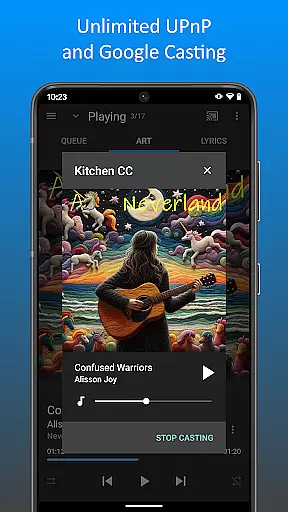
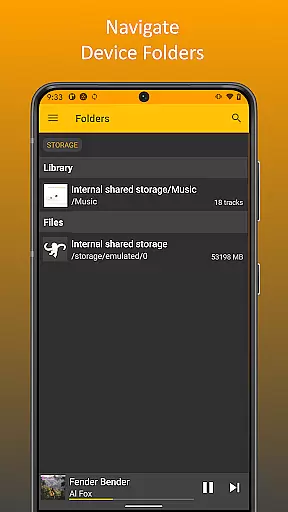
Another significant feature is the support for UPnP/DLNA, enabling users to stream or download multimedia content from compatible servers directly to their devices. Folder browsing adds another layer of convenience by allowing users to navigate their music library using the device's physical file structure. Furthermore, the configurable home screen lets users personalize their interface, ensuring quick access to frequently used content and functions.
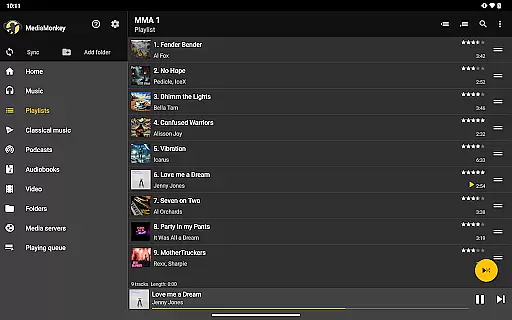
MediaMonkey Pro offers an extensive music library that caters to serious music collectors. The application allows users to manage large collections with ease, ensuring that all tracks are properly organized and categorized.
The app places a strong emphasis on copyright authenticity, providing users with peace of mind when managing their music files. By unlocking features such as Wi-Fi Sync and UPnP/DLNA support, it ensures that your library remains up-to-date across multiple devices while maintaining the integrity of each track's metadata.
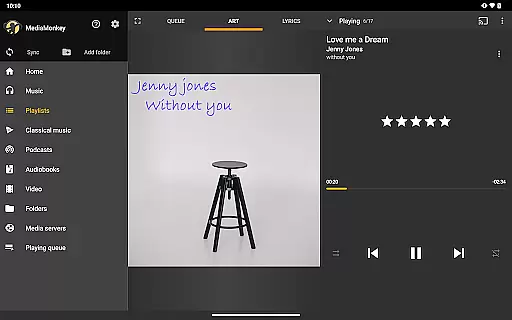
With MediaMonkey Pro, users can enjoy additional functionalities like folder browsing and configurable home screens, which enhance the overall experience of navigating through vast music libraries. These features not only improve accessibility but also ensure that users have full control over how they interact with their collection.
One of the standout features of MediaMonkey Pro is its ability to provide high-quality audio options for discerning listeners. By supporting various audio formats and offering advanced playback settings, the app ensures that users can enjoy their music in the best possible quality.
In addition to standard playback features, MediaMonkey Pro includes volume leveling and play history tracking, which contribute to a consistent listening experience. This attention to detail helps maintain the nuances of each track, allowing users to appreciate the subtle details in their music collection.
Furthermore, by integrating with UPnP/DLNA servers, MediaMonkey Pro enables users to stream high-quality audio content directly from networked devices. This flexibility ensures that no matter where you are or what device you're using, you'll always have access to top-notch sound quality.
Advanced sync options
UPnP/DLNA support
Customizable interface
Seamless integration
Enhanced organization
Requires free version
Complex for beginners
Windows-centric
Premium cost
Limited Android features

Fun & Easy Voice Changer – Record, Edit & Add Hilarious Effects!
 4.50
4.50
Time Guru will strengthen your internal sense of musical time via random muting.
4.30
Make music anywhere. Turn your device into an instrument.
4.0
A synth that really lets you shape your sounds!
4.50
Recording studio w/ 10k beats, pro vocal FX and a network of 20M rappers & fans!
4.60
Voice recorder - Audio recorder. Best recorder for recording
4.90
The Minimalistic Premium Music Player. Handmade with passion for music
2.20
Play KORG’s revolutionary touch-based instrument on a variety of devices.
4.40
Travel To The Music Universe
3.40
Listen to live FM radio stations, sports, music and news on global radios online
4.70
A complete sound package for the sound engineer or enthusiast
4.60
Enhance the sound quality of your devices, listen to what you want
4.50
DJ Music Mixer Pro is a real DJ controllers and DJ Music Studio to remix DJ.
4.40
Network/Cloud Streaming, Visualization, Graphic Equalizer and Sound Effects.
4.20
Smart piano keyboard, Classical to Pop, Real-time multiplayer connection!
4.20
Turn your Android phone into a professional audio analyser with up to 120 bands.
4.00
The only true audiophile music player with Hi-Fi audio rendering and DSP engine
3.90
The ultimate media player for Android devices
3.90
Slow music down without changing pitch.
3.70


User Reviews