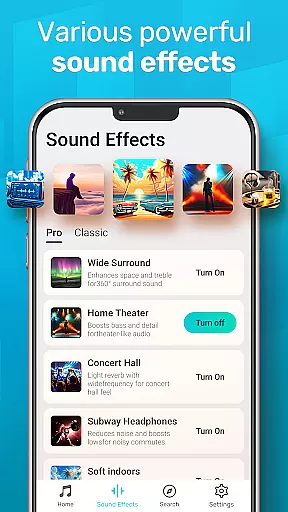
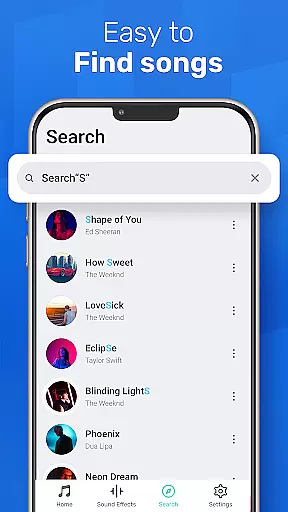
MusicGo is a versatile offline music player app that supports all major audio formats, making it an essential tool for music enthusiasts. With over 20 built-in equalizer presets and advanced audio technology, the app delivers outstanding sound quality tailored to individual preferences.
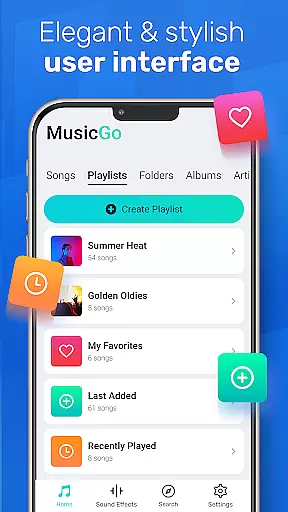
The user-friendly interface allows easy management of music files directly on your device. Whether you want to browse by playlists, albums, or artists, MusicGo provides seamless navigation. Its elegant design includes customizable themes, ensuring a personalized experience for every user while maintaining exceptional performance.
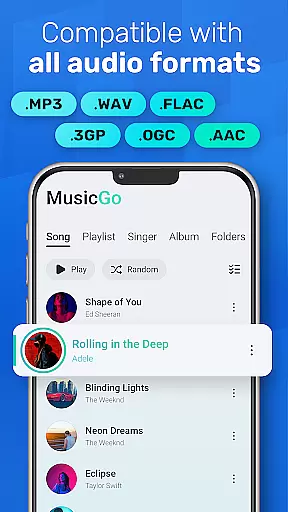
MusicGo stands out with its comprehensive format support, including MP3, FLAC, WAV, MIDI, AAC, and more, ensuring optimal playback quality for any file type. The app's powerful equalizer offers over 20 presets, such as bass boost and reverb effects, enhancing the listening experience across genres like classical, rock, and dance.
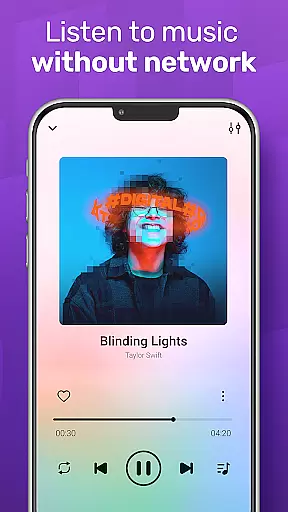
Additional features include smart auto-playlists like Most Played and Recently Played, background playback support, and compatibility with both Bluetooth and wired headphones. Users can also manage their libraries efficiently through deep scanning and automatic refreshing functions. These capabilities make MusicGo not just a music player but a complete audio management solution.
MusicGo offers an extensive music library that supports all major audio formats including MP3, FLAC, WAV, MIDI, AAC, and APE. This ensures users have access to a wide variety of music genres and styles.
The app's comprehensive format support not only enhances user experience by catering to diverse musical tastes but also guarantees optimal sound quality for every track played within the app.
While MusicGo provides vast musical resources, it emphasizes the importance of copyright authenticity. Users can enjoy their favorite tunes with peace of mind knowing that their music player respects intellectual property rights.
With over 20 built-in equalizer presets, MusicGo allows users to tailor their listening experience according to different music genres such as classical, dance, folk, and rock. This feature elevates the audio quality by enabling bass boosts and reverb effects with just a single tap.
The equalizer options in MusicGo are designed to fit personal preferences, ensuring that each user can customize their sound output precisely how they like it. Whether you're an audiophile or casual listener, thereu2019s an equalizer setting for everyone.
In addition to its powerful equalizers, MusicGo delivers outstanding sound quality through advanced audio technology. The combination of high-quality audio formats support and customizable EQ settings makes this app stand out among other music players on the market today.
Supports all audio formats
20+ equalizer presets
Intuitive UI design
Offline playback
Customizable themes
Limited online streaming
No lyrics integration
Ads in free version
Few social features
Occasional bugs

 4.70
4.70
Control your MIDI USB or Bluetooth devices in app and avoid some trampling
3.30
10-Band Audio Equalizer, Sound / Bass Booster for Spotify Users & Music Players
4.40
DJ Music Mixer Pro is a real DJ controllers and DJ Music Studio to remix DJ.
4.40
Network/Cloud Streaming, Visualization, Graphic Equalizer and Sound Effects.
4.20
Unleash your creativity! Turn simple prompts into full fledged songs.
4.70
Listen radio AM / FM Stations. Live AM / FM Radio App Station. Radio Com.
4.70
Help you quickly get started with Shokz headphones
4.40
Responsive piano with great sounds, graphics, and songs
4.80
Voice recorder - Audio recorder. Best recorder for recording
4.90
Your song collections with lyrics and chords on Android smartphones and tablets.
4.80
A complete sound package for the sound engineer or enthusiast
4.60
Reverse your voice & songs instantly! Fun singing challenge with cool effects.
4.60
Guzheng Master supports many playing techniques as an acoustic Guzheng
4.50
Formerly known as Spotistats! View your top tracks, artists, albums and more!
4.40
DJ Music Mixer - DJ Remix: remix songs, make beat music & record mix of DJ.
4.40
The Music Journey in Your Hands
4.30
Turn your phone into a musical instrument from the future!
3.90
Powerful beat maker & DJ mixer to remix tracks, make music, & perform DJ mix
3.70


User Reviews