
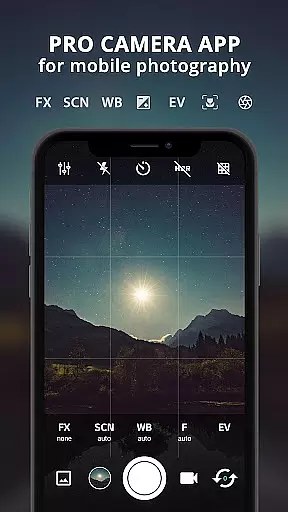
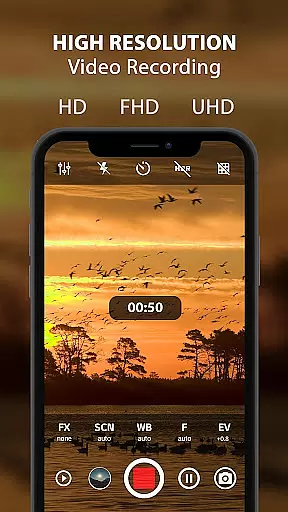
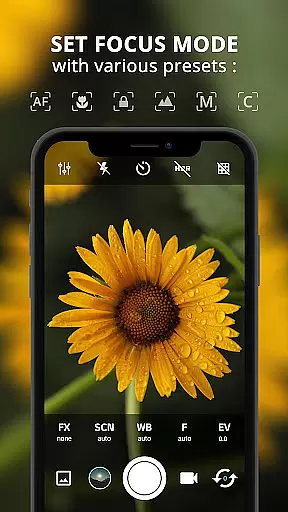
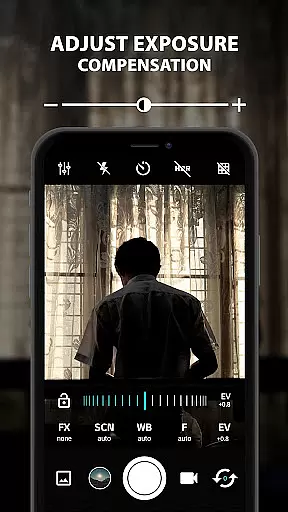
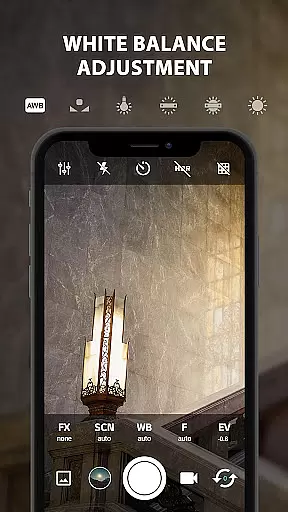
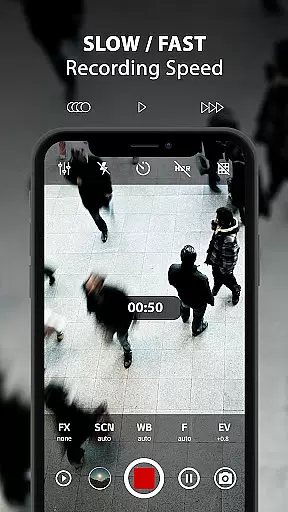
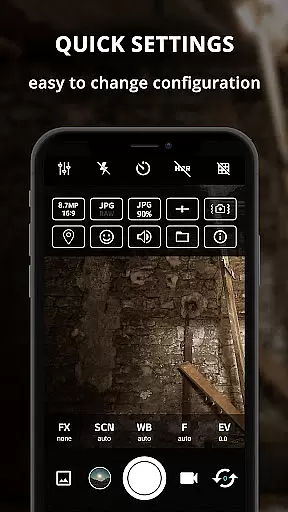
ProCam X is a professional-grade mobile camera application that transforms your smartphone into a powerful photography tool. With advanced controls for exposure, focus, white balance, ISO, and shutter speed, it offers DSLR-like functionality in the palm of your hand. The app supports high-resolution photo capture and 4K video recording, making it ideal for both amateur photographers looking to enhance their skills and professionals needing a portable solution.
The application provides essential features such as burst mode, real-time filters, geotagging, and anti-shake, along with creative options like golden ratio grids and customizable volume key functions. These capabilities ensure users can capture stunning images and videos in various conditions. Whether you're shooting landscapes, portraits, or action sequences, ProCam X delivers the control and flexibility needed to produce exceptional results.
Designed for devices running Android 5.0 and above with Camera2 API support, this app unlocks the full potential of your phone's camera hardware. It's particularly beneficial for content creators, social media influencers, and photography enthusiasts who demand professional-quality output from their mobile devices.
ProCam X stands out with its comprehensive set of professional camera features packaged in an intuitive interface. The app offers precise manual controls including adjustable ISO settings (ranging from 50 to 3200), manual focus with focusing distance adjustment, and independent exposure lock functionality. These tools allow photographers to fine-tune every aspect of their shots, similar to using a dedicated DSLR camera.
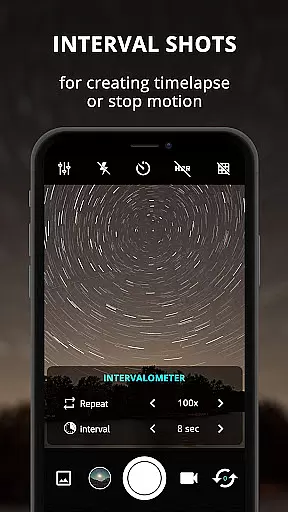
One of the app's most notable capabilities is its support for 4K video recording with optional audio, available on compatible devices. The intervalometer feature enables time-lapse creation, while burst mode allows capturing multiple frames per second. Additional professional-grade features include RAW (DNG) file support, customizable grid overlays, and advanced scene modes that adapt to different lighting conditions.
The application also implements practical utilities such as GPS location tagging, date/time stamping, and compass direction embedding in metadata. These features are particularly valuable for professional projects requiring detailed documentation. Furthermore, the app's clean interface design ensures these powerful tools remain accessible even to less experienced users, maintaining a perfect balance between functionality and usability.
Real-time capture and preview functionality is essential for any photography app aiming to provide a professional experience. ProCam X excels in this area by offering users the ability to control exposure, focus, and white balance with precision.
The application supports manual adjustments for ISO, shutter speed, and focus on devices that enable camera2api, ensuring that photographers can fine-tune their settings for the perfect shot. This level of control allows users to adapt quickly to changing lighting conditions and capture high-quality images without delay.
Additionally, features like Anti Shake and Realtime filter/color effects enhance the real-time preview experience. Users can see the impact of their adjustments immediately, which helps in making informed decisions about composition and settings before taking the final picture.
With its fast camera performance and burst mode capabilities, ProCam X ensures that users never miss a moment. The ability to take many pictures at short intervals is invaluable for creating stop-motion or time-lapse videos, providing both amateur and professional photographers with tools that elevate their mobile photography to new heights.
While ProCam X does not explicitly market itself as an AI beauty enhancement tool, it offers several features that contribute to natural-looking photo improvements. The app includes real-time filters and color effects that can subtly enhance the visual appeal of photos without appearing artificial or over-processed.
One of the key aspects of achieving natural enhancement is through precise control over camera settings. By allowing manual adjustments for ISO, white balance, and exposure lock, ProCam X enables users to optimize their shots for the best possible quality straight out of the camera. These controls help maintain the authenticity of the image while still enhancing its overall look.
Furthermore, advanced functionalities such as geotagging and golden ratio grid lines assist in composing well-balanced and aesthetically pleasing photographs. The inclusion of these professional-grade tools ensures that enhancements are made during the capture process rather than relying solely on post-processing.
For those looking to create stunning visuals with minimal effort, ProCam X provides a suite of features that work together to produce naturally enhanced images. Whether capturing landscapes, portraits, or action shots, the app's comprehensive set of tools empowers photographers to achieve beautiful results that retain the original essence of the scene.
Professional-grade controls
4K video recording
RAW file support
Time-lapse functionality
Customizable interface
Requires Camera2 API
Complex for beginners
High battery consumption
Limited low-light performance
Premium feature pricing

Shooting photos and records video easily and efficient with professional Camera
 4.30
4.30
Perfect photos with body shaping, BG changer and object remover.
3.70
Trendy TikTok time warp scan funny filter app brings you unique photos & videos.
4.40
Transform Photos: Edit, Beautify and Craft Memories & Make Collages!
4.10
AI-powered video creator by MiniMax - Where ideas meet cinema
4.20
Turn photos into cartoons & avatars! - Photo Editor, Cartoon Face!
3.90
Pro version: AR sun/moon tracker for any date. Tool for photographers & planners
4.90
RAW video capture with advanced controls
4.40
Your Family Calendar + Photos. Manage your Skylight Calendar and Skylight Frame.
4.40
Create funny photos and videos with the popular Time Warp Scan filter.
4.90
The original Rarevision VHS look seen everywhere!
4.70
Use AI Video Generator to turn your words to ai generated videos.
4.50
Future baby face generator: AI kids generator, kid face! What my baby look like?
4.40
What celebrity do you look like? Celebs will find your celebrity match!
4.10
Be your best in every shot! Fix, edit and retouch your face in selfies & photos.
3.70
Professional video recording application with manual controls for filmmakers!
2.80
Long exposure camera with computational photography
2.60
Raw Image Viewer. Gallery with support of raw images (.cr3, .cr2, .nef, .raf).
2.00
Add a dreamy vibe to your selfies and videos with soft style filters
4.4


User Reviews