





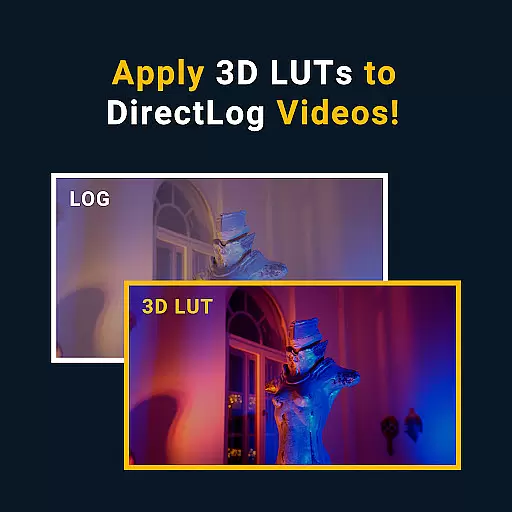



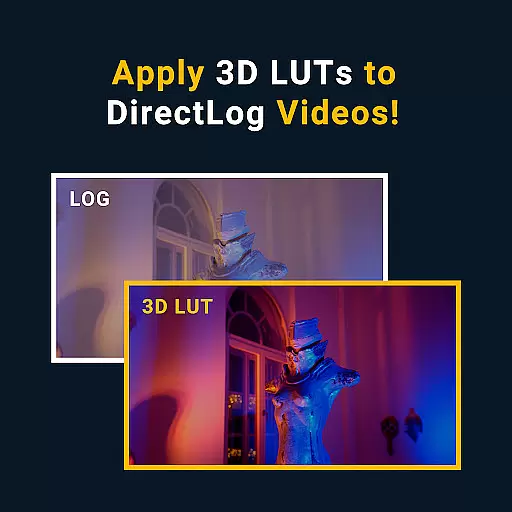
MotionCam Pro revolutionizes mobile photography by offering professional-grade tools directly on your smartphone. The app's standout feature is its ability to capture RAW videos, a first for smartphone cameras. This allows photographers and videographers to retain maximum detail and dynamic range in their footage, providing unparalleled flexibility during post-processing.
In addition to video capabilities, MotionCam Pro enhances still photography through advanced computational algorithms. These replace standard camera software, enabling users to produce stunning images with improved clarity, color accuracy, and low-light performance. Whether you're an amateur enthusiast or a seasoned professional, this app provides the tools needed to elevate your mobile photography experience.
The hallmark of MotionCam Pro lies in its innovative approach to mobile imaging. By enabling RAW video capture, it empowers content creators with exceptional control over their footage. This feature is particularly beneficial for those who require high-quality output for professional projects or detailed editing processes.
Beyond video, the app incorporates sophisticated computational photography techniques that enhance photo quality. Users can expect sharper details, more accurate colors, and better performance in challenging lighting conditions. The intuitive interface ensures these powerful tools remain accessible to both casual users and professionals alike, making it an indispensable asset for anyone serious about mobile photography.
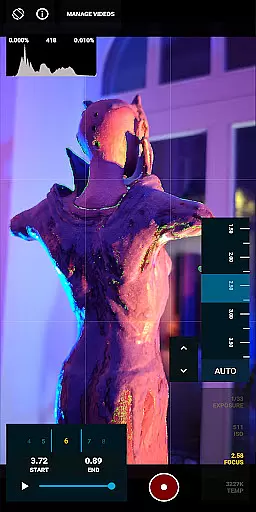
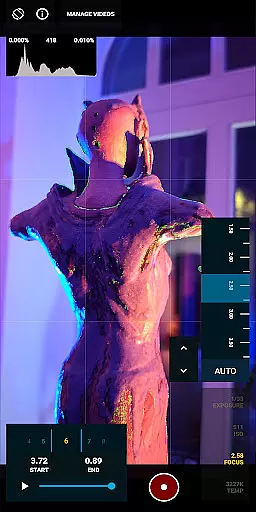
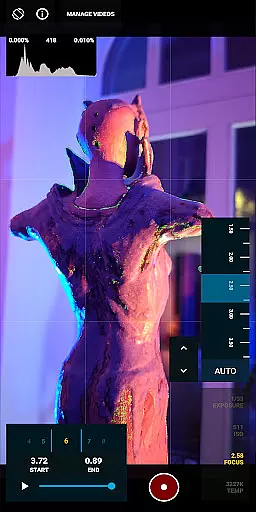
Real-time capture and preview functionality is essential for photographers who need to see the exact image they are capturing. MotionCam Pro excels in this area by providing users with a live view of their shot before taking it, ensuring that every detail is captured as intended.
The app's computational photography algorithms enhance the preview experience by adjusting settings such as exposure, white balance, and focus in real time. This allows users to make precise adjustments on the fly, resulting in higher quality images without the need for post-processing.
With MotionCam Pro, users can also take advantage of advanced features like focus peaking and zebra patterns, which help in achieving perfect focus and exposure. These tools are crucial for professional photographers who demand accuracy and control over their work.
MotionCam Pro incorporates AI beauty and enhancement features that bring out the best in every photo while maintaining a natural look. Unlike other apps that may over-process images, MotionCam uses sophisticated algorithms to ensure enhancements are subtle and true to life.
The AI-driven enhancements automatically detect faces and adjust skin tones, smooth imperfections, and brighten eyes, all while preserving the unique characteristics of the subject. This results in photos that look polished yet authentic, avoiding the artificial appearance often associated with digital enhancements.
Furthermore, users have the option to customize the level of enhancement applied, giving them complete control over the final outcome. Whether capturing portraits or landscapes, MotionCam Pro ensures that every image retains its natural beauty, making it an indispensable tool for both amateur and professional photographers.
RAW video capture
Advanced photo algorithms
User-friendly interface
Professional-grade tools
Active community support
Premium pricing
High device requirements
Limited compatibility
Steep learning curve
Resource-intensive

Long exposure camera with computational photography
 2.60
2.60
Easily stitch panoramas from multiple photos or video.
4.40
Add a dreamy vibe to your selfies and videos with soft style filters
4.2
Professional photography on your mobile phone
4.20
Astrophotography with your smartphone, photo live stacking and much more!
3.90
Pro version: AR sun/moon tracker for any date. Tool for photographers & planners
4.90
Discover & download millions of art for The Frame TV or Hisense CanvasTV
4.60
Unlock the full potential of your DJI drone with Litchi
4.50
Your Family Calendar + Photos. Manage your Skylight Calendar and Skylight Frame.
4.40
Enhance, retouch & create your story - Share the moment with Photoshop Express.
4.60
HD Camera Pro with HD Video shooting, Panorama, Photo editor , Beauty Camera.
4.50
Photo Exif Editor allows to view, add and modify EXIF data of multiple photos
4.50
Fit multiple photos on one post. Create carousels & scroll layouts for Instagram
4.50
AI portrait generator and polaroid AI selfie, fun AI generated AI photo creator!
4.30
All-in-One Editor & AI Photo Enhancer, Beautify & Retouch, Collage, Cartoonify
4.20
Create & Edit with AI: AI Remove, Enhance, Retouch, Filter
4.10
Catch sunlight, sunrise sunset times and sun phases with the AR sun tracker.
4.10
Remote control of the phone camera from your Wear OS smartwatch
3.70
An interval timer to automate photo taking process for timelapse
2.90


User Reviews