
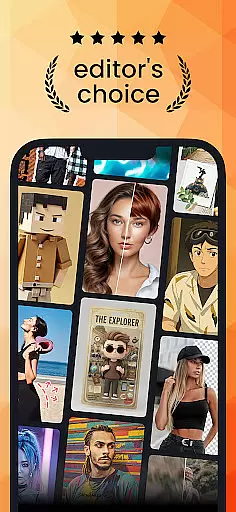
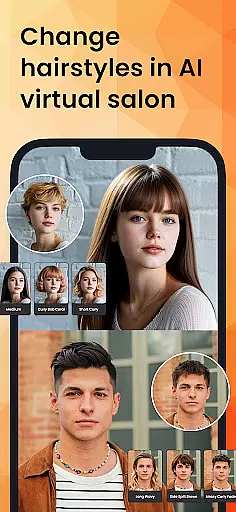
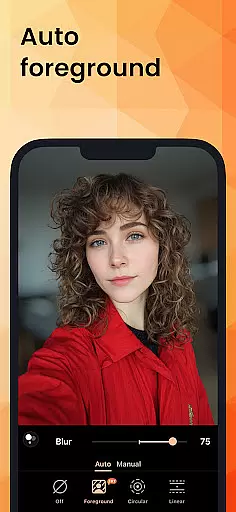
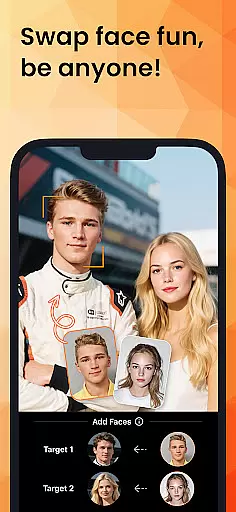
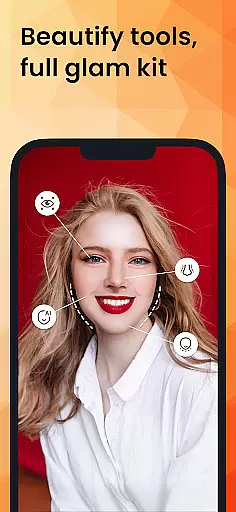
PhotoDirector is an intuitive AI-powered photo editor that empowers users to create and enhance stunning images effortlessly. With hundreds of styles, effects, templates, and tools at your disposal, this app transforms your photography experience. Whether you're turning photos into cartoonized artwork or applying aesthetic styles, PhotoDirector makes it fast and easy.
The app features groundbreaking AI tools like AI Removal, AI Expand, and AI Hairstyle, enabling users to edit images with precision and creativity. From enhancing portraits to replacing unwanted elements in photos, PhotoDirector ensures every shot reflects your imagination. Available for both Android and iOS, it's the ultimate tool for unleashing your creative potential.
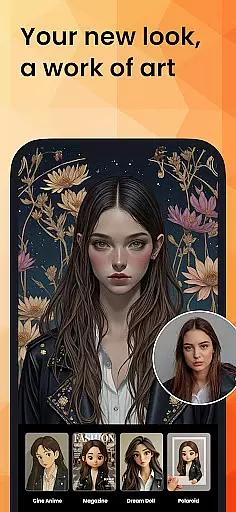
PhotoDirector stands out with its powerful AI-driven features designed to simplify complex editing tasks. The AI Art and Image to Video functionalities allow users to transform ordinary photos into extraordinary artworks or animations. With AI Face Swap and AI Hairstyle, experimenting with different looks becomes seamless and fun.
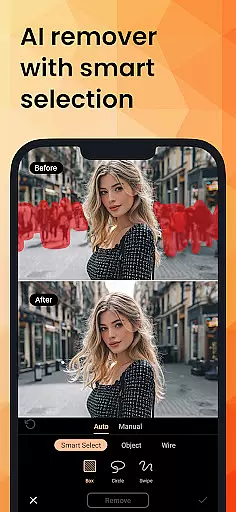
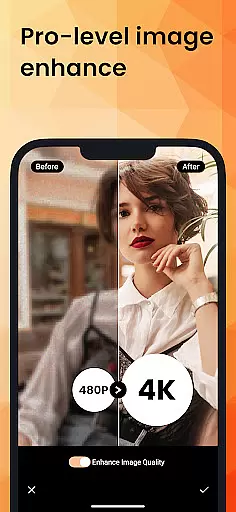
Editing is made effortless through features like AI Removal, which detects and erases unwanted objects automatically, and AI Background, which replaces plain backgrounds with visually appealing alternatives. Additionally, tools like AI Enhance repair low-resolution images, ensuring professional-quality results every time. These innovative features make PhotoDirector a must-have for both amateur photographers and professionals seeking efficiency and creativity.
Real-time capture and preview functionality is essential for ensuring that every photo taken meets the user's expectations without delay. PhotoDirector offers an intuitive interface where users can see adjustments and enhancements in real time, allowing them to make precise edits instantly.
This application leverages advanced processing capabilities to provide a seamless experience when applying filters or effects. Users can witness the transformation of their images into artworks or stylized portraits through features like AI Art and Image to Video, all while maintaining complete control over the final outcome.
The value of real-time capture and preview extends beyond convenience; it empowers photographers to experiment with confidence. With tools such as AI Hairstyle and AI Outfit, creators can visualize changes before committing, thus refining their artistic expression and achieving professional-grade results with minimal effort.
AI Beauty and Enhancement features are revolutionizing how we approach photo editing by offering natural-looking improvements without compromising authenticity. PhotoDirector stands out with its suite of AI-powered tools designed to enhance portraits while preserving the subject's original character.
From smoothing skin tones to reshaping body contours, this app employs sophisticated algorithms that adapt to each unique face or figure. The AI Face Swap and Body Reshape functionalities allow for creative yet realistic modifications, ensuring that edited photos remain true to life.
By prioritizing naturalness in enhancement, PhotoDirector caters to both amateur and professional photographers who seek polished but genuine imagery. This commitment to authenticity not only elevates the aesthetic appeal of photographs but also respects the integrity of the captured moment, making it an indispensable tool for modern photography enthusiasts.
User-friendly interface
Extensive AI tools
Versatile editing options
High-quality enhancements
Regular updates
Premium subscription required
Some features are complex
Occasional bugs
Limited free content
Heavy on storage

Photo Album Watch Face shows your favorite pictures as a Watchface.
 1.90
1.90
1M influencer's special filter
4.60
AI photo editor with hair editor, retouch tools, hair color changer & filters!
4.50
Cartoon and artistic effects for your photos and videos
4.70
The #1 app for B&W film developing featuring an advanced darkroom timer.
4.10
Create amazing frames with up to five photos. Rounded corners, effects and more!
3.60
Transform Photos: Edit, Beautify and Craft Memories & Make Collages!
4.10
Pro version: AR sun/moon tracker for any date. Tool for photographers & planners
4.90
live datamoshing
4.00
Enhance, upscale, and transform your images — on your device, without limits
4.70
Viewfinder, Light meter, Reciprocity failure time, DOF & Bellows Extension
4.60
PhotoSync Bundle Add-On License. Enables all features and services in PhotoSync.
4.60
Cut and paste photo editor & eraser to customize photos easy and swap faces fun
4.50
Create AI photos & videos with Enhancer; restore, fix, beautify, enhance photos
4.50
RAW video capture with advanced controls
4.40
[3DSteroid Pro] is a stereoscopic application for Android.
4.30
Professional photography on your mobile phone
4.20
Professional camera app that brings DSLR manual photography controls to Android.
4.20
Remote control the phone camera shutter from your smartwatch and take a picture
1.60


User Reviews