
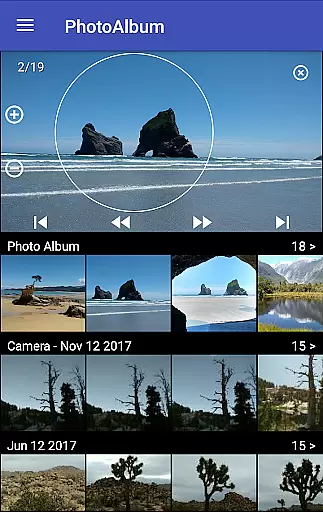
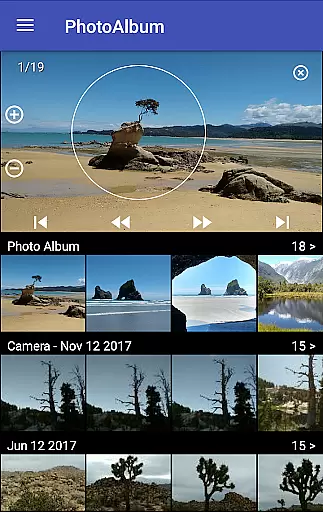
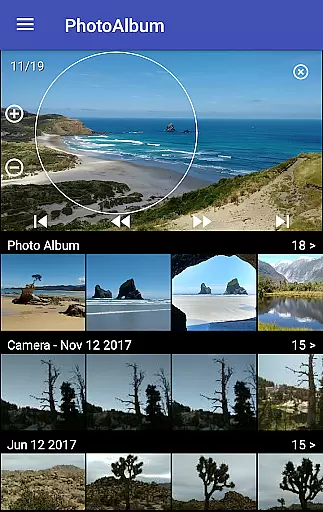
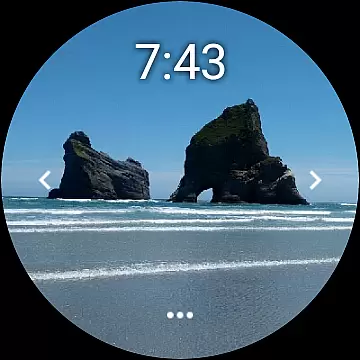
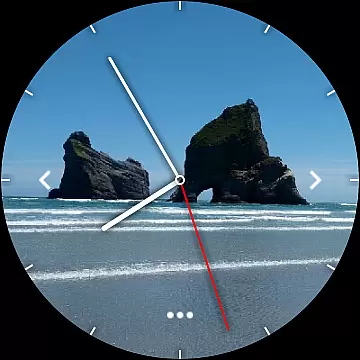
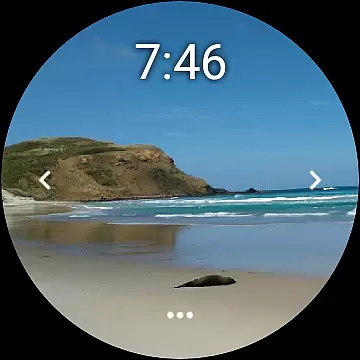
Photo Album Watch Face is a unique photography app that allows users to personalize their smartwatch faces with favorite pictures from their phone. This app bridges mobile and wearable technology, enabling seamless synchronization of photo albums directly to your watch face.
The core functionality revolves around automatic picture cycling on the smartwatch or manual navigation through taps. It supports Wear OS devices and operates independently of the phone after initial setup. Users can download new images via the companion mobile app, making it versatile for everyday use or special occasions where personalization matters.
This app stands out with its intuitive design and practical implementation. Key features include automatic image rotation on the smartwatch, giving users a dynamic viewing experience without any manual intervention. Additionally, users can swipe left or right to manually browse through their selected photos at any time.
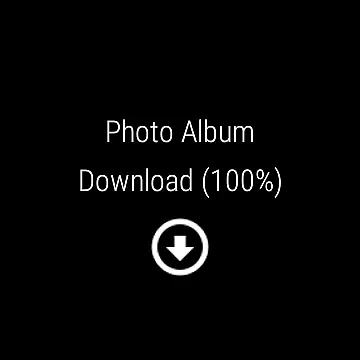
Another notable feature is the ability to download new pictures directly from the paired smartphone. By tapping the dedicated 'Download' button on the watch interface, users can refresh their album effortlessly. The app also works offline once images are synced, providing flexibility and convenience for those who value both functionality and aesthetics in wearable tech.
Real-time capture and preview functionality is essential for ensuring that users can see exactly what their smartwatch face will look like before finalizing their selection. This feature allows users to make instant adjustments, optimizing the visual appeal of their chosen images.
Photo Album Watch Face offers a seamless experience by enabling users to select their favorite pictures directly from their phone. These images are then displayed in real-time on the smartwatch, providing an immediate sense of how they appear as part of the watch face design.
The ability to cycle through pictures automatically or manually via tap gestures enhances user engagement and satisfaction. By offering both options, users gain control over their viewing experience while also enjoying the convenience of automated transitions.
This real-time interaction not only simplifies the customization process but also ensures that users feel confident about their choices, knowing precisely how each photo will look on their wrist at any given moment.
AI beauty and enhancement features focus on improving image quality without compromising natural aesthetics. For Photo Album Watch Face, this means applying subtle enhancements that maintain the authenticity of user-selected photos while elevating their overall appearance.
By integrating advanced algorithms, the application refines images with adjustments such as brightness, contrast, and color balance. These modifications ensure that every picture looks vibrant and clear on the smartwatch display without appearing overly processed or artificial.
Furthermore, the app supports offline use once pictures are downloaded, meaning these enhancements occur locally on the device. This approach respects user privacy while delivering high-quality results tailored specifically for smaller watch screens.
Ultimately, AI-driven enhancements contribute significantly to user satisfaction by making each photo album watch face not just personalized but visually stunning, striking the perfect balance between enhancement and natural presentation.
User-friendly interface
Offline functionality
Automatic image cycling
Supports Wear OS
Dynamic personalization
Requires companion app
Limited customization options
Phone pairing necessary
No direct photo editing
Dependent on device compatibility

Effortlessly organize, view and share your photos & videos with Gallery app!
 4.40
4.40
Add Watermark - Sign your pictures with a text or logo. Effective, quick, easy!
4.50
Shooting photos and records video easily and efficient with professional Camera
4.30
Create & Edit with AI: AI Remove, Enhance, Retouch, Filter
4.10
Create collages easily! Nice pic collage maker & background eraser for Instagram
4.50
Photo editor: AI filters, photo enhancer, pic collage maker, AI art generator.
4.80
Snap photos remotely using your Garmin watch as the camera trigger
4.0
Discover & download millions of art for The Frame TV or Hisense CanvasTV
4.60
A unique animation app. Powerful, easy to use, and lots of fun.
4.30
AI Photo Editor with 100+ Filters, Effects! Remove BG, Retouch & Photo Enhancer.
4.80
Android Native system HD camera app. Never been so simple and faster.
4.70
Edit like a pro with Hypic. Apply filters, AI effects, & magic touch.
4.40
Easily stitch panoramas from multiple photos or video.
4.40
Natural Beauty, Selfie Retouch
4.30
What celebrity do you look like? Celebs will find your celebrity match!
4.10
All-in-One Editor & AI Photo Enhancer, Collage, Cartoonify, Funny Stickers & BGS
4.10
How would you look like with a differently shaped nose, chin or lips?
3.90
Remote control of the phone camera from your Wear OS smartwatch
3.70
Remote control the phone camera shutter from your smartwatch and take a picture
1.60


User Reviews