
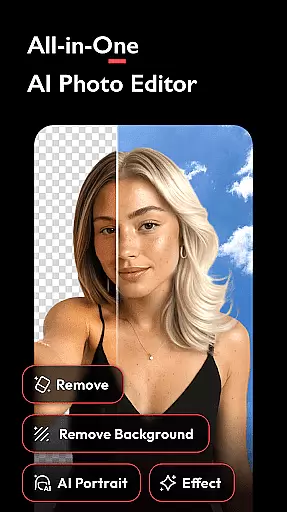


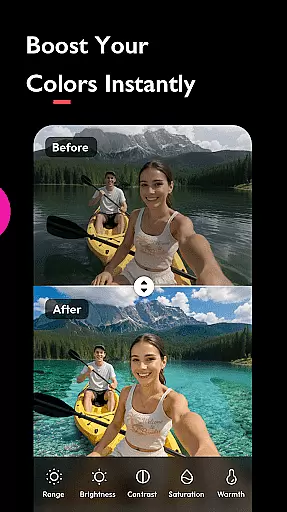
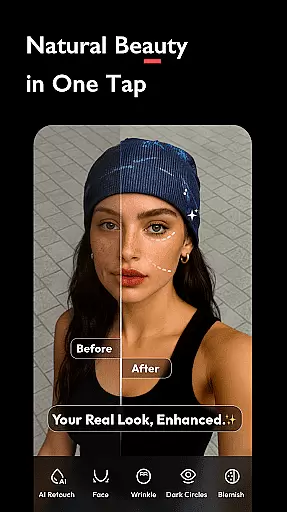
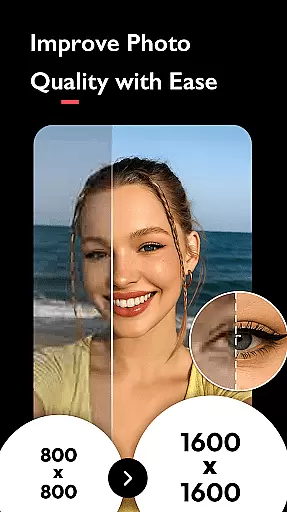
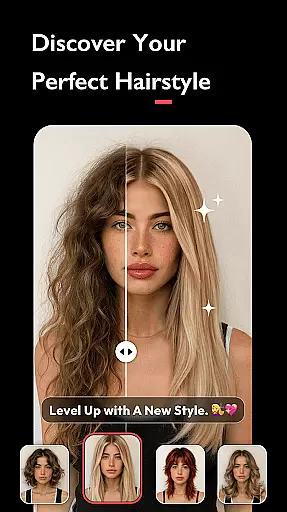
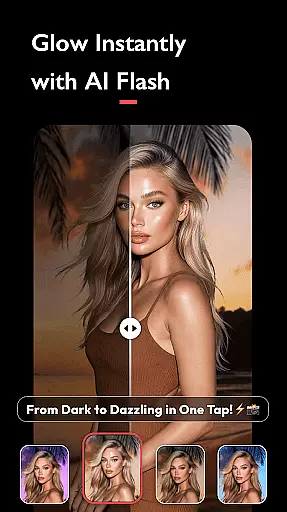
AI Photo Editor - Polish is a powerful photography application that utilizes advanced AI technology to transform your photo editing experience. The app offers an extensive suite of tools including AI filters, photo enhancement, background removal, and portrait generation, all designed to elevate your images into professional-grade art.
With over 500 AI filters, effects, templates, and stickers, this app caters to influencers, business owners, and everyday creators. Whether you're refining personal branding or enhancing marketing materials, Polish provides the necessary features without requiring specialized skills. Its versatility extends from simple edits to complex creations, making it suitable for both casual users and professionals.
The app's standout feature is its ability to produce high-quality results effortlessly. From fixing blurry photos to creating unique AI avatars, Polish ensures every creator can achieve stunning visual content. This makes it an ideal tool for social media optimization, profile enhancement, and creative expression across platforms like LinkedIn, TikTok, and Instagram.
AI Photo Editor - Polish distinguishes itself through innovative AI-powered features. The AI Filters offer CCD, Flash, and trendy options for instant photo perfection. The AI Photo Enhancer fixes blurry images and upgrades them to HD quality with a single tap, while the AI Cartoon feature allows users to design personalized avatars.
Additional tools include AI Remove for eliminating unwanted objects, AI Portrait for generating professional headshots, and AI Expand for resizing images to fit various platforms. The AI Beautify function refines facial features, smooths skin, and enhances overall appearance using sophisticated face editor technology.
Advanced editing capabilities encompass HSL color enhancement, light effects like Bokeh and Lens Flare, and professional-grade DSLR effects through background blurring. The app also provides comprehensive body and face tuning options, enabling users to adjust proportions, brighten skin, and create balanced, aesthetically pleasing images.
Real-time capture and preview functionality is essential for ensuring that users can see the results of applying various AI filters, effects, and beautification tools instantly. This immediate feedback allows users to make necessary adjustments before capturing the final image.
AI Photo Editor - Polish offers a dynamic real-time preview feature that lets users experiment with over 500 AI filters, effects, and templates. The app's next-gen AI art generator provides instant perfection, whether you're applying trendy AI filters or enhancing photo quality to HD in one tap.
The value of real-time capture and preview lies in its ability to enhance user experience by providing instant visual feedback. Users can adjust brightness, contrast, saturation, and apply HSL color enhancement while seeing the changes in real time. This ensures that the final output meets their expectations without any surprises.
By integrating real-time capture and preview features, AI Photo Editor - Polish empowers creators to refine their personal brand, boost marketing efforts, and capture everyday creative moments effortlessly. This feature is particularly beneficial for influencers and business owners who rely on high-quality visuals for their professional success.
AI beauty and enhancement features are designed to improve the aesthetic appeal of photos while maintaining a natural look. These tools help smooth skin, retouch faces, and refine features using advanced face editor technology.
In AI Photo Editor - Polish, the AI Beautify tool offers powerful yet easy-to-use editing options. It smooths skin, brightens complexions, and refines facial features with precision. Additionally, the app includes body and face tune features that allow users to slim down their body and face, elongate legs, and achieve a flawless figure.
The importance of maintaining naturalness in AI enhancements cannot be overstated. Overly processed images can appear artificial and unappealing. AI Photo Editor - Polish addresses this by offering subtle adjustments that enhance natural beauty without compromising authenticity.
Users benefit from these features by achieving professional-quality edits that look genuine. Whether creating LinkedIn headshots, Instagram posts, or personal artwork, the AI beauty and enhancement tools ensure that every photo reflects a polished yet natural appearance, boosting confidence and engagement across digital platforms.
User-friendly interface
Extensive filter selection
Powerful AI tools
Professional results
Versatile editing options
May overwhelm beginners
Some features require premium
Occasional processing delays
Limited offline functionality
Subscription-based pricing

A collection of tools and reference tables for DPs, ACs, DITs and Operators.
 4.70
4.70
Trendy TikTok time warp scan funny filter app brings you unique photos & videos.
4.40
Take videos and pictures with the popular TikTok TIME WARP SCAN filter.
4.60
Over 800 film simulation recipes for Fujifilm. Black Friday Offer!
4.4
The #1 app for B&W film developing featuring an advanced darkroom timer.
4.10
AI Photo Editor with 100+ Filters, Effects! Remove BG, Retouch & Photo Enhancer.
4.80
Collage your moments in one tap: 1000+ layouts, filters, stickers, and texts.
4.90
Turn photos into cartoons & avatars! - Photo Editor, Cartoon Face!
3.90
A unique animation app. Powerful, easy to use, and lots of fun.
4.30
Pro version: AR sun/moon tracker for any date. Tool for photographers & planners
4.90
Perfect body tune & face app - photo retouch, makeup, slim body & beautify face.
4.80
See your baby AI baby face generator AI baby maker Face generator babymaker fun!
4.70
Add Watermark - Sign your pictures with a text or logo. Effective, quick, easy!
4.50
Create Business Headshots, Polaroid Filter, Retake Photos,Profile Pics,AI Photos
4.50
Create AI Photos, Improve and restore quality of blurry, old or damaged pics.
4.20
Photobooth mini FULL app will allow you to add more fun to your parties
4.00
Professional quality photo edits with the new Snapseed.
4.00
Photo Album Watch Face shows your favorite pictures as a Watchface.
1.90
Snap photos remotely using your Garmin watch as the camera trigger
4.0


User Reviews