
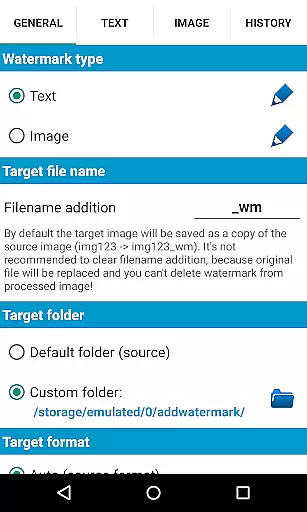
Add Watermark is a powerful photography app designed to help users protect their digital images by adding customizable watermarks. The application allows you to embed text or logo watermarks into your photos, providing both branding and copyright protection.
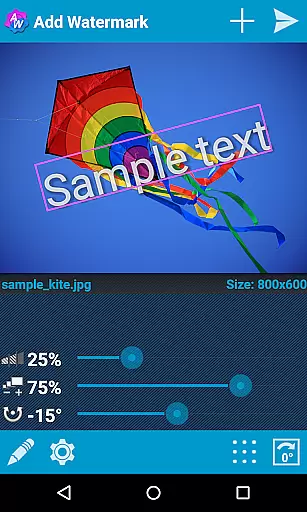
With features like batch processing, auto-processing through sharing, and extensive customization options, this app caters to professional photographers and bloggers who need efficient ways to watermark multiple images. You can adjust the size, transparency, rotation, and alignment of the watermark, ensuring it fits seamlessly into your pictures.
The app supports various formats and offers advanced settings such as timestamp insertion, EXIF metadata support, and panorama compatibility. Whether you're looking to watermark a single image or an entire gallery, Add Watermark provides the tools necessary to secure your visual content effectively.
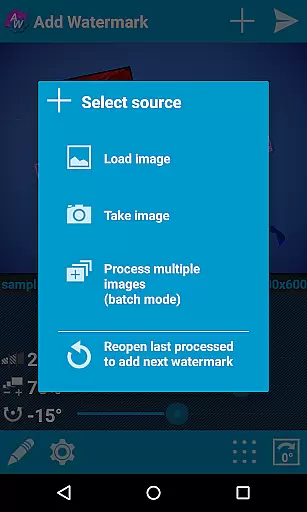
Add Watermark stands out with its comprehensive feature set tailored for both casual users and professionals. One of its primary capabilities is the batch mode, which allows users to process multiple images simultaneously, saving significant time and effort.
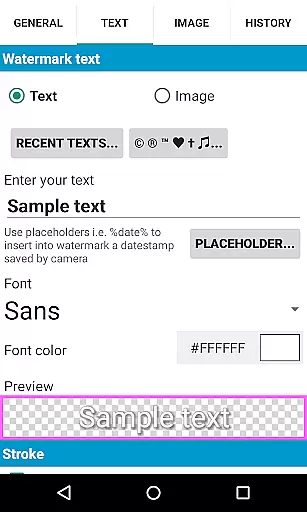
The app includes auto-processing functionality, enabling seamless integration with other applications. By simply sharing images from your gallery to Add Watermark, you can apply predefined watermark settings automatically. With 72 built-in fonts and support for up to 20 custom fonts, users have extensive typographic options.
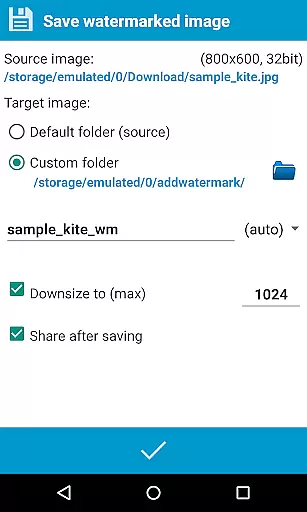
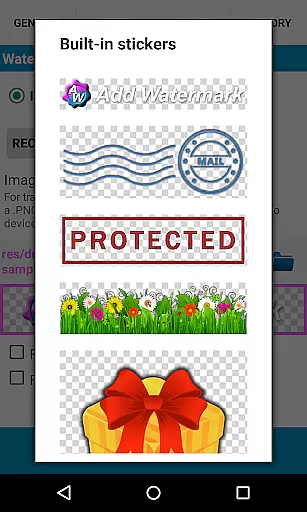
Additional features include a built-in sticker collection, transparent PNG support for image watermarks, and quick sharing to social media platforms like Instagram and Facebook. Advanced functionalities such as EXIF metadata support, panorama compatibility, and cloud backup make this app a versatile tool for all your watermarking needs.
Real-time capture and preview functionality is essential for ensuring that the watermark you add to your images appears exactly where you want it. Add Watermark provides a seamless experience by allowing users to see changes instantly as they adjust the watermark's size, transparency, rotation, and alignment.
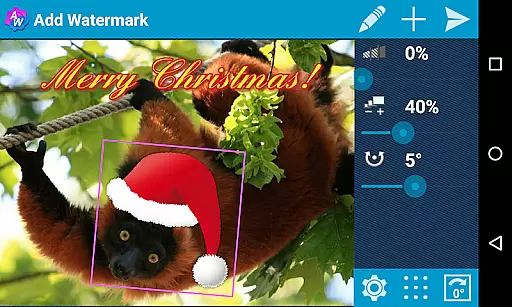
This app offers photographers and bloggers the ability to fine-tune their watermarks with precision. Whether it's adjusting the opacity to ensure the watermark doesn't overpower the image or rotating it to fit a specific corner, the real-time preview ensures that the final output meets the user's expectations without any surprises.
Furthermore, the instant feedback provided during the watermarking process saves time and enhances productivity. Users can quickly iterate through different settings and immediately see the results, making the task of watermarking multiple images in batch mode more efficient and less tedious.
While primarily focused on watermarking, Add Watermark also includes features that touch on AI beauty and enhancement naturalness. The application supports various effects in text mode and allows importing custom fonts, which can be used creatively to enhance the visual appeal of watermarks.
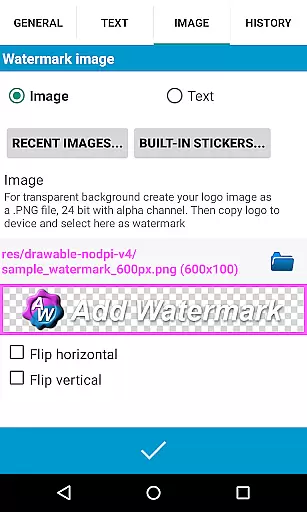
The appu2019s capability to maintain the natural look of images after adding watermarks is crucial. With support for transparent .png images as watermarks and options to adjust transparency, users can ensure that the watermark integrates smoothly into the photo without disrupting its aesthetic quality.
Additionally, the app's extensive customization options, including alignment, color adjustments, and built-in sticker collections, allow users to create subtle yet effective enhancements. This ensures that while the watermark serves its purpose of protecting the image, it also maintains the overall professional and polished appearance desired by photographers and bloggers.
User-friendly interface
Batch processing capability
Extensive customization options
Quick sharing to social media
Advanced metadata support
Free version has limitations
Custom fonts require import
Watermarks are irreversible
No direct removal function
Interface may feel complex

Long exposure camera with computational photography
 2.60
2.60
Create funny photos and videos with the popular Time Warp Scan filter.
4.90
Application for remote controlling DSLR
3.00
Viewfinder, Light meter, Reciprocity failure time, DOF & Bellows Extension
4.60
Android Native system HD camera app. Never been so simple and faster.
4.70
Over 800 film simulation recipes for Fujifilm. Black Friday Offer!
4.3
Amazing Photo Effects - The most fun you can have with your photos!
4.70
Smart, light, and fast photo and video gallery
4.30
Professional camera app that brings DSLR manual photography controls to Android.
4.20
Photo prints, cards, & gifts at Walgreens. Easy ordering & fast local pickup !
4.80
A collection of tools and reference tables for DPs, ACs, DITs and Operators.
4.70
See your baby AI baby face generator AI baby maker Face generator babymaker fun!
4.70
Take videos and pictures with the popular TikTok TIME WARP SCAN filter.
4.60
A must-have app for landscape photographers
4.60
Unblur, enhance & restore photos with powerful AI photo enhancer tools.
4.60
Movie camera, supports pro recording settings for filming. Try it and be amazed!
4.50
Turn your phone into a professional camera - full DSLR manual photography
4.30
Professional photography on your mobile phone
4.20
Professional video recording application with manual controls for filmmakers!
2.80


User Reviews