
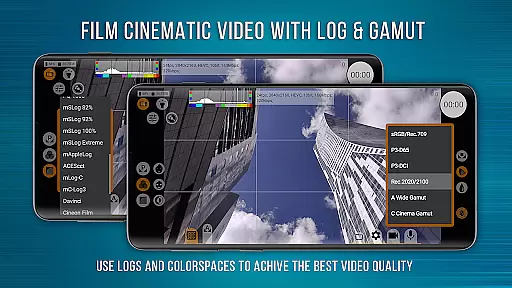
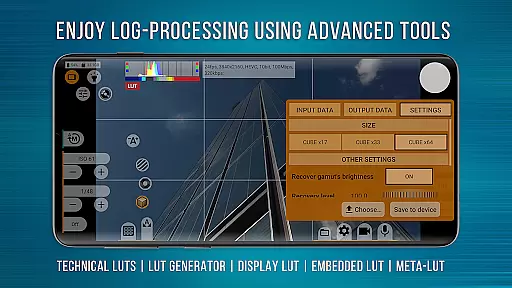
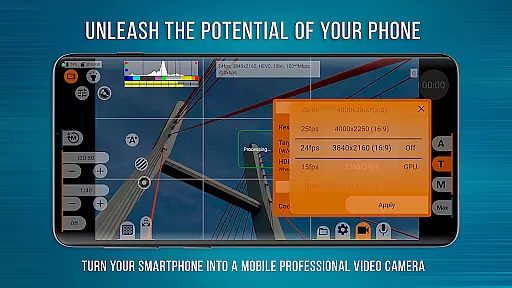
mcpro24fps Manual Video Camera represents the pinnacle of professional mobile videography on Android devices. Designed for advanced users, this app transforms your smartphone into a powerful cinema-grade camera system. With support for 10-bit recording, Log profiles, and advanced GPU processing, it delivers exceptional video quality previously exclusive to professional camcorders.
The app offers an extensive feature set tailored for videographers who demand precise control over their footage. From Focus Peaking and Zebra tools to customizable LUTs and white balance settings in Kelvins, mcpro24fps ensures every frame meets professional standards. Whether you're shooting music videos, commercials, or festival films, this app provides the tools needed to execute bold creative ideas with technical precision.
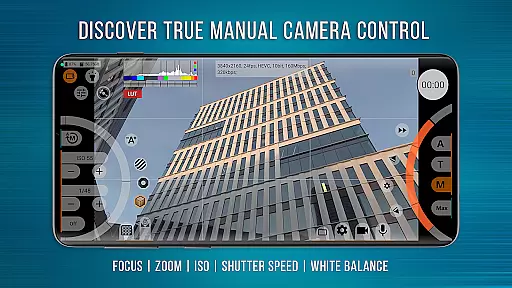
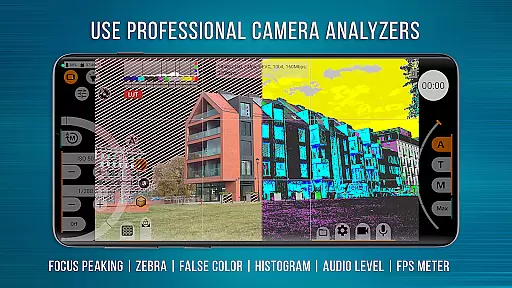
What sets mcpro24fps apart is its comprehensive suite of professional-grade features. The app supports multiple advanced video formats including HLG/HDR10 HDR and Log recording without relying on GPU acceleration, mimicking professional-grade cameras. It also includes programmable focus and zoom controls, Focus Peaking, Expo Peaking, and Spectral tools for complete exposure management.
Additional standout features include support for technical LUTs, on-screen LUT previews, and seamless integration with external lenses. Videographers can take advantage of flexible audio settings, metadata management, and responsive interface design. These capabilities ensure that even the most demanding cinematographic projects are executed with precision and ease.
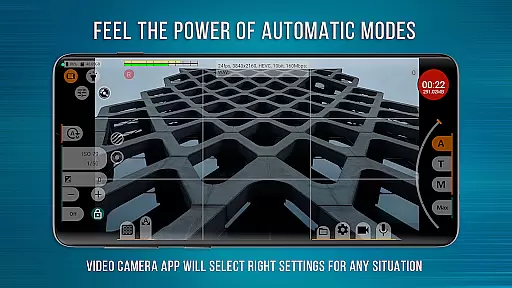
With compatibility for various resolutions, codecs (AVC/h264 and HEVC/h265), and advanced stabilization options, mcpro24fps caters to professionals seeking versatility. Its ability to save individual settings for multiple cameras and provide reliable automatic modes makes it an indispensable tool for high-quality mobile videography.
Real-time capture and preview functionality is essential for any professional-grade camera application. mcpro24fps offers videographers the ability to see exactly what they are filming as they film it, ensuring that every shot meets their high standards.
The app supports multiple advanced features that enhance real-time video capture. These include shooting in 10-bit for HDR video, recording in Log without GPU activation, and a vast array of Log modes tailored for different scenarios. This ensures that videographers can achieve the exact look they desire with precision control over the frame.
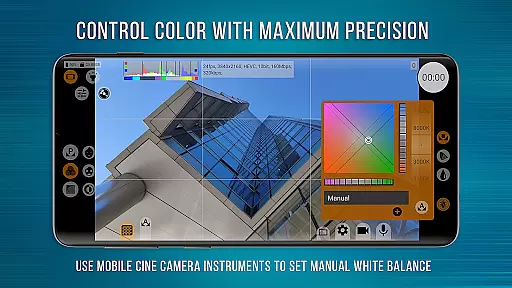
Additionally, mcpro24fps provides tools like Focus Peaking and Expo Peaking, Spectral and Zebra for exposure control, and white balance settings in Kelvins. These features empower users to have complete mastery over their footage, making adjustments on-the-fly to ensure optimal results.
By transforming smartphones into powerful cinematic devices, mcpro24fps enables creators to produce professional-quality videos with advanced capabilities previously only available in high-end camcorders. This makes it an invaluable tool for capturing festival films, music videos, live reports, commercials, and more.
While primarily focused on professional video capabilities, mcpro24fps also includes features aimed at enhancing video quality through AI-powered enhancements. Although not traditionally categorized under beauty modes, these enhancements contribute to the overall naturalness and clarity of the footage.
The application leverages GPU resources extensively to provide image adjustments through additional GPU filters. This allows videographers to fine-tune their recordings with technical LUTs for seamless post-production interpretation and on-screen LUT for precise control during shooting.
Moreover, mcpro24fps offers options for hardware noise reduction, sharpness correction, and hot pixel correction. Additional noise reduction via GPU ensures that the final output is clean and crisp, maintaining the authenticity of the scene while minimizing unwanted artifacts.
These sophisticated enhancement features ensure that every video produced with mcpro24fps retains its natural essence while benefiting from cutting-edge technological improvements. Whether capturing dynamic live events or meticulously planned cinematic sequences, users can rely on mcpro24fps to deliver stunningly clear and vibrant results.
Advanced video formats
Professional Log profiles
Precise manual controls
GPU-powered enhancements
Customizable LUTs
Complex for beginners
Device compatibility issues
High resource consumption
No built-in editor
Premium price point

Effortlessly organize, view and share your photos & videos with Gallery app!
 4.40
4.40
[3DSteroid Pro] is a stereoscopic application for Android.
4.30
Application for remote controlling DSLR
3.00
Photo prints, cards, & gifts at Walgreens. Easy ordering & fast local pickup !
4.80
Light-weight Media Gallery app for Android made with Jetpack Compose
4.60
Professional photography on your mobile phone
4.20
Hair color changer, AI haircut app, fun hair editor and buzz cut filter for all!
3.80
Unblur, enhance & restore photos with powerful AI photo enhancer tools.
4.60
Catch sunlight, sunrise sunset times and sun phases with the AR sun tracker.
4.10
Your personal guide to the sun and moon. Plan ahead, visualize and predict!
4.70
A collection of tools and reference tables for DPs, ACs, DITs and Operators.
4.70
The original Rarevision VHS look seen everywhere!
4.70
Viewfinder, Light meter, Reciprocity failure time, DOF & Bellows Extension
4.60
Safe & smart flight with Go Fly drone controller for 40+ drone camera, zone map
4.50
Create collages easily! Nice pic collage maker & background eraser for Instagram
4.50
RAW video capture with advanced controls
4.40
AI portrait generator and polaroid AI selfie, fun AI generated AI photo creator!
4.30
Luminar: Photo Editor - easy picture editing with AI
4.20
Astrophotography with your smartphone, photo live stacking and much more!
3.90


User Reviews