
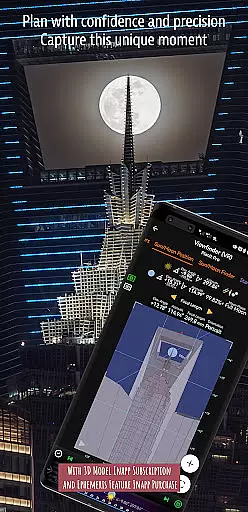
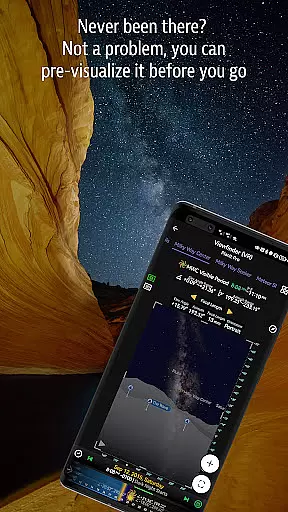
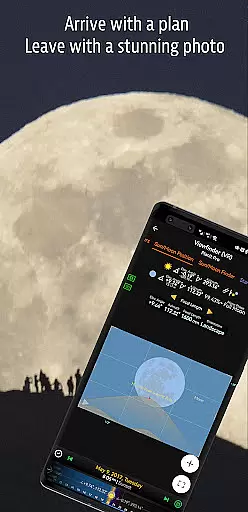
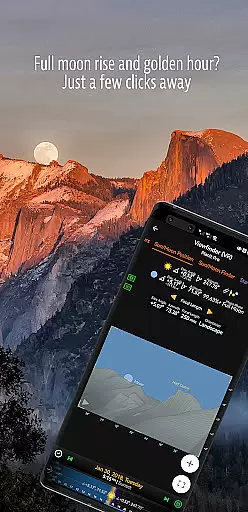
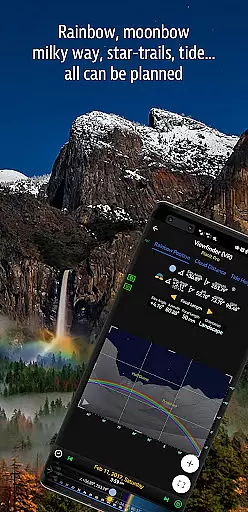

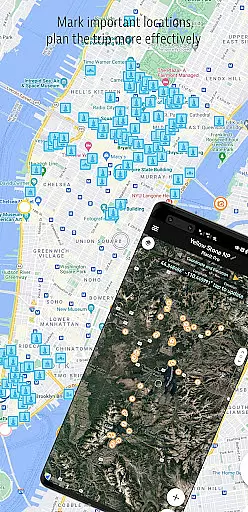
Planit Pro is an advanced photography planning application designed specifically for landscape, travel, and nature photographers. The app serves as an all-in-one solution by combining mapping technology with a simulated viewfinder to help users pre-visualize their shots. It provides essential tools for planning shots involving celestial objects like the Sun, Moon, stars, star-trails, and the Milky Way, alongside ground subjects.
The app offers features such as GPS coordinates, elevation data, distance measurement, focal length calculations, depth of field (DoF), hyperfocal distance, panorama settings, and aerial photography support. Additionally, it includes Ephemeris data, including sunrise, sunset, moonrise, moonset times and directions, twilight periods, and major celestial events. These functionalities are visually represented on maps or through simulated viewfinders, providing a camera-like experience. Planit Pro also supports offline use, ensuring that photographers can utilize its full range of features even in remote locations without network connectivity.
Planit Pro stands out with its comprehensive suite of features tailored for photographers. One of its key strengths is the ability to provide detailed location scouting information, including GPS coordinates, elevations, and clear views, which are crucial for planning shots. The app also calculates important photographic parameters such as focal length, depth of field (DoF), hyperfocal distance, and offers specialized tools for panorama and aerial photography.
In addition to terrestrial photography aids, Planit Pro excels in celestial object tracking. Users can access precise Ephemeris data, including sunrise, sunset, moonrise, moonset times and directions, as well as information about stars, constellations, nebulae, and the Milky Way. The app's simulation capabilities extend to star trail planning, time-lapse calculations, and exposure/ND filter calculations. With visual representations on maps and simulated viewfinders, users can effectively plan their shoots as if looking through a camera's viewfinder. This combination of robust features makes Planit Pro an indispensable tool for photographers seeking precision and creativity in their work.
Real-time capture and preview functionality is essential for photographers who need to visualize their shots before taking them. Planit Pro offers this by integrating advanced map and simulated viewfinder technologies.
The app provides photographers with tools to pre-visualize scenes, combining ground subjects with celestial objects like the Sun, Moon, and Milky Way. This feature allows users to plan their shots meticulously, ensuring they are well-prepared when they arrive at a location.
Planit Pro includes functionalities such as GPS coordinates, elevation data, sun/moon rise and set times, star positions, and more, all represented visually on maps or through simulated viewfinders. These capabilities mimic looking through a camera's viewfinder, offering an accurate depiction of the potential photograph.
By leveraging these comprehensive planning features, photographers can significantly enhance their chances of capturing better shots, making landscape photography more enjoyable and efficient.
While primarily focused on real-time capture and preview, Planit Pro also incorporates elements that enhance photo quality naturally, akin to AI beauty enhancements seen in other photography apps.
The application offers exposure calculations, ND filter adjustments, light meter readings, and even predictions for phenomena like rainbows. These features ensure that images not only capture the intended scene but do so with optimal settings for natural beauty.
Additionally, Planit Pro supports various photography types including time-lapse, star trails, and aerial photography, each benefiting from precise control over parameters like focal length, depth of field, and hyperfocal distance. Such detailed controls contribute to the overall enhancement of image quality without artificial manipulation.
Ultimately, Planit Pro empowers photographers to produce stunning, high-quality images that reflect true-to-life conditions, enhancing both the artistic and technical aspects of landscape photography.
Comprehensive feature set
Offline functionality
Accurate Ephemeris data
User-friendly interface
Simulated viewfinder technology
Steep learning curve
Requires initial setup
Premium price point
Occasional bugs reported
Resource-intensive

Shooting photos and records video easily and efficient with professional Camera
 4.30
4.30
Safe & smart flight with Go Fly drone controller for 40+ drone camera, zone map
4.50
Find time and duration of different sunlight phases at any location
4.90
HD Photo gallery and photo manager to edit, hide private photos, videos & albums
4.1
Application for remote controlling DSLR
3.00
Amazing Photo Effects - The most fun you can have with your photos!
4.70
Enhance, retouch & create your story - Share the moment with Photoshop Express.
4.60
Unblur, enhance & restore photos with powerful AI photo enhancer tools.
4.60
Discover How to Plan any Sun, Moon and Milky Way Photo You Imagine in Seconds
4.70
Collage your moments in one tap: 1000+ layouts, filters, stickers, and texts.
4.90
Pro version: AR sun/moon tracker for any date. Tool for photographers & planners
4.90
Take videos and pictures with the popular TikTok TIME WARP SCAN filter.
4.60
Discover & download millions of art for The Frame TV or Hisense CanvasTV
4.60
Create collages easily! Nice pic collage maker & background eraser for Instagram
4.50
Smart, light, and fast photo and video gallery
4.30
Professional photography on your mobile phone
4.20
Professional camera app that brings DSLR manual photography controls to Android.
4.20
Perfect photos with body shaping, BG changer and object remover.
3.70
Long exposure camera with computational photography
2.60


User Reviews