
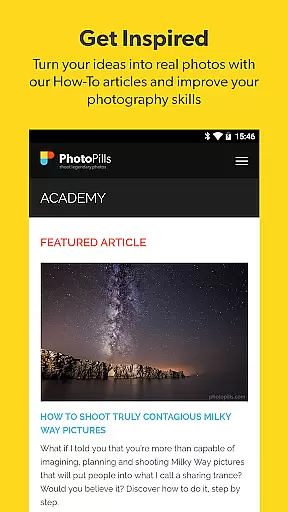

PhotoPills is an all-in-one photography planning app designed to unlock your creative potential. It enables photographers to plan Sun, Moon, and Milky Way shots with precision using innovative tools like the 2D Map-Centric Planner and 3D Augmented Reality views. Whether capturing landscapes, night skies, or special events, PhotoPills helps you turn imaginative scenes into reality.
The app offers a comprehensive suite of features including alignment finders, photo plans management, location scouting, and detailed celestial information. Its intuitive interface ensures that both amateur and professional photographers can explore artistic possibilities and execute their ideas flawlessly. With endorsements from renowned photographers, PhotoPills has become an essential tool for creating legendary photos.
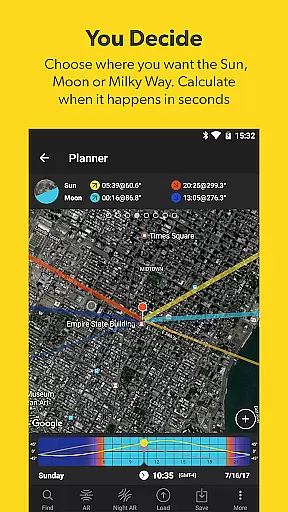
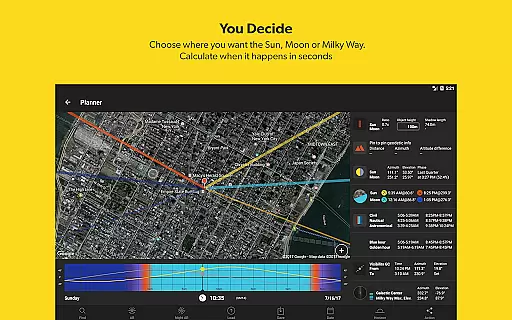
PhotoPills stands out with its robust set of features tailored for photographers. The app includes a 2D Map-Centric Planner for Sun, Moon, and Milky Way alignments, allowing users to visualize and plan their shots accurately. Additionally, the 3D Augmented Reality feature provides real-time positioning of celestial bodies, enhancing the planning process.
Other notable features include a Photo Plans Manager, Location Scouting Tool, and various calculators such as Long Exposure and Hyperfocal Table. These tools ensure that photographers have all necessary information at their fingertips, enabling them to capture perfect shots every time. The app also offers widgets for quick access to daily Sun, Moon, and Milky Way events, making it indispensable for any photography enthusiast.
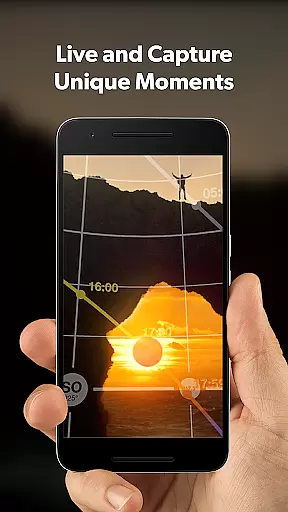
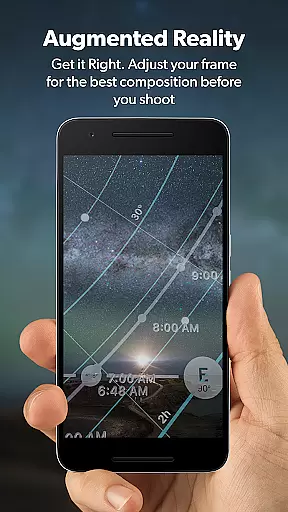
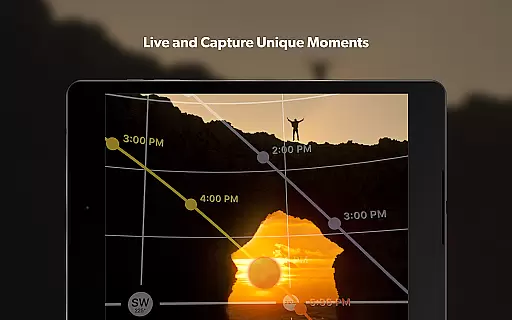
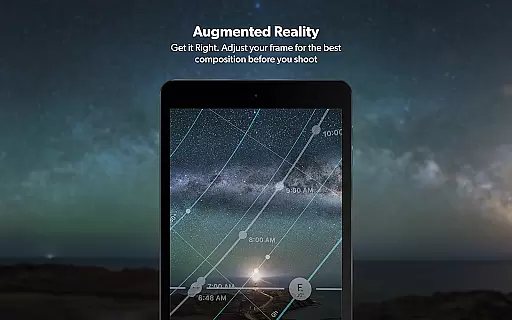
Real-time capture and preview functionality is essential for photographers who need to ensure their shot is perfectly composed before pressing the shutter. PhotoPills offers this feature through its advanced 3D Augmented Reality views, allowing users to visualize exactly where the Sun, Moon, and Milky Way will be positioned in their frame.
This innovative tool enables photographers to adjust their composition with precision, ensuring that celestial bodies align perfectly with the chosen landscape. By leveraging your device's sensors, PhotoPills provides an accurate representation of how these elements will appear, making it easier than ever to plan and execute breathtaking shots.
The benefits of this feature extend beyond just simple framing; it empowers photographers to explore creative possibilities that were previously difficult to imagine. Whether capturing a sunset between two rocks or the Moon rising over a hill, PhotoPills ensures you're always ready to capture those magical moments as they unfold.
While PhotoPills does not focus on traditional AI beauty enhancements like portrait retouching apps, it excels in enhancing natural beauty by helping photographers capture scenes at their most stunning moments. The appu2019s comprehensive suite of calculators and planning tools ensures every photo is taken under optimal conditions, bringing out the inherent beauty of landscapes and celestial events.
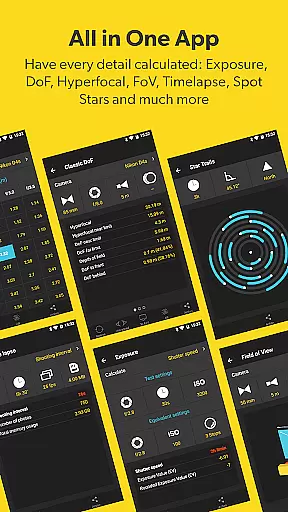
PhotoPills includes features such as Long Exposure, Timelapse, Spot Stars, Star Trails, Hyperfocal Table, Depth of Field (DoF), and Field of View (FoV) calculators. These tools help photographers achieve technically perfect shots, which naturally enhance the visual appeal without needing post-processing adjustments.
By providing detailed information about sunrise/set times, twilight phases, golden hour, blue hour, moonrise/set, supermoon dates, and more, PhotoPills allows photographers to plan shoots during the best possible lighting conditions. This approach results in images that are inherently beautiful and require minimal editing, preserving the authenticity and natural essence of each scene captured.
User-friendly interface
Comprehensive planning tools
Augmented reality views
Endorsed by photography masters
Regular updates and support
High learning curve
Premium pricing
Requires compass functionality
Complex for beginners
Limited free features

Photo editor: face & body editor, beauty cam, filters and quality enhancer.
 4.00
4.00
What celebrity do you look like? Celebs will find your celebrity match!
4.10
All-in-One Editor & AI Photo Enhancer, Collage, Cartoonify, Funny Stickers & BGS
4.10
HD Camera Pro with HD Video shooting, Panorama, Photo editor , Beauty Camera.
4.50
A reflected light meter with spot metering and incident light metering.
4.40
Transform Photos: Edit, Beautify and Craft Memories & Make Collages!
4.10
Hair color changer, AI haircut app, fun hair editor and buzz cut filter for all!
3.80
Astrophotography with your smartphone, photo live stacking and much more!
3.90
Your personal guide to the sun and moon. Plan ahead, visualize and predict!
4.70
Cartoon and artistic effects for your photos and videos
4.70
Enhance, upscale, and transform your images — on your device, without limits
4.70
Light-weight Media Gallery app for Android made with Jetpack Compose
4.60
PhotoSync Bundle Add-On License. Enables all features and services in PhotoSync.
4.60
Cut and paste photo editor & eraser to customize photos easy and swap faces fun
4.50
Photo editor & gallery. Crop pictures & edit photos offline, no wifi!
4.50
Easily stitch panoramas from multiple photos or video.
4.40
Future baby face generator: AI kids generator, kid face! What my baby look like?
4.40
Application for remote controlling DSLR
3.00
Photo Album Watch Face shows your favorite pictures as a Watchface.
1.90


User Reviews