


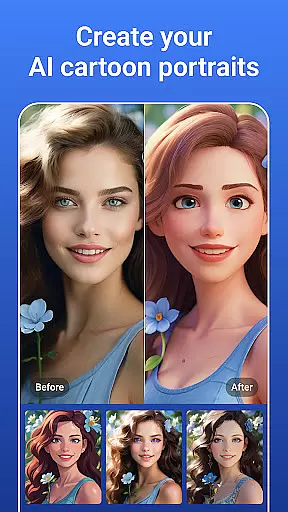

PicsLeap is a comprehensive AI-powered photo editing application that caters to all your image enhancement needs. This app provides an extensive suite of tools including One-Tap Enhance, Magic Eraser, AI Face Swap, and more, making it effortless to edit photos with professional precision. Whether you're looking to create watermark-free art or enhance the resolution of old photographs, PicsLeap offers the technology to do so with ease.
With over 100 filters and effects at your disposal, PicsLeap allows users to embrace their signature style. From textures and life-like effects to movie-inspired aesthetics, the app covers a wide range of artistic expressions. Additionally, PicsLeap's intuitive interface ensures that even those without prior editing experience can utilize advanced features such as HSL adjustments, curve color corrections, and double exposure effects to produce stunning visuals.
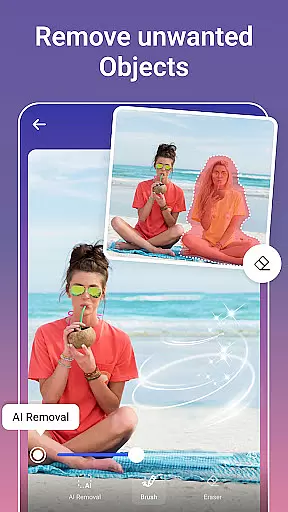
PicsLeap stands out with its powerful yet easy-to-use photo editing tools. The app leverages cutting-edge AI to provide functionalities like AI Remove Background, AI Cartoon Filters, and intelligent object removal that fills voids seamlessly after edits. These features ensure that users can focus on unleashing their creativity without being bogged down by complex procedures.
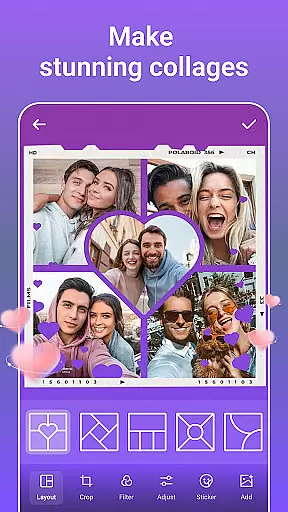
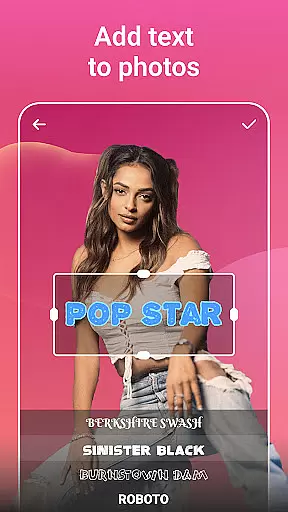
Beyond basic editing, PicsLeap enables users to create impressive collages with adjustable layouts and grids, personalize images with unique stickers, and experiment with body effects such as tattoos or cat ears for playful additions to any photo. The inclusion of vintage charm or manga-style cartoon versions of selfies adds another layer of personalization and fun, ensuring PicsLeap remains a top choice for imaginative photo projects.
Real-time capture and preview functionality is essential for any photography app, allowing users to see exactly what their photo will look like before taking the shot. PicsLeap offers a seamless real-time preview experience, ensuring that every adjustment made using its AI-powered tools is immediately visible.
The app's sophisticated AI algorithms process changes instantly, whether you're applying filters, adjusting lighting, or erasing unwanted objects. This immediate feedback empowers users to make precise edits on the fly, enhancing their creative control and efficiency.
With PicsLeap, photographers can experiment with over 100 filters and effects in real time, from retro styles to cinematic looks, all while observing how these adjustments affect the final image. This feature not only saves time but also elevates the overall quality of photos by enabling meticulous fine-tuning.
AI beauty and enhancement features are crucial for modern photo editors, aiming to improve images naturally without making them appear overly processed. PicsLeap excels in this area by offering advanced AI tools that enhance photos while maintaining their authenticity.
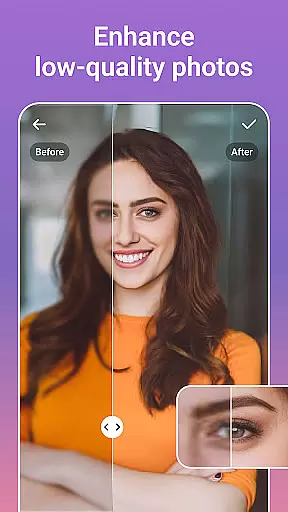
One of the standout features is the One-Tap Enhance tool, which intelligently boosts photo resolution and restores old photos to their former glory. The AI Face Swap and AI Cartoon Filters provide fun yet realistic transformations, ensuring that edited photos retain a natural look and feel.
PicsLeap's Magic Eraser and Remove Background tools work harmoniously to eliminate distractions and unwanted elements, filling in gaps with astonishing accuracy. These enhancements allow users to create stunning, professional-quality images that still reflect genuine moments, preserving the essence of the original photograph.
User-friendly interface
Advanced AI features
Variety of filters and effects
One-tap enhancements
Comprehensive editing tools
May require significant storage space
In-app purchases necessary for full access
Some features might be overwhelming for beginners
Occasional lag with high-resolution images
Limited offline functionality

Long exposure camera with computational photography
 2.60
2.60
All-in-One Editor & AI Photo Enhancer, Beautify & Retouch, Collage, Cartoonify
4.20
Easily stitch panoramas from multiple photos or video.
4.40
Application for remote controlling DSLR
3.00
Photobooth mini FULL app will allow you to add more fun to your parties
4.00
AI photo editor with hair editor, retouch tools, hair color changer & filters!
4.50
Amazing Photo Effects - The most fun you can have with your photos!
4.70
Professional photography on your mobile phone
4.20
Edit photos with the picture generator: PS2 & AI Clay filters, cartoon effects.
4.50
Perfect body tune & face app - photo retouch, makeup, slim body & beautify face.
4.80
Enhance, retouch & create your story - Share the moment with Photoshop Express.
4.60
Easily create custom gifts, cards, photo books & more on the Shutterfly app!
4.60
Add Watermark - Sign your pictures with a text or logo. Effective, quick, easy!
4.50
Safe & smart flight with Go Fly drone controller for 40+ drone camera, zone map
4.50
HD Camera Pro with HD Video shooting, Panorama, Photo editor , Beauty Camera.
4.50
Use AI Video Generator to turn your words to ai generated videos.
4.50
Trendy TikTok time warp scan funny filter app brings you unique photos & videos.
4.40
Catch sunlight, sunrise sunset times and sun phases with the AR sun tracker.
4.10
Turn photos into cartoons & avatars! - Photo Editor, Cartoon Face!
3.90


User Reviews