

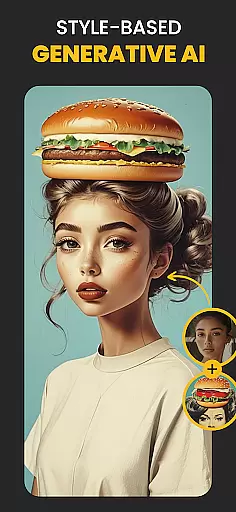
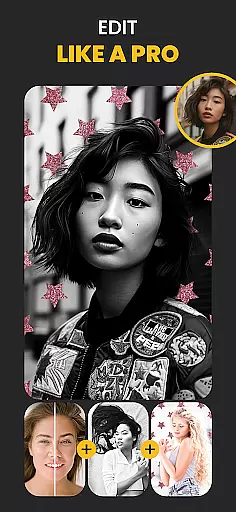
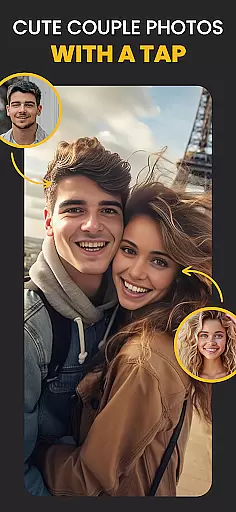
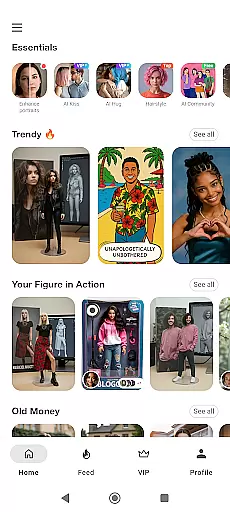
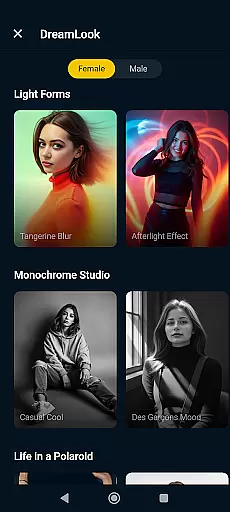
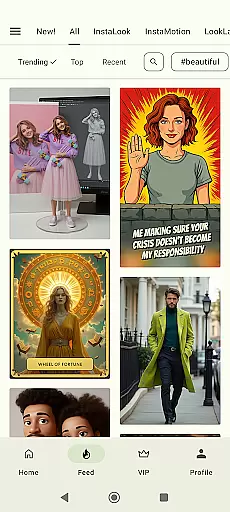
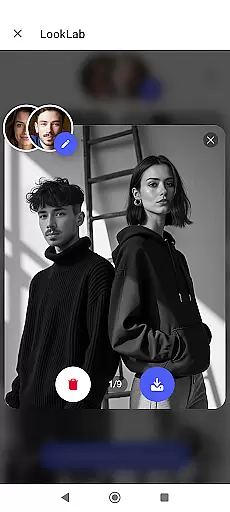
Photo Lab Picture Editor & Art is a versatile AI photo editor that offers an extensive range of features for photo enthusiasts. This app allows users to apply face filters, stylish photo effects, and artistic ideas to their images, creating unique visual content. With over 50 pre-set neural art styles, the app transforms any photo into a stunning artwork effortlessly.
In addition to its neural photo art styles, Photo Lab provides realistic photo effects, face photo montages, and a photo background editor. Users can swap faces into cartoon characters or dolls, erase and change backgrounds with creative templates, and add depth to their photos through captivating effects. The app also includes various photo filters such as 3D photo, cartoon, vintage, anime, and oil painting, enabling users to craft different moods in their images.
Photo Lab stands out with its advanced AI-driven features that cater to both casual users and photo editing enthusiasts. One of its core functionalities is the Neural Photo Art Styles, which uses artificial intelligence to apply over 50 artistic styles to photos quickly and efficiently. This feature ensures that users can achieve professional-grade results without needing expert knowledge.
The app also excels in providing realistic photo effects and face photo montages. Its automatic face detection algorithm simplifies complex photo montages, allowing users to create unusual selfies easily. Additionally, the photo background editor enables users to erase and change backgrounds seamlessly, offering creative freedom. With a diverse collection of exquisite photo frames and filters, Photo Lab empowers users to enhance their photos' aesthetic appeal and originality.
Real-time capture and preview functionality is essential for ensuring that users can immediately see the results of their photo edits. Photo Lab Picture Editor & Art provides an instantaneous visual feedback system, allowing users to witness changes as they apply various filters and effects.
The app's advanced processing capabilities ensure that even complex edits, such as neural art styles and realistic photo effects, are rendered swiftly without compromising on quality. This real-time interaction enhances user experience by providing a seamless editing process.
With this feature, users gain the confidence to experiment with different artistic styles and photo adjustments, knowing they can see the outcome instantly. The immediacy of the preview function supports creative freedom and encourages users to refine their photos until they achieve the desired look.
Ultimately, real-time capture and preview not only streamline the editing workflow but also make sophisticated photo editing accessible to everyone, regardless of their skill level.
AI beauty and enhancement features focus on improving the natural appearance of photos without making them look overly processed. Photo Lab Picture Editor & Art employs intelligent algorithms to enhance facial features subtly while preserving the authenticity of the original image.
This app offers a variety of AI-driven tools that automatically detect faces and apply enhancements that look genuine. From smoothing skin textures to brightening eyes, these enhancements are designed to elevate the subject's natural beauty in a believable manner.
Users benefit from this technology by achieving professional-quality edits with minimal effort. The AI ensures that enhancements like face photo montages or changing photo backgrounds blend seamlessly, maintaining the realism of the edited picture.
By prioritizing natural-looking results, Photo Lab empowers users to create stunning images that retain their original charm and character, thus enhancing both personal and professional photography projects.
User-friendly interface
Extensive filter options
AI-powered art styles
Automatic face detection
Creative background templates
Internet connection required
Some features may need premium access
Occasional ads in free version
Consumes device resources
Limited offline functionality

A collection of tools and reference tables for DPs, ACs, DITs and Operators.
 4.70
4.70
All-in-One Editor & AI Photo Enhancer, Beautify & Retouch, Collage, Cartoonify
4.20
Perfect photos with body shaping, BG changer and object remover.
3.70
Photo Exif Editor allows to view, add and modify EXIF data of multiple photos
4.50
Gallery Slideshow is slideshow maker app for slideshow from your gallery photos.
3.90
Future baby face generator: AI kids generator, kid face! What my baby look like?
4.40
See your baby AI baby face generator AI baby maker Face generator babymaker fun!
4.70
Easily view, share, delete photos with Gallery.
4.70
Easily create custom gifts, cards, photo books & more on the Shutterfly app!
4.60
Photo editor & gallery. Crop pictures & edit photos offline, no wifi!
4.50
Movie camera, supports pro recording settings for filming. Try it and be amazed!
4.50
Edit like a pro with Hypic. Apply filters, AI effects, & magic touch.
4.40
RAW video capture with advanced controls
4.40
Professional photography on your mobile phone
4.20
Professional camera app that brings DSLR manual photography controls to Android.
4.20
Create & Edit with AI: AI Remove, Enhance, Retouch, Filter
4.10
Photobooth mini FULL app will allow you to add more fun to your parties
4.00
Remote control of the phone camera from your Wear OS smartwatch
3.70
HD Photo gallery and photo manager to edit, hide private photos, videos & albums
4.1


User Reviews