
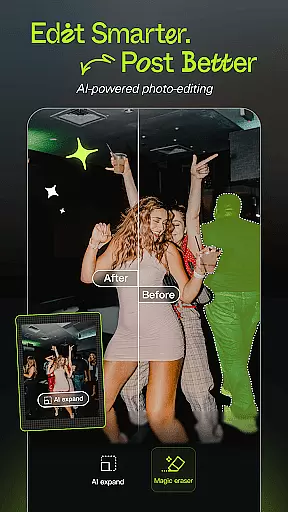
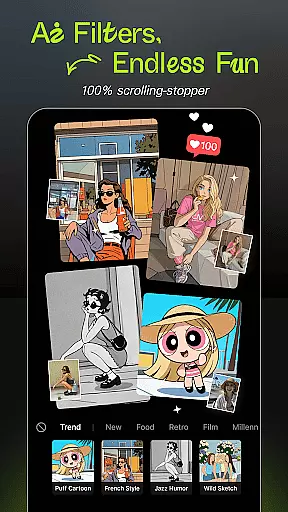
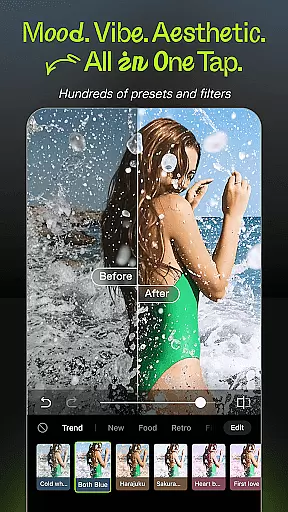
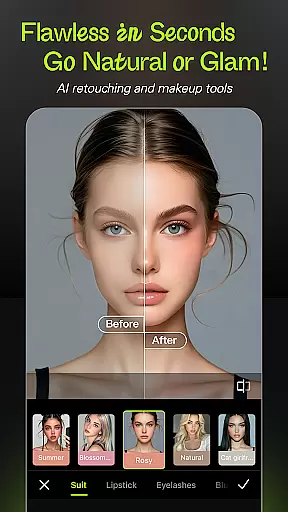
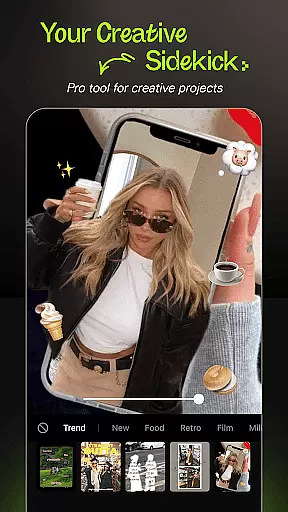
Hypic is an advanced AI-powered photo editing application designed to transform ordinary photos into stunning works of art. With its cutting-edge features, the app allows users to effortlessly enhance image quality, apply stylish filters, and create professional-looking visuals using customizable templates.
Key functionalities include AI-driven background removal, avatar generation, and facial retouching tools that ensure natural yet polished results. Whether you're a casual user or a digital creator, Hypic caters to various platforms like Instagram, TikTok, and Pinterest, making it an ideal choice for elevating your social media presence.
The app's intuitive interface and powerful editing capabilities make it suitable for both beginners and experienced editors, ensuring a seamless experience across multiple devices.
Hypic stands out with its comprehensive suite of AI-powered editing tools. The app provides instant photo-to-artwork conversion, enabling users to apply aesthetic filters such as retro film effects, clean presets, and soft glow enhancements with just one tap.
One of the standout features is the smart retouching toolkit, which includes precision controls for smoothing skin, reshaping facial features, and enhancing overall image quality. These tools are designed to deliver subtle yet impactful edits without compromising the natural look of the subject.
Additionally, Hypic offers professionally crafted templates for creating collages, photo dumps, and story content. Users can also batch edit images, generate AI-based artwork, and access advanced customization options, all within a single platform.
Real-time capture and preview functionality is essential for ensuring that every photo taken meets the user's expectations without delay. Hypic excels in this area by providing instantaneous feedback on images captured through its interface.
The app leverages advanced AI technology to process images immediately, allowing users to see enhancements or effects applied to their photos in real time. This feature is particularly beneficial when experimenting with different filters and styles, as it enables immediate visualization of changes.
Users can benefit from this seamless experience by making quick adjustments before finalizing a shot. The ability to preview edits instantly not only saves time but also enhances creativity, letting photographers fine-tune their work until it perfectly matches their vision.
Hypicu2019s commitment to delivering high-quality, responsive previews ensures that whether you're editing for social media or personal albums, your photos will always look their best right from the start.
AI beauty and enhancement features are crucial for modern photo editing applications, aiming to improve image quality while maintaining natural aesthetics. Hypic stands out by offering sophisticated AI-driven tools that enhance portraits with remarkable subtlety.
These tools intelligently analyze facial features and apply enhancements that preserve authenticity. From smoothing skin textures to subtly reshaping facial contours, Hypic ensures that each edit looks genuine and not overly processed.
By prioritizing natural results, Hypic empowers users to achieve polished yet realistic outcomes. This approach resonates well with those who seek professional-grade retouching without sacrificing the original essence of their photographs.
Ultimately, Hypicu2019s dedication to enhancing beauty naturally makes it an ideal choice for anyone looking to elevate their photography with confidence, knowing that their edited images will retain their unique character.
AI-powered editing
Stylish filter options
Smart retouching tools
User-friendly interface
Versatile template library
Subscription fees apply
Advanced tools may overwhelm beginners
Limited free features
Occasional processing delays
High system requirements

Photobooth mini FULL app will allow you to add more fun to your parties
 4.00
4.00
The #1 app for B&W film developing featuring an advanced darkroom timer.
4.10
Create amazing frames with up to five photos. Rounded corners, effects and more!
3.60
Use AI Video Generator to turn your words to ai generated videos.
4.50
Turn photos into cartoons & avatars! - Photo Editor, Cartoon Face!
3.90
Pro version: AR sun/moon tracker for any date. Tool for photographers & planners
4.90
Welcome to ProShot, the most powerful camera app on Android.
4.20
Discover How to Plan any Sun, Moon and Milky Way Photo You Imagine in Seconds
4.70
Edit photos with the picture generator: PS2 & AI Clay filters, cartoon effects.
4.50
See your baby AI baby face generator AI baby maker Face generator babymaker fun!
4.70
A must-have app for landscape photographers
4.60
Create collages easily! Nice pic collage maker & background eraser for Instagram
4.50
AI photo editor with hair editor, retouch tools, hair color changer & filters!
4.50
Photo editor & gallery. Crop pictures & edit photos offline, no wifi!
4.50
Trendy TikTok time warp scan funny filter app brings you unique photos & videos.
4.40
Easily stitch panoramas from multiple photos or video.
4.40
RAW video capture with advanced controls
4.40
How old age camera Gender Swap App Face Shape Hairstyle App Hair Styler App fun!
4.00
Superimpose one photo on top of another using the original Superimpose app!
3.20


User Reviews