
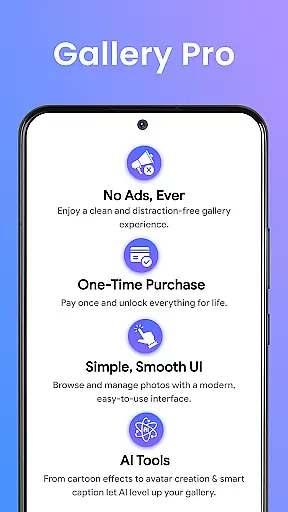
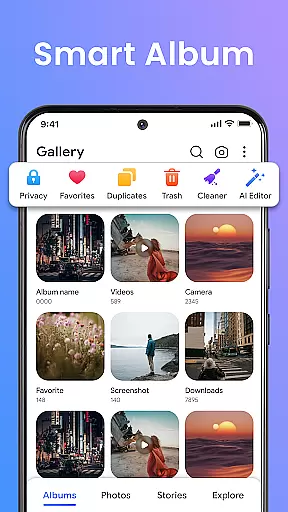
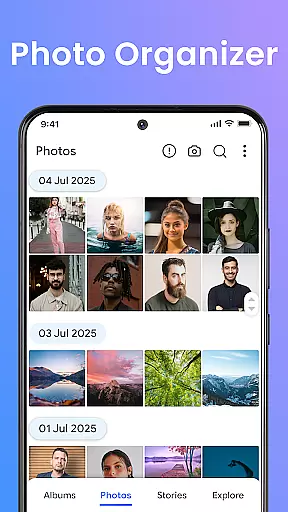
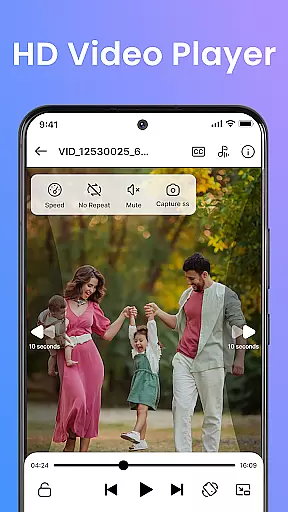
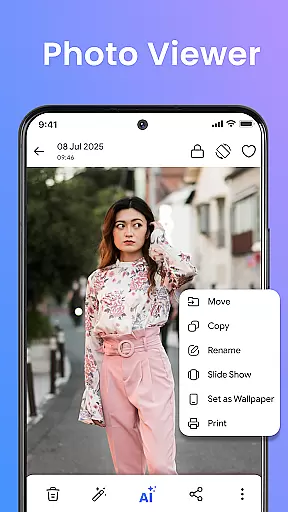
Gallery Pro is a comprehensive HD photo gallery app designed to help users organize, manage, and secure their photos, videos, and albums with ease. This all-in-one solution features a clean and intuitive interface that allows for effortless media management. With its powerful gallery vault, intelligent photo organizer, and flexible album creation tools, the app provides complete control over your digital media library.
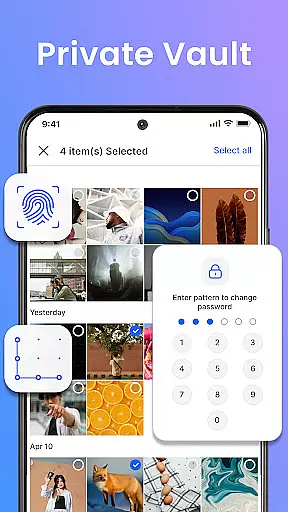
The app's standout feature is its emphasis on security and privacy. Gallery Pro offers an encrypted vault to keep sensitive media safe, while advanced permission handling ensures continued access to hidden files even after reinstallation. Additionally, the built-in photo editor and AI-powered enhancement tools allow users to optimize and transform their images with professional-quality results.
Whether you're a photography enthusiast looking to showcase your best work or a privacy-conscious user who needs secure storage for personal media, Gallery Pro delivers premium functionality for everyday use. The app's slideshow creator and story memories feature make it easy to relive special moments and share them with loved ones.
Gallery Pro distinguishes itself through a robust set of features tailored for both casual and power users. At its core, the app provides a fast and responsive HD gallery interface that supports seamless browsing, sorting, and organizing of photos, videos, and GIFs. The smart photo organizer enables users to create custom albums, add descriptive tags, and utilize advanced search capabilities to quickly locate specific media files.
Security is another key aspect where Gallery Pro excels. The app's private vault feature uses encryption to protect sensitive content, while the MANAGE_EXTERNAL_STORAGE permission ensures secure hiding and storage of media files. This implementation guarantees that files remain accessible and protected even after app reinstallation, providing peace of mind for privacy-focused users.
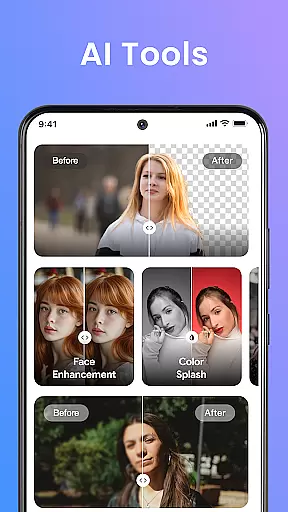
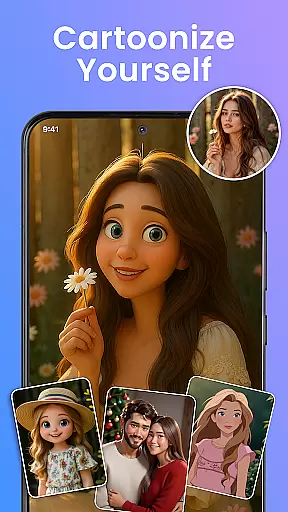
Creative professionals and hobbyists alike will appreciate the built-in photo editor and AI tools. These features offer essential editing functions such as cropping and rotating, alongside advanced capabilities like object removal and background blur. The app also includes innovative AI-powered tools for avatar creation and photo enhancements, making it a versatile solution for various photo editing needs.
Real-time capture and preview functionality is essential for any photography app aiming to provide a seamless user experience. Gallery Pro offers an intuitive interface that allows users to instantly view their captured photos and videos in high definition. This immediate feedback enables photographers to make quick adjustments to their shots, ensuring they capture the perfect moment every time.
The app's advanced processing engine ensures that previews are rendered quickly and accurately, even when dealing with large files or complex edits. Users can browse through their media library without experiencing lag or delay, making the photo management process smooth and efficient. The responsive design of the preview window also adapts to various screen sizes, providing an optimal viewing experience across different devices.
With its real-time capabilities, Gallery Pro empowers users to take full control of their media creation process. Whether it's adjusting camera settings before taking a shot or reviewing the results immediately after, this feature enhances the overall photography workflow. By delivering crisp and clear previews, the app ensures that users can confidently manage their visual content with precision and ease.
Artificial intelligence has revolutionized the way we enhance digital images, and Gallery Pro takes full advantage of AI-powered tools to offer natural-looking beauty enhancements. These features intelligently analyze facial structures and skin tones to apply subtle modifications that preserve the authenticity of the original image while improving its aesthetic appeal.
Users can choose from a variety of enhancement options, such as skin smoothing, teeth whitening, and eye enlargement, all designed to create a polished yet realistic result. The AI algorithms are trained on diverse datasets to ensure that enhancements work harmoniously with different ethnicities and age groups, avoiding the artificial appearance often associated with digital retouching.
Gallery Pro's commitment to natural enhancement extends beyond portraits. The app includes tools for landscape optimization, color correction, and object removal, all powered by sophisticated AI models. These features allow users to elevate their photos without compromising the integrity of the scene, resulting in stunning visuals that maintain their genuine character. With Gallery Pro, achieving professional-quality edits has never been more accessible or intuitive.
User-friendly interface
Advanced security features
Comprehensive editing tools
AI-powered enhancements
Intuitive organization system
Premium features may require payment
Storage permissions needed
Occasional performance issues
Limited free storage space
Complex settings for beginners

Gallery show photo, video, slideshow, is perfect 3D effect private photo albums.
 4.80
4.80
All-in-One Editor & AI Photo Enhancer, Beautify & Retouch, Collage, Cartoonify
4.20
Trendy TikTok time warp scan funny filter app brings you unique photos & videos.
4.40
Natural Beauty, Selfie Retouch
4.30
AI-powered video creator by MiniMax - Where ideas meet cinema
4.20
Your personal guide to the sun and moon. Plan ahead, visualize and predict!
4.70
A light meter for true photographers.
4.20
Discover How to Plan any Sun, Moon and Milky Way Photo You Imagine in Seconds
4.70
Photo & Video Gallery app to manage albums and save WA Status easily.
4.70
Photo editor: AI filters, photo enhancer, pic collage maker, AI art generator.
4.80
1M influencer's special filter
4.60
Enhance, retouch & create your story - Share the moment with Photoshop Express.
4.60
Create AI photos & videos with Enhancer; restore, fix, beautify, enhance photos
4.50
Use AI Video Generator to turn your words to ai generated videos.
4.50
Edit like a pro with Hypic. Apply filters, AI effects, & magic touch.
4.40
A reflected light meter with spot metering and incident light metering.
4.40
All-in-One Editor & AI Photo Enhancer, Collage, Cartoonify, Funny Stickers & BGS
4.10
Professional video recording application with manual controls for filmmakers!
2.80
Remote control the phone camera shutter from your smartwatch and take a picture
1.60


User Reviews