
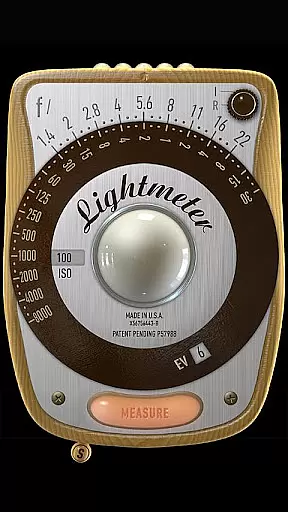
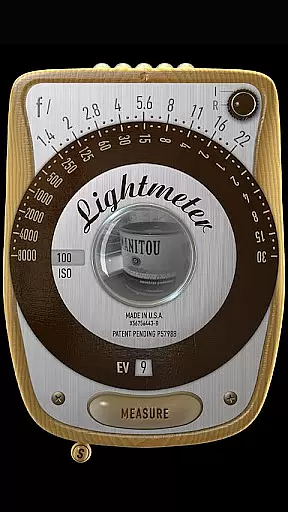
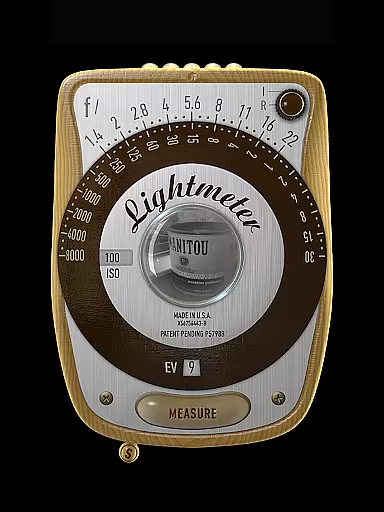
LightMeter is a specialized photography app designed for analog photographers who appreciate traditional techniques. This application provides both reflected and incident light metering capabilities, making it an essential tool for achieving accurate exposure settings. With support for ISO ranges from 3 to 6400 and compatibility with devices that can save exposure data to EXIF, it caters specifically to enthusiasts seeking precision in their craft.
The app's unique features include low light alerts, camera muting functionality (where supported), and calibration options. These tools empower photographers to adapt to various lighting conditions while maintaining creative control over their shots. Whether you're shooting in a controlled studio environment or unpredictable outdoor settings, LightMeter offers the necessary tools to ensure optimal exposure every time.
LightMeter stands out with its comprehensive set of features tailored for serious analog photographers. The app supports an extensive ISO range from 3 to 6400, allowing users to work with different film stocks under varying lighting conditions. Its dual light metering system includes incident light metering, which requires a device's light sensor, and reflected light metering that works with compatible cameras.
Additional functionalities enhance the user experience further. Photographers can benefit from features like vibration feedback on measurement hold, alternative ISO selectors, and spot measurement options when using zoom-enabled cameras. The app also displays EXIF and sensor information on-screen, providing valuable insights into each shot's technical details. These thoughtful additions make LightMeter an indispensable companion for those committed to mastering the art of analog photography.
LightMeter offers a unique real-time capture and preview feature that caters to the needs of old school photographers and advanced amateurs in analog photography. This functionality allows users to accurately measure light conditions before capturing their images.
The app supports both incident and reflected light metering, providing flexibility depending on device capabilities. Incident light metering works with devices equipped with a light sensor, while reflected light metering is compatible with select camera-enabled devices, offering reliable exposure readings directly on your smartphone.
With features like low light alerts, vibration feedback upon measurement, and optional display of Exif and sensor information, LightMeter ensures that photographers have all necessary data at their fingertips for making informed decisions about their shots.
While primarily focused on professional-grade light metering, LightMeter also incorporates elements of AI beauty and enhancement without compromising naturalness. The calibration feature ensures that each light reading is as accurate as possible, adapting to different shooting environments seamlessly.
Users can take advantage of advanced functionalities such as spot measurement when using cameras with zoom capabilities, ensuring precision even in complex lighting situations. Additionally, options like muting the camera (where supported) and holding incident light readings contribute to a more controlled photography experience.
By supporting a wide ISO range from 3 to 6400 and maintaining compatibility across various screen resolutions, including extra high resolution displays, LightMeter guarantees an intuitive interface that enhances user interaction without detracting from the authenticity of traditional photographic techniques.
User-friendly interface
Wide ISO range support
Reflected light metering
Incident light metering
Low light alert system
Limited device compatibility
Camera muting not global
Precission depends on hardware
Feature availability varies
Not all cameras compatible

Easily stitch panoramas from multiple photos or video.
 4.40
4.40
Professional video recording application with manual controls for filmmakers!
2.80
Be your best in every shot! Fix, edit and retouch your face in selfies & photos.
3.70
Create AI Photos, Improve and restore quality of blurry, old or damaged pics.
4.20
Raw Image Viewer. Gallery with support of raw images (.cr3, .cr2, .nef, .raf).
2.00
Add a dreamy vibe to your selfies and videos with soft style filters
4.3
USB Storage Access for Photos, Videos, Music and Documents
3.80
Professional quality photo edits with the new Snapseed.
4.00
Try an anime version, cartoon yourself, and generate AI hug or aging videos!
3.70
PhotoSync Bundle Add-On License. Enables all features and services in PhotoSync.
4.60
Light-weight Media Gallery app for Android made with Jetpack Compose
4.60
A reflected light meter with spot metering and incident light metering.
4.40
Professional photography on your mobile phone
4.20
All-in-One Editor & AI Photo Enhancer, Collage, Cartoonify, Funny Stickers & BGS
4.10
Create & Edit with AI: AI Remove, Enhance, Retouch, Filter
4.10
The #1 app for B&W film developing featuring an advanced darkroom timer.
4.10
Pet Camera
3.70
Superimpose one photo on top of another using the original Superimpose app!
3.20
Remote control the phone camera shutter from your smartwatch and take a picture
1.60


User Reviews