
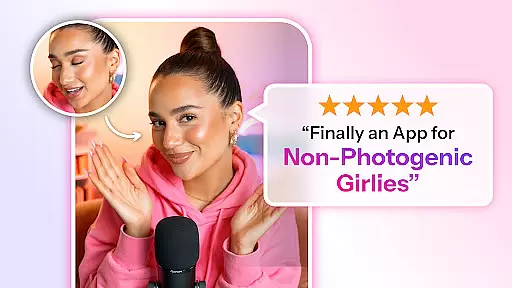
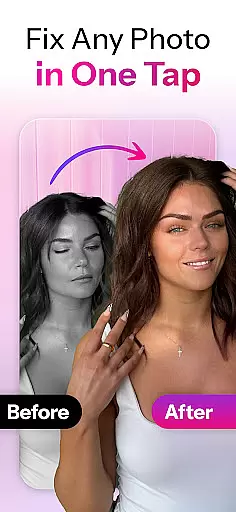

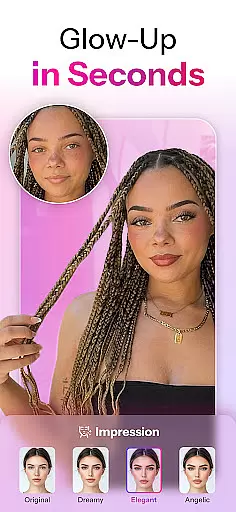
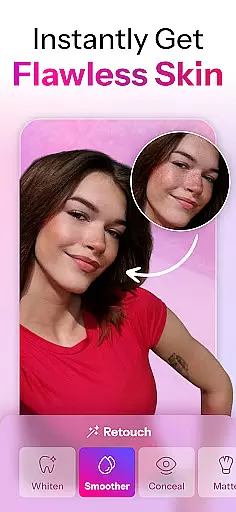
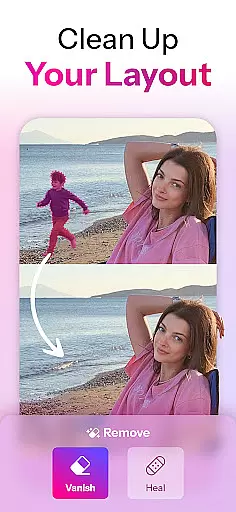
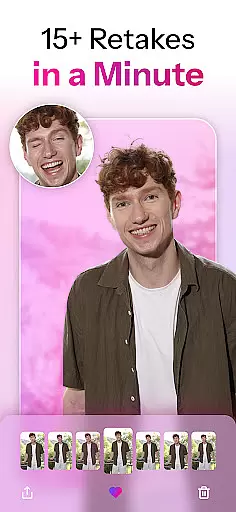
Retake AI is a revolutionary photography app that transforms any photo into a stunning, natural-looking masterpiece with just one tap. Unlike traditional photo editing apps, Retake uses advanced AI technology to reimagine and refine images while preserving their authenticity. Whether it's an old memory or a new snapshot, this app ensures every picture reflects your true essence without artificial enhancements.
The app's powerful AI engine creates personalized retakes tailored specifically to each user's features, making every photo look its best. With capabilities extending beyond basic face editing, Retake allows users to effortlessly achieve professional-grade results. From selfies to candid shots, the app guarantees that every image will be Instagram-ready, capturing both the moment and the spirit behind it.
Retake AI stands out with its unique AI-driven photo transformation capabilities. The app crafts personalized AI models using 12 uploaded pictures, enabling it to generate realistic retakes that maintain the original's integrity. This process eliminates the need for multiple photo attempts and extensive editing sessions, offering users a seamless experience.
Unlike other face editing apps that rely on artificial filters, Retake focuses on enhancing natural beauty. Its one-tap wizardry provides endless retake options, ensuring each photo looks authentic and flattering. The app's sophisticated algorithms work to capture the user's true spirit, making every image share-worthy across social media platforms like Instagram and TikTok.
With Retake AI, users can fearlessly share every photo, knowing each one has been optimized for maximum impact while remaining genuine. The app's ability to elevate ordinary snapshots into extraordinary memories makes it an indispensable tool for anyone looking to enhance their digital presence with minimal effort.
Real-time capture and preview functionality is essential for ensuring that every photo taken with Retake AI meets the highest standards of quality. This feature allows users to see exactly how their photos will look before they even take the shot, providing a seamless blend of convenience and precision.
Retake AI leverages advanced algorithms to offer instantaneous feedback on image composition, lighting, and focus. By analyzing the scene in real time, the app ensures that each element is perfectly balanced, allowing users to adjust settings or positioning as needed to achieve optimal results.
The value of this feature lies in its ability to save time and enhance creativity. Users no longer need to take multiple shots hoping one will turn out well; instead, they can rely on Retake AI's real-time previews to capture the perfect moment with confidence. This not only streamlines the photography process but also empowers users to experiment with different styles and compositions without fear of wasted efforts.
Ultimately, real-time capture and preview transform the way people interact with their cameras, making professional-grade photography accessible to everyone. With Retake AI, capturing stunning images becomes an intuitive and enjoyable experience, enabling users to focus on the artistry rather than the technicalities.
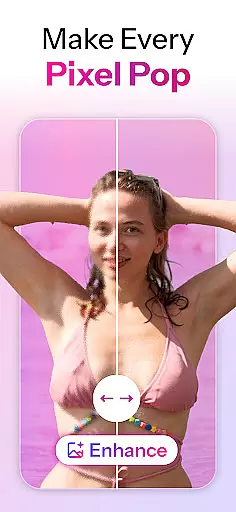
AI beauty and enhancement features are at the core of Retake AI's offerings, designed to elevate photos naturally without compromising authenticity. Unlike traditional editing apps that apply heavy filters or unrealistic effects, Retake AI uses sophisticated AI models to enhance facial features and overall image quality in a way that feels genuine and lifelike.
This application goes beyond simple touch-ups by reimagining entire photos to highlight the subject's true essence. It intelligently adjusts elements such as skin tone, eye clarity, and smile brightness while maintaining the original character of the person in the picture. The result is a polished yet natural appearance that enhances the subjectu2019s best attributes without appearing artificial.
Users benefit from this approach through increased confidence in sharing their photos across social media platforms. Knowing that their images reflect their true selvesu2014only betteru2014encourages more frequent and fearless posting. Additionally, the ease of use associated with Retake AI's one-tap enhancements means anyone can achieve professional-level edits without prior experience or extensive knowledge of photo editing techniques.
In summary, Retake AI's commitment to natural enhancement sets it apart from other photography apps. By focusing on authenticity and user empowerment, it delivers a superior editing experience that respects the integrity of each photo while elevating its aesthetic appeal.
User-friendly interface
Advanced AI technology
Natural-looking results
Quick photo processing
Social media optimization
Limited free features
Requires initial setup
Subscription-based model
Internet connection needed
Learning curve for beginners

Gallery show photo, video, slideshow, is perfect 3D effect private photo albums.
 4.80
4.80
What celebrity do you look like? Celebs will find your celebrity match!
4.10
Natural Beauty, Selfie Retouch
4.30
Light-weight Media Gallery app for Android made with Jetpack Compose
4.60
AI Photo Editor with 100+ Filters, Effects! Remove BG, Retouch & Photo Enhancer.
4.80
AI photo enhancer with Sora 2! Enhance, descratch, and colorize your old photos.
4.50
Astrophotography with your smartphone, photo live stacking and much more!
3.90
Enhance, upscale, and transform your images — on your device, without limits
4.70
Try an anime version, cartoon yourself, and generate AI hug or aging videos!
3.70
A must-have app for landscape photographers
4.60
Take videos and pictures with the popular TikTok TIME WARP SCAN filter.
4.60
AI portrait generator and polaroid AI selfie, fun AI generated AI photo creator!
4.30
Shooting photos and records video easily and efficient with professional Camera
4.30
Smart, light, and fast photo and video gallery
4.30
All-in-One Editor & AI Photo Enhancer, Beautify & Retouch, Collage, Cartoonify
4.20
Create AI Photos, Improve and restore quality of blurry, old or damaged pics.
4.20
AI-powered video creator by MiniMax - Where ideas meet cinema
4.20
Create & Edit with AI: AI Remove, Enhance, Retouch, Filter
4.10
GCamera allows all GCam features on all phone models! Better photos with GCamera
3.30


User Reviews