
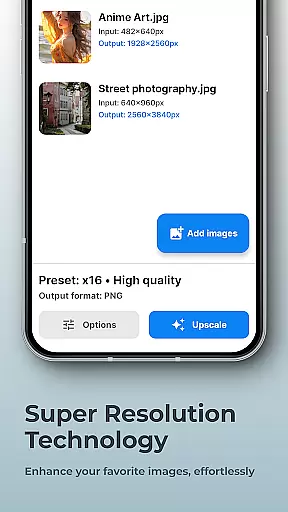
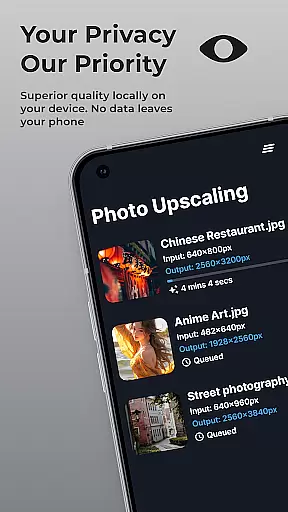
SuperImage Pro is a comprehensive AI-powered photo editing application designed for photography enthusiasts and professionals alike. This app offers an extensive suite of features that allow users to enhance, upscale, and transform their images with remarkable ease and privacy. Running entirely on-device, SuperImage ensures that all processing happens locally, safeguarding user privacy while delivering fast and reliable results.
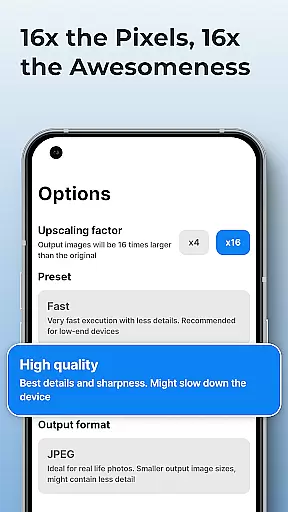
The app's standout capabilities include background removal, image upscaling up to 16x resolution, portrait enhancement, and custom model support. Whether you're looking to create transparent cutouts, sharpen low-resolution photos, or load specialized AI models in PyTorch, ONNX, and MNN formats, SuperImage Pro provides the tools necessary to achieve professional-grade results without requiring an internet connection.
Ideal for photographers, designers, and anyone passionate about image editing, SuperImage Pro empowers users to take full creative control over their projects while ensuring complete data privacy. Its intuitive interface and powerful AI processing make it an indispensable tool for transforming ordinary images into extraordinary works of art.
SuperImage Pro distinguishes itself through its innovative use of on-device AI processing, offering users a seamless and secure photo editing experience. One of its key features is the ability to perform complex image transformations such as background removal, subject isolation, and creating transparent cutouts instantly and securely on your device. This ensures that sensitive data never leaves your device, providing peace of mind for privacy-conscious users.
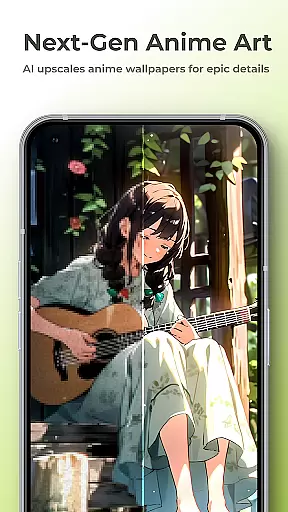
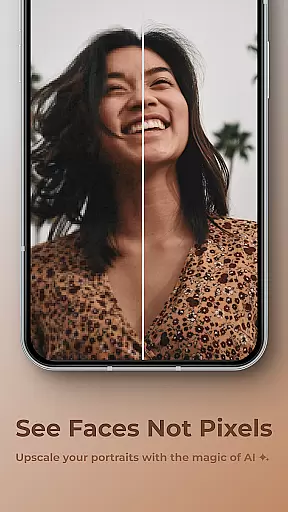
In addition to its robust transformation tools, SuperImage Pro excels in enhancing image quality. Users can upscale photos, wallpapers, and even anime images up to 16x their original resolution, effectively eliminating blurriness and preserving intricate details. The app also includes specialized portrait enhancement features that refine facial features and improve overall clarity, making every portrait look its best.
For advanced users, SuperImage Pro supports loading custom AI models in various formats including PyTorch, ONNX, and MNN. This flexibility allows power users to tailor the app's functionality to their specific needs, unlocking limitless creative possibilities. With its combination of powerful AI algorithms, user-friendly interface, and unwavering commitment to privacy, SuperImage Pro sets a new standard for mobile photo editing applications.
Real-time capture and preview functionality is essential for photography apps as it allows users to see exactly what the camera sees before taking a shot. SuperImage Pro excels in this area by providing an intuitive interface that displays accurate colors, lighting, and details directly on your device's screen.
The application leverages advanced AI models optimized for modern hardware to ensure that the preview is smooth and responsive. This means you can adjust settings like exposure, focus, and white balance in real time, giving you greater control over the final image quality.
Users benefit from this feature by being able to make precise adjustments before capturing a photo, which leads to higher-quality images without the need for post-processing. The ability to preview these changes instantly enhances the overall photography experience, making it more interactive and enjoyable.
AI beauty and enhancement features are crucial for photography apps aiming to improve portrait photos naturally. SuperImage Pro offers advanced tools that enhance facial features while maintaining a realistic appearance, ensuring that portraits look their best without appearing overly edited or artificial.
This app uses sophisticated algorithms to sharpen details, refine facial features, and enhance background clarity of low-resolution portraits. By processing images entirely on the device, it guarantees privacy and security, allowing users to enhance their photos with confidence.
The natural enhancement provided by SuperImage Pro helps users achieve professional-looking results effortlessly. Whether you're editing personal photos or preparing images for professional use, the app ensures that every portrait retains its authenticity while looking polished and refined.
Fast on-device processing
Advanced AI models
Privacy-focused design
Custom model support
Comprehensive feature set
Steep learning curve
High system requirements
Limited free features
No cloud backup
Occasional bugs

Perfect photos with body shaping, BG changer and object remover.
 3.70
3.70
Natural Beauty, Selfie Retouch
4.30
Android Native system HD camera app. Never been so simple and faster.
4.70
Be your best in every shot! Fix, edit and retouch your face in selfies & photos.
3.70
Create AI photos & videos with Enhancer; restore, fix, beautify, enhance photos
4.50
Future baby face generator: AI kids generator, kid face! What my baby look like?
4.40
Professional quality photo edits with the new Snapseed.
4.00
live datamoshing
4.00
Discover & download millions of art for The Frame TV or Hisense CanvasTV
4.60
Cartoon and artistic effects for your photos and videos
4.70
Unblur, enhance & restore photos with powerful AI photo enhancer tools.
4.60
HD Camera Pro with HD Video shooting, Panorama, Photo editor , Beauty Camera.
4.50
Photo editor & gallery. Crop pictures & edit photos offline, no wifi!
4.50
Fit multiple photos on one post. Create carousels & scroll layouts for Instagram
4.50
Edit like a pro with Hypic. Apply filters, AI effects, & magic touch.
4.40
Gallery Slideshow is slideshow maker app for slideshow from your gallery photos.
3.90
Remote control the phone camera shutter from your smartwatch and take a picture
1.60
Over 800 film simulation recipes for Fujifilm. Black Friday Offer!
4.3
Add a dreamy vibe to your selfies and videos with soft style filters
4.5


User Reviews