
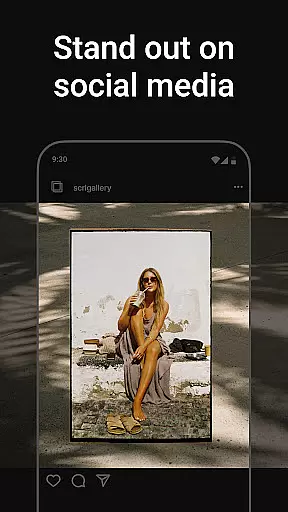
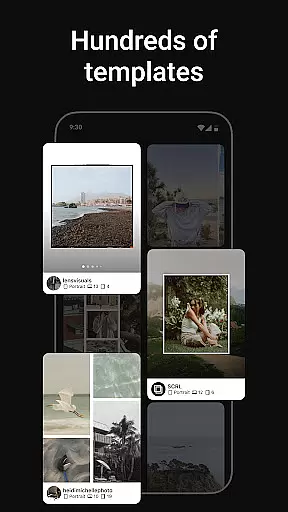
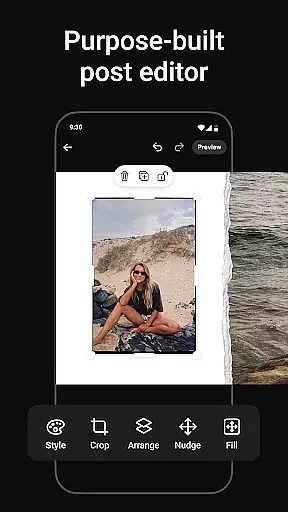
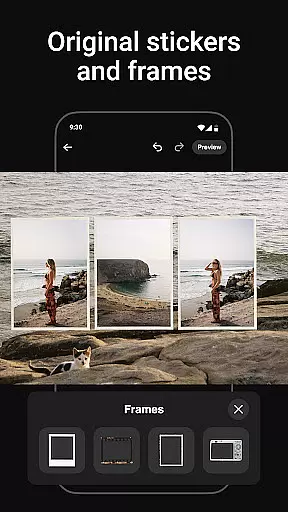
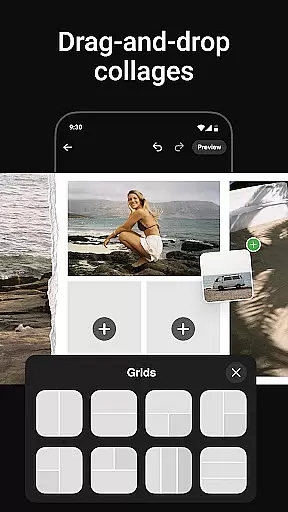
Photo Collage Maker by SCRL is the leading app in the US for creating stunning photo collages and seamless Instagram carousel posts. This application empowers influencers, artists, and photography enthusiasts to craft visually striking content that stands out on social media platforms. With a vast selection of hand-picked collage templates, users can choose from minimalist to extravagant styles catering to every occasion.
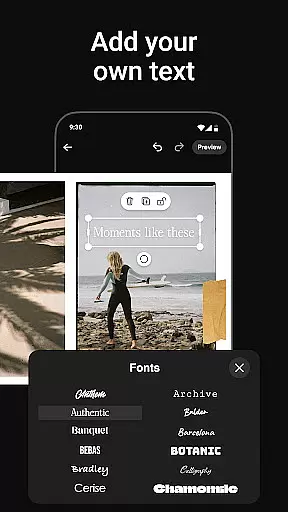
The app offers an intuitive freeform canvas allowing ultimate creativity where users can zoom in and out, add more than 10 photos to a single post, and access hundreds of stickers and overlays. The instant posting feature streamlines sharing your masterpiece directly to Instagram without additional steps. Additionally, SCRL Premium unlocks advanced design tools for those looking to elevate their creations further.
Photo Collage Maker provides an extensive set of features designed to enhance creative expression. One standout feature is its swipe-through carousel posts which captivate audiences with natural transitions between images, perfect for storytelling or showcasing moments in a series. The inclusion of hundreds of professionally crafted templates ensures high-quality designs tailored to various themes and events.
Moreover, the freeform canvas allows users to create unique layouts combining images, text, stickers, and overlays effortlessly. This flexibility supports personal style reflection in every project. For added convenience, SCRL includes instant posting capabilities directly to Instagram along with premium options offering video integration into grids and gradient backgrounds among other advanced functionalities.
Real-time capture and preview functionality is essential for ensuring that every photo collage or carousel post created with Photo Collage Maker meets the user's expectations. This feature allows users to see their designs come to life instantly as they add and arrange photos, stickers, overlays, and text.
The app provides a seamless experience by rendering changes in real time, which means there's no lag between actions taken on the canvas and what appears on the screen. Users can adjust elements such as zoom level, filters, and layout configurations while observing these modifications immediately within the workspace.
This immediate visual feedback empowers creators to fine-tune their projects with precision, ensuring that each element aligns perfectly before finalizing their masterpiece. It eliminates guesswork during the design process, allowing influencers, artists, and casual users alike to produce professional-quality visuals confidently.
By offering an intuitive interface combined with this powerful capability, Photo Collage Maker enhances creativity and efficiency, making it easier than ever for individuals to craft captivating Instagram content that stands out from the crowd.
Photo Collage Maker leverages advanced AI beauty and enhancement features to elevate the quality of images without compromising naturalness. This ensures that every photo included in a collage or carousel maintains its authenticity while benefiting from subtle improvements.
The AI algorithms intelligently analyze each image, identifying areas where enhancements can be applied effectively. These may include skin smoothing, blemish removal, color correction, and brightness adjustmentsu2014all tailored to preserve the original character of the photograph.
Unlike traditional editing tools that might over-process photos leading to artificial results, Photo Collage Maker focuses on delivering enhancements that look genuine. The goal is not only to beautify but also to retain the unique qualities of each picture so that collages feel personal and true-to-life.
With these sophisticated yet easy-to-use capabilities at their fingertips, users are empowered to create stunning compositions quickly and effortlessly. Whether crafting social media posts for personal enjoyment or professional branding purposes, they can trust that their creations will reflect both enhanced aesthetics and sincere representation.
User-friendly interface
Extensive template library
Versatile design tools
Instant Instagram posting
Premium upgrade availability
Limited free features
Premium subscription required
Instagram-focused only
Advanced tools not intuitive
Occasional bugs reported

Photo editor: face & body editor, beauty cam, filters and quality enhancer.
 4.00
4.00
All-in-One Editor & AI Photo Enhancer, Collage, Cartoonify, Funny Stickers & BGS
4.10
Superimpose one photo on top of another using the original Superimpose app!
3.20
Create AI photos & videos with Enhancer; restore, fix, beautify, enhance photos
4.50
Luminar: Photo Editor - easy picture editing with AI
4.20
Use AI Video Generator to turn your words to ai generated videos.
4.50
Snap photos remotely using your Garmin watch as the camera trigger
4.1
Solocator stamps photos you take with GPS location, Compass Direction, Date/Time
3.80
Try an anime version, cartoon yourself, and generate AI hug or aging videos!
3.70
Create funny photos and videos with the popular Time Warp Scan filter.
4.90
Perfect body tune & face app - photo retouch, makeup, slim body & beautify face.
4.80
Transform photos into videos! Create realistic or anime-style images easily!
4.50
Photo editor & gallery. Crop pictures & edit photos offline, no wifi!
4.50
Edit like a pro with Hypic. Apply filters, AI effects, & magic touch.
4.40
Smart, light, and fast photo and video gallery
4.30
How would you look like with a differently shaped nose, chin or lips?
3.90
Perfect photos with body shaping, BG changer and object remover.
3.70
Be your best in every shot! Fix, edit and retouch your face in selfies & photos.
3.70
An interval timer to automate photo taking process for timelapse
2.90


User Reviews