
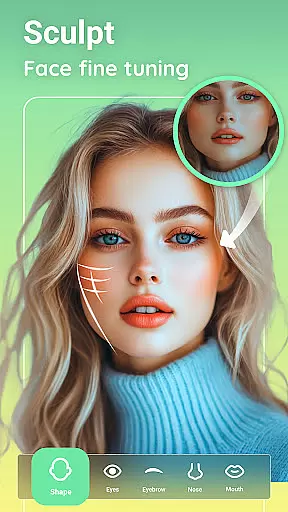
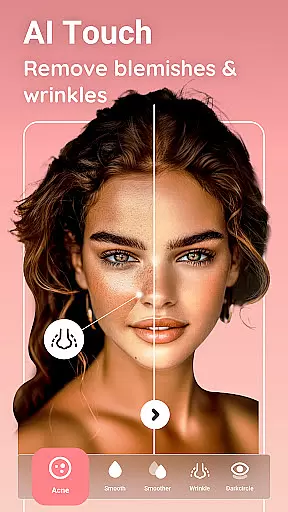


Peachy is a powerful photo editing application designed to transform your selfies and pictures into flawless masterpieces. This free HD body and face editor offers professional features that allow users to reshape their body, smooth skin, erase blemishes, and add a radiant glow with just one tap. Whether you're looking to enhance your daily photos or retouch specific body details, Peachy provides magical enhancements from pro skin retouching to seamless muscle sculpting.
With its comprehensive suite of essential tools, Peachy caters to all your photo editing needs. From cropping and rotating images for the perfect frame to fine-tuning brightness, contrast, warmth, sharpness, shadows, and more, this app ensures every detail is perfected. The AI-driven features like AI Muscle, AI Body Edit, AI Face Retouch, and AI Makeup & Hair make it easy to achieve natural, realistic results. Capture beautiful moments and share them on social platforms like Instagram, TikTok, YouTube, Snapchat, WhatsApp, or Facebook without any watermarks.
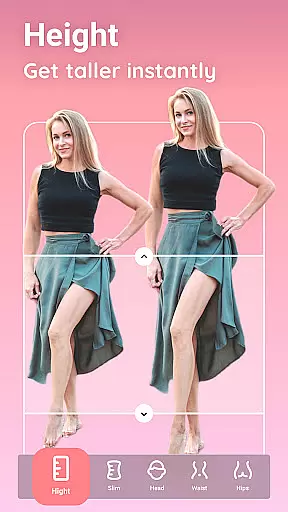
Peachy stands out with its extensive range of features tailored to elevate any image. One of the core functionalities includes AI-driven tools such as AI Muscle, which intelligently enhances muscles based on gender, defining abs, V-line, chest, and arms naturally. The AI Body Edit feature allows users to reshape, slim, and sculpt any body area seamlessly, making it ideal for waist slimming and posture correction.
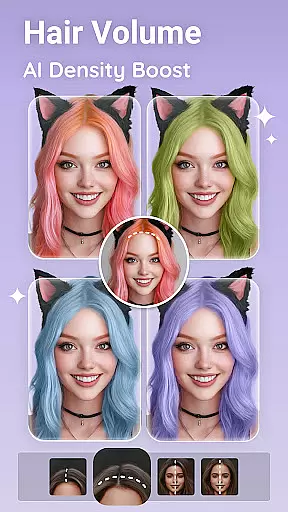
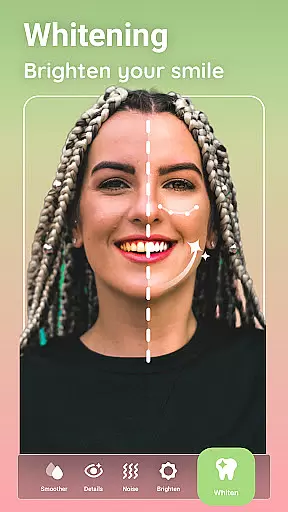
In addition to body editing, Peachy offers advanced skin retouching options. Users can smooth skin, remove blemishes, whiten teeth, fix wrinkles, and apply a matte finish to remove oily shine. The virtual makeup feature lets you apply realistic lipstick, blush, eyeshadow, and brow styles, while the hairstyling tools help boost hair volume, refine hairlines, and change hair color. Eye enhancement features ensure your eyes are brightened, dark circles removed, and symmetry adjusted for a polished look.
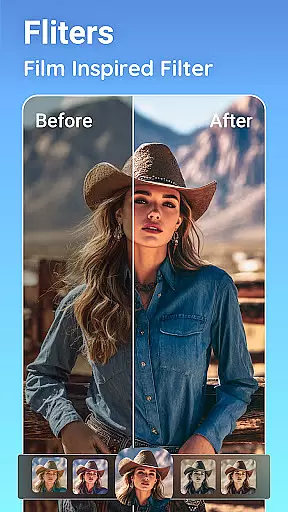
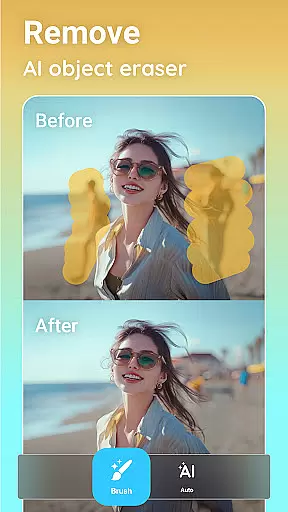
The app also includes essential photo editing tools like crop and rotate, adjust settings, AI object remover, filters, and presets. These tools collectively ensure that every aspect of your photo, from composition to color, is perfected effortlessly. With Peachy, achieving professional-quality edits has never been easier or more accessible.
Real-time capture and preview functionality is essential for any photography app, allowing users to see exactly what their photo will look like before taking the shot. Peachy offers a seamless experience with its advanced real-time preview feature, ensuring that every detail is captured as intended.
The app's sophisticated algorithms process images instantly, providing users with accurate representations of their edits on the fly. This includes adjustments to brightness, contrast, and skin retouching, which are visible in the preview window, empowering users to make precise modifications.
With Peachy, photographers can experiment with different settings and observe changes immediately, enhancing their creative workflow. The ability to preview AI-driven enhancements such as muscle sculpting or makeup application ensures that final images meet professional standards.
This immediate feedback loop not only saves time but also improves the overall quality of photos by allowing iterative adjustments. Users can confidently capture moments knowing that the end result will reflect their artistic vision without unwanted surprises after the shot is taken.
AI beauty and enhancement features have become a cornerstone of modern photo editing, offering tools that perfect images while maintaining natural aesthetics. Peachy stands out with its suite of AI-powered enhancements designed to deliver realistic results without over-processing.
The app employs intelligent algorithms that analyze facial features and body proportions to apply enhancements that look authentic. From smoothing skin textures to defining muscles, each tool is crafted to preserve the subject's unique characteristics while elevating their best features.
Peachyu2019s AI makeup and hair tools further enhance this natural approach by allowing subtle yet impactful changes. Whether it's refining hairlines or applying virtual makeup, the results blend seamlessly with the original image, avoiding the artificial appearance often associated with digital alterations.
By prioritizing natural-looking enhancements, Peachy ensures that edited photos retain their genuineness, making them suitable for sharing across social platforms without fear of appearing overly edited or losing personal identity.
User-friendly interface
Advanced AI features
Comprehensive toolset
Professional results
No watermark on exports
May overwhelm beginners
High system requirements
Limited offline functionality
Frequent updates needed
Ads in free version

HD Photo gallery and photo manager to edit, hide private photos, videos & albums
 4.2
4.2
An interval timer to automate photo taking process for timelapse
2.90
Pet Camera
3.70
Movie camera, supports pro recording settings for filming. Try it and be amazed!
4.50
Raw Image Viewer. Gallery with support of raw images (.cr3, .cr2, .nef, .raf).
2.00
Smart, light, and fast photo and video gallery
4.30
AI-powered video creator by MiniMax - Where ideas meet cinema
4.20
live datamoshing
4.00
The original Rarevision VHS look seen everywhere!
4.70
Find time and duration of different sunlight phases at any location
4.90
Amazing Photo Effects - The most fun you can have with your photos!
4.70
Discover & download millions of art for The Frame TV or Hisense CanvasTV
4.60
Fit multiple photos on one post. Create carousels & scroll layouts for Instagram
4.50
Luminar: Photo Editor - easy picture editing with AI
4.20
Professional camera app that brings DSLR manual photography controls to Android.
4.20
Superimpose one photo on top of another using the original Superimpose app!
3.20
Professional video recording application with manual controls for filmmakers!
2.80
Photo Album Watch Face shows your favorite pictures as a Watchface.
1.90
Over 800 film simulation recipes for Fujifilm. Black Friday Offer!
4.0


User Reviews