


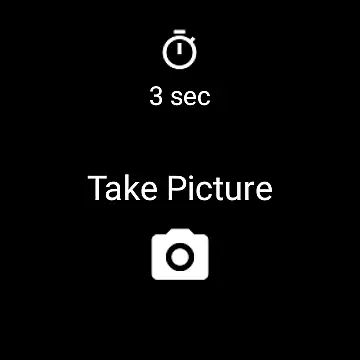
Camera Remote Watch is a smart photography app that allows users to remotely control their phone's camera shutter directly from their smartwatch. This innovative solution enables hands-free picture taking, making it perfect for group photos, selfies, or capturing moments discreetly without touching the phone.
The app works seamlessly with both Android devices and Wear OS smartwatches. After setting up the camera view on your phone, you can trigger the camera shutter from your watch. The captured photo will be saved in your phone's gallery, while a copy is also displayed on the watch for instant review. This ensures you can retake shots if needed, providing greater flexibility and convenience.
Whether you're an amateur photographer or simply looking for a more convenient way to take pictures, Camera Remote Watch offers a practical solution. Its ability to work across different platforms makes it versatile, though patience may be required during photo transfers due to slower watch processing speeds.
Camera Remote Watch stands out with its unique set of features tailored for smartwatch users. One of its key functionalities is the ability to remotely trigger the phone's camera shutter directly from the watch interface. This eliminates the need to physically interact with the phone, offering a seamless and hands-free photography experience.
In addition to remote triggering, the app provides real-time feedback by displaying a copy of the captured image on the smartwatch screen. This feature allows users to instantly review their photos and decide whether to retake them, ensuring better results every time. The app also supports multiple platforms, including Wear OS smartwatches, broadening its compatibility.
Another notable aspect is its straightforward setup process. Users simply need to open the app on their phone to adjust the camera settings and then use the corresponding watch app to capture images. While the app performs reliably, users should ensure their devices are connected and be mindful of potential delays during photo downloads due to the watch's limited processing speed.
Real-time capture and preview functionality is essential for ensuring that every photo taken meets the user's expectations without delay. Camera Remote Watch excels in this area by allowing users to remotely control their phoneu2019s camera from a smartwatch, providing immediate feedback on the shot taken.
This application facilitates capturing photos without physically interacting with the phone, which is particularly useful in scenarios where touching the phone might cause unwanted movement or blurring. Once the photo is captured, it is instantly saved to the phone's gallery while also being displayed on the smartwatch for instant review.
The ability to preview photos directly on the watch ensures that users can quickly assess whether the image meets their standards or if another attempt is necessary. This seamless integration between the phone and watch enhances the photography experience, making it more efficient and user-friendly.
While Camera Remote Watch does not explicitly market itself as an AI beauty and enhancement tool, its functionality inherently supports natural enhancements through careful composition and timing. The app allows users to set up their shots meticulously, ensuring that each photo captures the subject in the best possible light.
By enabling remote shutter control, users can avoid the common pitfalls of taking selfies or group photos, such as shaky hands or awkward angles. This leads to naturally enhanced images that require minimal post-processing. The convenience of reviewing the photo immediately on the watch further aids in achieving a natural look, as users can retake the photo if needed.
Although the app may not offer advanced AI-driven beautification features, its core capabilities promote capturing authentic and high-quality images. This approach emphasizes genuine moments over artificial enhancements, aligning with the growing preference for natural aesthetics in photography.
Hands-free operation
Instant photo review
Cross-platform support
Easy setup process
Real-time feedback
Slower photo transfer
Limited device support
Requires patience
Watch display issues
Potential connectivity problems

How would you look like with a differently shaped nose, chin or lips?
 3.90
3.90
1M influencer's special filter
4.60
Create funny photos and videos with the popular Time Warp Scan filter.
4.90
Android Native system HD camera app. Never been so simple and faster.
4.70
Turn photos into cartoons & avatars! - Photo Editor, Cartoon Face!
3.90
Catch sunlight, sunrise sunset times and sun phases with the AR sun tracker.
4.10
A unique animation app. Powerful, easy to use, and lots of fun.
4.30
Discover How to Plan any Sun, Moon and Milky Way Photo You Imagine in Seconds
4.70
Edit photos with the picture generator: PS2 & AI Clay filters, cartoon effects.
4.50
Enhance, upscale, and transform your images — on your device, without limits
4.70
Enhance, retouch & create your story - Share the moment with Photoshop Express.
4.60
Light-weight Media Gallery app for Android made with Jetpack Compose
4.60
Add Watermark - Sign your pictures with a text or logo. Effective, quick, easy!
4.50
HD Camera Pro with HD Video shooting, Panorama, Photo editor , Beauty Camera.
4.50
All-in-One Editor & AI Photo Enhancer, Collage, Cartoonify, Funny Stickers & BGS
4.10
Photo editor: face & body editor, beauty cam, filters and quality enhancer.
4.00
Photobooth mini FULL app will allow you to add more fun to your parties
4.00
Application for remote controlling DSLR
3.00
HD Photo gallery and photo manager to edit, hide private photos, videos & albums
4.0


User Reviews