





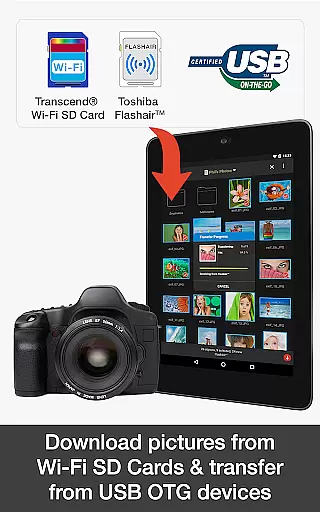
PhotoSync Bundle Add-On is an advanced activation license that enhances the free version of PhotoSync, a leading cross-platform solution for wireless photo and video management. This add-on enables users to seamlessly transfer, backup, and share multimedia content across Android, iOS, Windows, Mac, NAS devices, and cloud services.
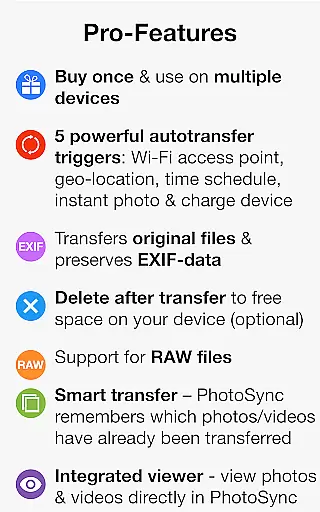
The product stands out with its automatic transfer capabilities, supporting various triggers like Wi-Fi network connection, geolocation, device charging, and time schedules. It also provides comprehensive NAS support and integration with major cloud services, making it an indispensable tool for users seeking reliable and customizable photo management solutions.
With over 10,000 positive reviews and millions of successful transfers, PhotoSync offers a secure, ad-free experience while saving users 20% compared to purchasing individual add-ons. Whether you're a professional photographer or casual user, this bundle ensures your precious memories are always backed up and accessible across all your devices.
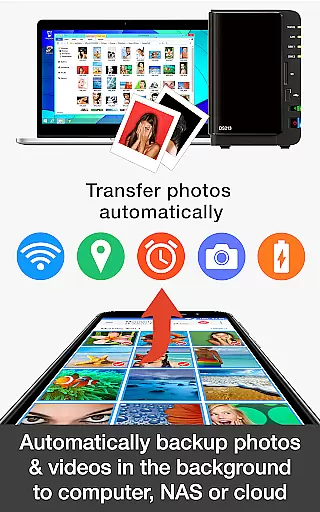
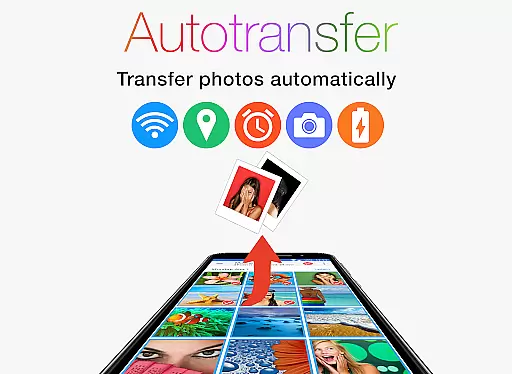
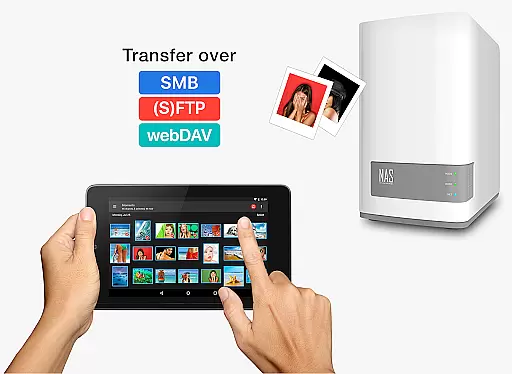
PhotoSync Bundle Add-On boasts an impressive array of features designed to streamline photo and video management. The Autotransfer functionality automatically backs up media files to computers, NAS devices, or cloud storage using protocols like SMB, (S)FTP, and WebDAV. This feature supports multiple triggers, including instant transfer upon capturing new media, location-based transfers, and scheduled backups.
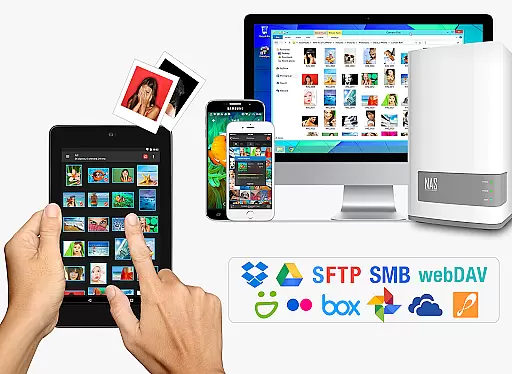
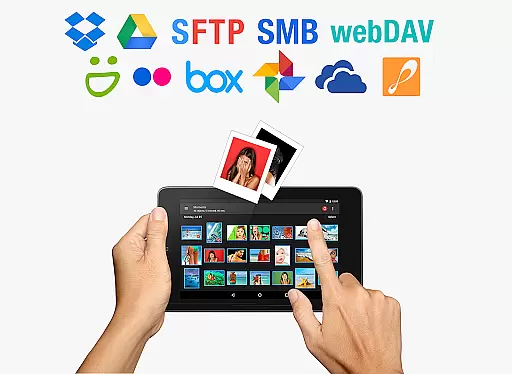
The NAS Add-On allows users to securely store and retrieve photos and videos on network-attached storage devices from leading manufacturers such as Synology, QNAP, and Western Digital. Meanwhile, the Cloud Add-On facilitates seamless integration with popular cloud services like Dropbox, Google Drive, and OneDrive, enabling users to upload, download, and share content across platforms.
What sets PhotoSync apart is its total user control and customization options. Users can fine-tune transfer settings, manage permissions, and configure detailed preferences to suit their specific needs. The application's ten-year track record of reliability and continuous updates ensures that users receive a polished, secure, and future-proof solution for their digital asset management requirements.
Real-time capture and preview functionality is essential for photography applications as it allows users to see exactly what the camera is capturing before taking a shot. This ensures that photos meet the user's expectations in terms of framing, lighting, and focus.
PhotoSync Bundle Add-On enhances this experience by enabling instant transfer of photos and videos from an Android device to various destinations like computers, NAS, and cloud services. The app supports automatic uploads triggered by events such as taking a new picture or connecting to a specific Wi-Fi network.
Users benefit from this feature through seamless synchronization across devices without manual intervention. Whether backing up precious memories or sharing important moments with others, real-time capture and preview streamline these processes significantly.
The reliability and security provided by PhotoSync make it stand out among similar apps. With over ten years in the market and continuous updates, users can trust that their data remains safe while enjoying cutting-edge technology designed for efficient media management.
AI beauty and enhancement features have become increasingly popular in photography apps due to their ability to improve image quality naturally. These tools use advanced algorithms to enhance facial features, skin tones, and overall picture clarity without making edits appear artificial.
While PhotoSync does not directly offer AI beauty enhancements, its robust set of features ensures high-quality photo transfers and backups. By supporting multiple storage options including SMB, (S)FTP, WebDAV, and major cloud services, users can maintain original image integrity during transfers.
For those seeking natural-looking enhancements, integrating third-party AI tools within PhotoSyncu2019s ecosystem could provide additional value. Users would then enjoy both secure backup solutions and aesthetically pleasing edits tailored to individual preferences.
Ultimately, whether using built-in capabilities or external plugins, maintaining authenticity in digital enhancements remains crucial. PhotoSyncu2019s commitment to total user control aligns well with this philosophy, empowering users to manage their media effectively while preserving genuine visual experiences.
User-friendly interface
Secure data transfer
Comprehensive cloud support
Automatic backup options
Cross-platform compatibility
Requires initial setup
Premium pricing
Dependent on network stability
Limited offline functionality
Learning curve for beginners

Remote control of the phone camera from your Wear OS smartwatch
 3.70
3.70
Photo editor: face & body editor, beauty cam, filters and quality enhancer.
4.00
Gallery show photo, video, slideshow, is perfect 3D effect private photo albums.
4.80
HD Camera Pro with HD Video shooting, Panorama, Photo editor , Beauty Camera.
4.50
Amazing Photo Effects - The most fun you can have with your photos!
4.70
Movie camera, supports pro recording settings for filming. Try it and be amazed!
4.50
Transform Photos: Edit, Beautify and Craft Memories & Make Collages!
4.10
Unblur, enhance & restore photos with powerful AI photo enhancer tools.
4.60
Your personal guide to the sun and moon. Plan ahead, visualize and predict!
4.70
A collection of tools and reference tables for DPs, ACs, DITs and Operators.
4.70
Easily create custom gifts, cards, photo books & more on the Shutterfly app!
4.60
Transform photos into videos! Create realistic or anime-style images easily!
4.50
Photo editor & gallery. Crop pictures & edit photos offline, no wifi!
4.50
Edit like a pro with Hypic. Apply filters, AI effects, & magic touch.
4.40
AI portrait generator and polaroid AI selfie, fun AI generated AI photo creator!
4.30
Create AI Photos, Improve and restore quality of blurry, old or damaged pics.
4.20
Application for remote controlling DSLR
3.00
Raw Image Viewer. Gallery with support of raw images (.cr3, .cr2, .nef, .raf).
2.00
HD Photo gallery and photo manager to edit, hide private photos, videos & albums
4.4


User Reviews