
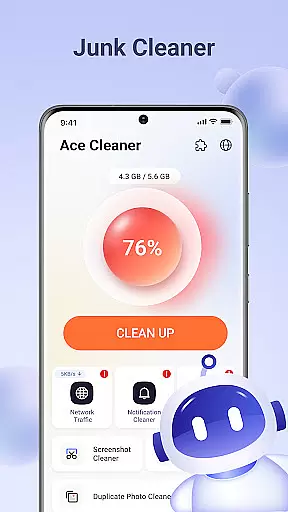
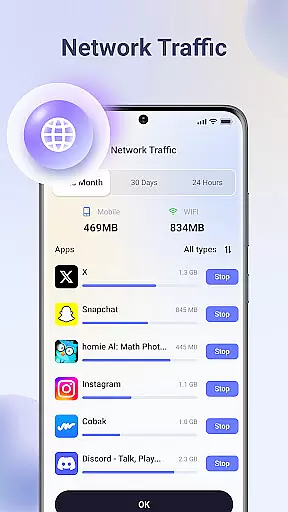
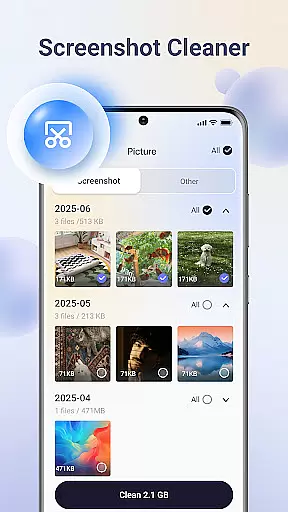
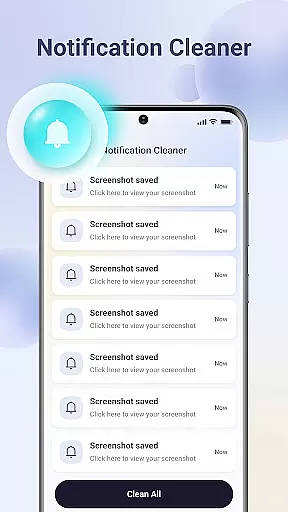
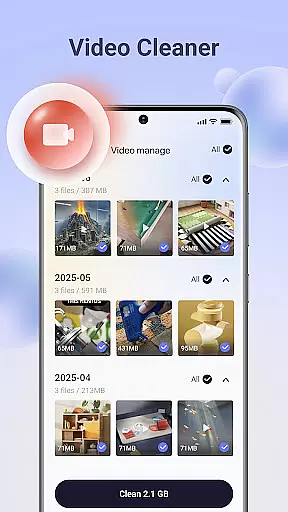
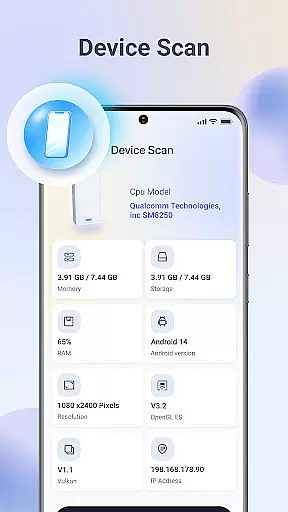
Ace Cleaner is a comprehensive file management and device optimization tool designed to help users efficiently manage their storage space. The app specializes in junk file cleaning, app organization, photo and video tidying, and large file identification. With its on-device privacy protection feature, all scanning and cleaning operations are performed locally, ensuring complete user privacy.
The app's key functionalities include removing unnecessary temporary files, managing installed applications, organizing media files, and identifying space-consuming large files. These features collectively enable users to free up valuable storage space while maintaining full control over their personal data. Whether you need to declutter your gallery or uninstall unused apps, Ace Cleaner provides the tools to keep your device running smoothly.
Ideal for users who prioritize both performance and privacy, Ace Cleaner is particularly beneficial for those dealing with limited storage capacity. By offering transparent actions and clear choices, the app ensures that users can optimize their devices without compromising their personal information security.
Ace Cleaner stands out with its diverse range of practical features tailored for efficient device management. One of its core capabilities is junk file and cache cleaning, which systematically scans for temporary files and cached data that accumulate over time. This feature allows users to review these unnecessary files and remove them safely, freeing up significant storage space.
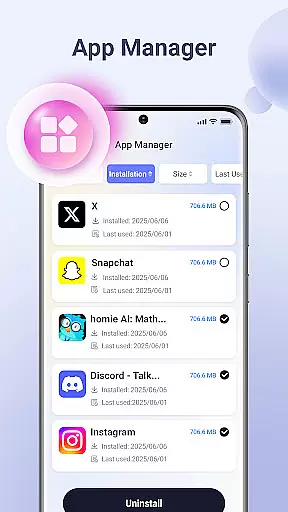
In addition to junk cleaning, the app includes an App Organizer that provides detailed insights into installed applications. Users can view each app's storage and data usage, making it easier to decide which apps to keep or uninstall. Another notable feature is the Photo & Video Tidy-Up tool, which helps users manage their media files by identifying duplicates, old videos, and other non-essential items, allowing for a more organized gallery.
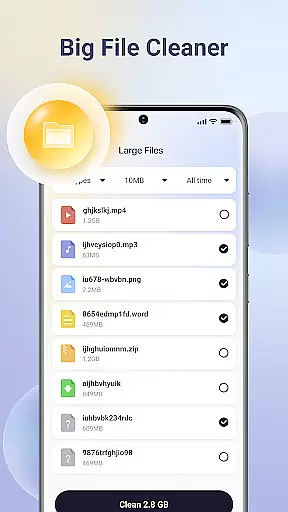
Finally, the Large File Finder tool identifies big files that may be consuming excessive space. Users can then choose whether to delete or retain these files based on their needs. All these features are integrated into a simple, intuitive interface that emphasizes user control and privacy, making Ace Cleaner a reliable choice for anyone looking to optimize their device efficiently.
Ace Cleaner excels in delivering precise and effective core functions that users expect from a cleaning and file management tool. Its junk file cleaning feature thoroughly scans your device, identifying temporary files, cached data, and other unnecessary items that accumulate over time. By allowing users to review these files before removal, the app ensures that only the intended data is deleted, providing both safety and efficiency.
In addition to junk cleaning, Ace Cleaner offers robust app management capabilities. Users can view all installed apps, check their storage and data usage, and uninstall those no longer needed. This functionality provides transparency and control over app-related storage consumption, empowering users to optimize their device's performance effectively.
The app also includes a large file finder, which helps identify space-consuming files. With this feature, users can make informed decisions about which files to keep or delete, ensuring optimal use of available storage. Overall, Ace Cleaner's comprehensive suite of tools delivers reliable performance, making it an indispensable utility for maintaining a clutter-free device.
Ace Cleaner stands out with its intuitive and user-friendly interface, designed to simplify everyday file management tasks. The app combines junk cleaning, app organization, and file management into one cohesive tool, presenting users with clear choices and transparent actions. This streamlined approach eliminates complexity, making it easy for anyone to manage their device storage without technical expertise.
Each feature within Ace Cleaner is crafted with simplicity in mind. For instance, the photo and video tidy-up function allows users to review and decide what to keep or remove effortlessly. Similarly, the app organizer provides straightforward insights into storage and data usage for each installed app, facilitating easy management. These thoughtful design elements ensure that users can navigate the app seamlessly.
Furthermore, Ace Cleaner emphasizes privacy and security while maintaining an accessible interface. All operations occur locally on the device, reinforcing user trust. By focusing on clarity, control, and privacy, Ace Cleaner creates a hassle-free experience that empowers users to take charge of their device's storage confidently.
User-friendly interface
Effective junk cleaning
Comprehensive app management
Privacy-focused design
Multi-functional utility
Limited advanced options
No cloud backup
Basic photo editing
Frequent scans needed
Occasional slow performance

Unlock your Essential Key. Create custom shortcuts to your favorite apps!
 4.3
4.3
Forza Tuning Calculator App for Forza Horizon 5, Motorsport and Earlier Titles
4.40
Create your own live wallpaper or check out thousands already made presets
3.90
Excellent scientific calculator with symbolic algebra, integrals, derivatives
4.80
Navigate with Ease and Style
4.90
Screen Mirroring with sound for Samsung TV, LG TV, Sony TV, Smart TV and Browser
4.20
Button mapper, mouse toggle, sleep timer and a lot of another features
4.50
Clean up your phone, find files, play media, and share files offline
4.50
fast and easy mp3 music downloader
4.80
Change your GPS location instantly. Simulate routes anywhere in the world.
4.90
Best leveling tool for your Android device. Hang paintings like a pro.
4.90 4.50
4.50
With videos, electrical calculators, and built-in ebook, Ugly’s has your answer.
4.50
Making emulation easy for everyone!
4.30
Quickly check the frequency of the Earth
4.30
Just one-tap to easy translate in any language after calls within seconds.
4.20
Effortlessly run ADB commands directly on your device without a PC.
4.20
Unleash gamepad precision for ultimate mobile gaming dominance.
3.90
PDF Reader - Document Viewer: Read, Manage & Organize Your Documents
3.10


User Reviews