
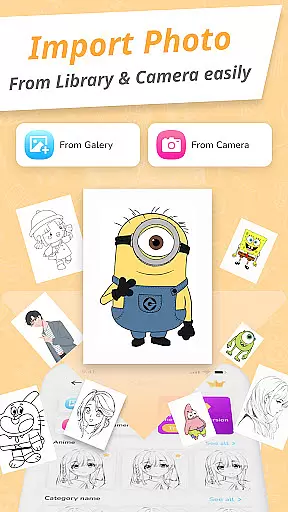
Draw Cartoon - AR Drawing App is an innovative art application that brings augmented reality into the creative process. This app allows users to transform their artistic visions into reality by leveraging advanced AR technology, making it a perfect tool for both aspiring and professional artists.
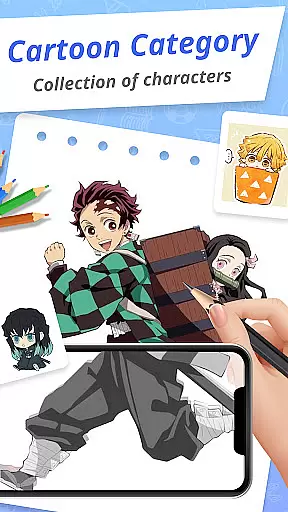
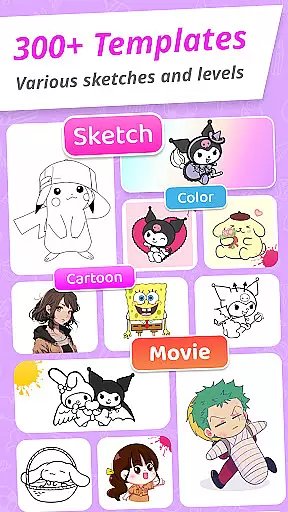
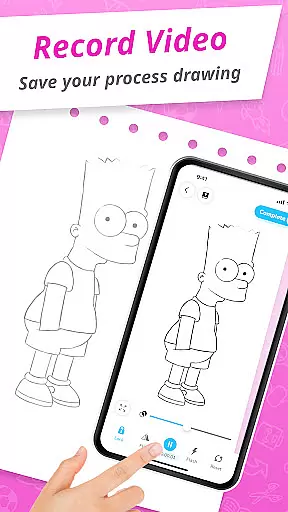
The core functionality of Draw Cartoon lies in its powerful AR drawing features. Users can utilize their device's camera to blend real-world elements into their sketches, with options to adjust opacity, record videos, take photos, and control the flashlight. The app also offers a rich library of cartoon templates featuring popular themes like Pikachu and Scooby-Doo, providing inspiration for artists of all levels.
Whether you're looking to improve your drawing skills or simply want to explore creative possibilities, Draw Cartoon provides an accessible platform to unleash your artistic potential. Its user-friendly interface and comprehensive feature set make it suitable for both beginners and experienced artists seeking to expand their creative horizons.
Draw Cartoon stands out with its diverse range of features designed to enhance the drawing experience. The app's most notable feature is its augmented reality drawing capability, which allows users to project images onto real-world surfaces through their device's camera. This creates an immersive tracing environment where artists can perfectly replicate desired shapes and designs.
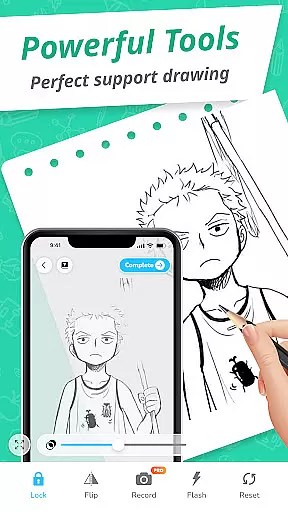
In addition to basic drawing functions, the app offers advanced tools such as video recording, photo capture, and adjustable opacity settings. These features enable users to document their creative process and fine-tune their artwork with precision. The inclusion of a flashlight toggle and image lock function further enhances the drawing experience, especially in low-light conditions.
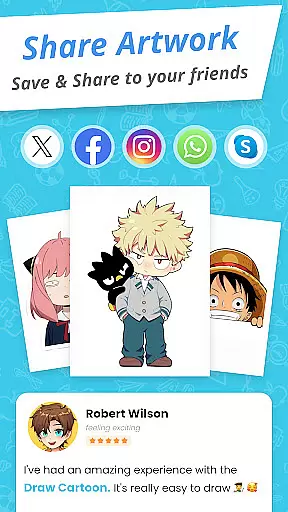
The app also maintains a collection of amazing AR sketch cartoon templates, featuring various popular cartoon characters and themes. These templates serve as excellent starting points for beginners while providing inspiration for more experienced artists. With the My Artwork feature, users can track their progress, save their creations, and share them with friends and family, creating a comprehensive artistic journey within the app.
In the realm of digital artistry, having a comprehensive suite of creative tools is paramount. Draw Cartoon - AR Drawing App offers an extensive array of features that cater to both budding and experienced artists. The app's powerful AR cartoon drawing capabilities allow users to incorporate real-world elements into their sketches, providing a unique blend of reality and imagination.
Moreover, the app enhances the drawing experience with advanced options such as recording video, taking photos, adjusting opacity, controlling the flashlight, and locking or resetting your work. These functionalities ensure that artists have all they need at their fingertips, without compromising on simplicity or accessibility. Whether you're sketching for fun or perfecting your craft, this app adapts to your needs.
The availability of amazing AR sketch cartoon templates further enriches the creative process. With free samples ranging from beloved characters like Pikachu to classic cartoons such as Scooby-Doo, thereu2019s no limit to what you can create. This vast template library not only inspires but also guides users through their artistic journey, making it an invaluable resource for learning and inspiration.
A canvas in the digital world should offer more than just a space to draw; it should provide flexibility and adaptability to the artist's vision. Draw Cartoon - AR Drawing App excels in this aspect by allowing artists to manipulate their workspace with ease. Users can adjust the opacity of their drawings, giving them control over the transparency and layering of their artwork, which is essential for creating depth and complexity in their pieces.
Furthermore, the app supports various formats, ensuring that every piece of art remains compatible across different platforms and devices. Artists can save or share their creations directly from the app, making it simple to distribute their work or collaborate with others. This seamless integration into the digital ecosystem empowers creators to reach wider audiences without technical hindrances.
Tracking one's artistic progress is made effortless with the 'My Artwork' feature. As users explore augmented reality art, they can monitor their development, gaining valuable insights into their achievements and areas for improvement. This reflective practice not only boosts confidence but also encourages continuous learning and experimentation within the versatile canvas provided by Draw Cartoon.
User-friendly interface
Advanced AR features
Rich template library
Progress tracking system
Active community support
Limited free content
Device compatibility issues
Occasional performance lags
Subscription fees required
Learning curve for beginners

Learn how to draw with step-by-step tutorials, fun lessons & multiplayer drawing
 4.70
4.70
AI Assistant, powered by ChatGPT GPT-4 & GPT-4o. Your intelligent companion.
3.50
Trace, draw, and create art with AR - from memes to masterpieces!
4.30
Remove Background, Magic Eraser, Photo Enhancer, Story Templates, Collage Maker
4.30
Paint with oils and sketch with natural tools on a realistic virtual canvas.
3.80
Video AI: Revolutionize Your Content Creation with Advanced Video Generation
4.50
Create cute cat emojis & PFPs! Fun, custom avatars for cat lovers.
3.70
Turning simple sketches into captivating tales filled with life and motion
3.90
Create amazing pictures and unleash your creative genius with AR Drawing Sketch
4.40
Draw on screen: FP sDraw is a simple and lightweight drawing app
4.70
Novices can also easily complete diamond painting masters
4.70
The perfect place to start sketching! Use Sketchbook to draw and paint sketches.
4.50
Create and Design Custom Logos in Seconds with AI-Powered Tools!
4.40
Just trace a projected picture on paper and color! Draw & Paint with AR drawing
4.40
Floor Plan Creator lets you create, edit and share floor plans.
4.00
Resize photos and print photos in exact size with our powerful photo printer!
3.80
Retouch photos. Create or edit images. Endless capabilities.
2.70
Art of Combination Wear OS Watch faces
4.0
Android 14 style widgets and wallpapers app.
4.3


User Reviews