
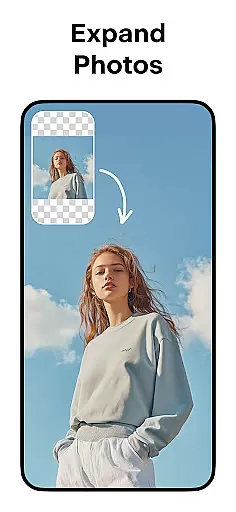
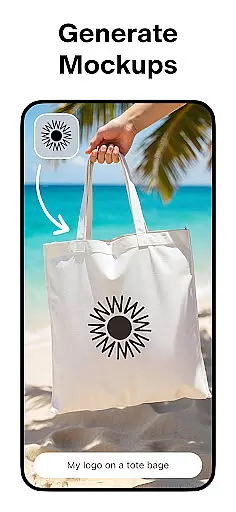
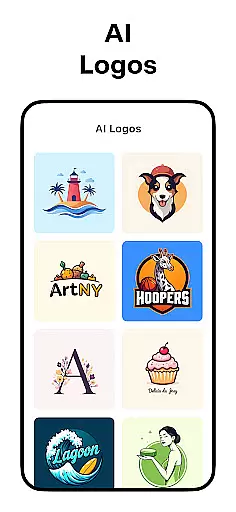
Pixelcut AI Photo Editor is a comprehensive design tool that empowers users to create professional-quality images effortlessly. With over 15 million users, this all-in-one editor leverages artificial intelligence to simplify complex design tasks.
The app offers an array of powerful features including instant background removal, object erasing, AI-generated product photos, and an AI-powered copywriting tool. These tools are particularly beneficial for e-commerce businesses and social media marketers who need to create engaging visual content quickly.
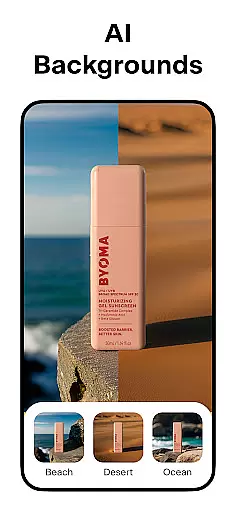
Users can enhance their product photography with customizable backgrounds, realistic shadows, and creative text overlays. The built-in template library and community-created designs provide numerous starting points for various projects, from Instagram posts to YouTube banners.
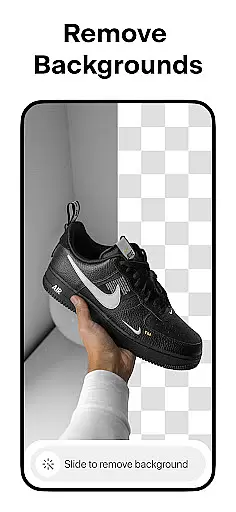
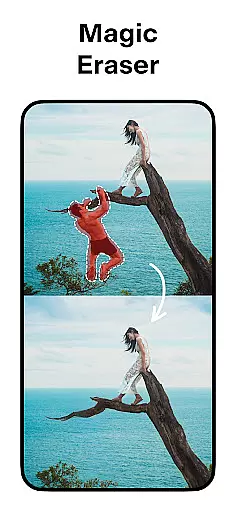
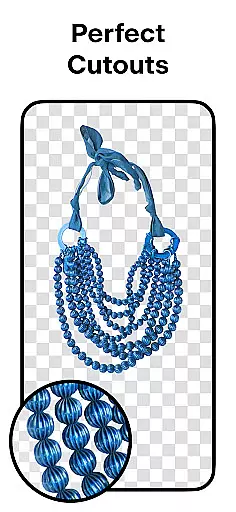
Pixelcut distinguishes itself through its diverse feature set designed for both photo editing and graphic creation. The AI Background Remover instantly extracts subjects from photos, while the Magic Eraser helps clean up unwanted elements from images.
The AI Photoshoot feature revolutionizes product photography by generating unlimited studio-quality product images. Users can also benefit from the Magic Writer, which creates compelling product descriptions and social media captions using advanced AI technology similar to ChatGPT.
Additional features include video creation tools, collage makers with creative layouts, and extensive design customization options. Professional-grade text styles, color palettes, and shadow controls enable users to create polished designs that stand out across various digital platforms.
Pixelcut AI Photo Editor stands out with its comprehensive suite of creative tools tailored for both amateur and professional designers. The application offers a robust background remover that instantly erases backgrounds, providing perfect cutouts for any photo in your camera roll.
In addition to background removal, the Magic Eraser feature allows users to remove unwanted objects and clean up pictures effortlessly. This ensures that every image is polished and free from distractions, enhancing the overall quality of the design work.
The AI Photoshoot functionality revolutionizes product photography by generating an infinite number of product photos using artificial intelligence. This makes it easier than ever to create stunning visuals for e-commerce stores without needing extensive photography skills or equipment.
Moreover, Pixelcut includes advanced text styles and collage creation options, enabling users to add beautiful fonts and experiment with dozens of creative layouts. These features collectively ensure that Pixelcut provides all the necessary tools to produce professional-grade designs efficiently.
One of Pixelcut's key strengths lies in its canvas and format flexibility, which empowers users to customize their projects precisely as needed. Whether you're designing for social media platforms like Instagram or creating content for online storefronts, Pixelcut offers thousands of templates specifically crafted for various shopping needs.
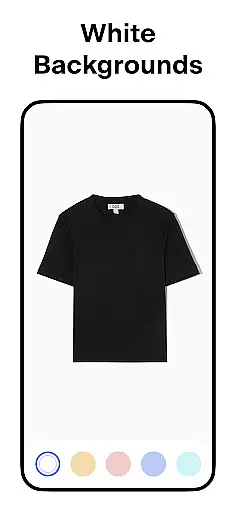
Users can place their products on simple white backgrounds or choose from a palette of stunning colors and backdrops. This versatility ensures that every product photo aligns perfectly with brand aesthetics and marketing goals.
Furthermore, the inclusion of shadow control adds another layer of realism to product images. By adjusting shadows, users can make their products look more authentic and appealing, thus increasing engagement and sales potential.
With these flexible canvas and formatting options, Pixelcut not only enhances creativity but also streamlines workflows, allowing creators to focus on producing high-quality content that stands out across multiple digital platforms.
User-friendly interface
Powerful AI features
Extensive template library
Professional results
Time-saving tools
Premium features locked
Subscription required
Watermark on free version
Limited offline functionality
Advanced tools complexity

Easy 3D drawing design maker & creator. Model designing, Sculpting. Create&paint
 4.00
4.00
Trace, draw, and create art with AR - from memes to masterpieces!
4.30
Logo Generator powered by AI: Create stunning logos effortlessly!
4.70
Paint with oils and sketch with natural tools on a realistic virtual canvas.
3.80
Draw anime easily with AR guidance, sketch templates & trace tools!
3.10
Resize photos and print photos in exact size with our powerful photo printer!
3.80
Inky runs Inkscape on Android devices and Chromebooks
2.90
Retouch photos. Create or edit images. Endless capabilities.
2.70
Just trace a projected picture on paper and color! Draw & Paint with AR drawing
4.40
Your AI soulmate — meaningful chats, and unique emotional moments
4.70
Draw glowing spinners, relax, and spin your creative art
4.60
Digital, Abstract, Classic - all types of color wheels in one app!
4.60
AI Tattoo Generator: Create Tattoo Designs & Get Ideas! Ink & Stencil Maker
4.50
Image/ Text to Video Generator
4.40
Photo blender app to create overlay photos & double exposure.
4.40
AI generated images & photos, turn your words into drawing, painting & pictures.
4.30
Custom Character Creator & PFP Maker!
4.20
Create Logos, Tattoos, AI Art & more with our AI Photo Generator & Design Editor
4.20
Apply cartoon, caricature, and portrait effects to make your photos stand out!
3.60


User Reviews