
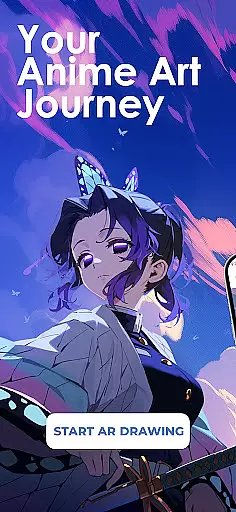
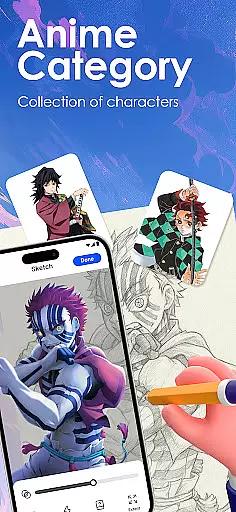
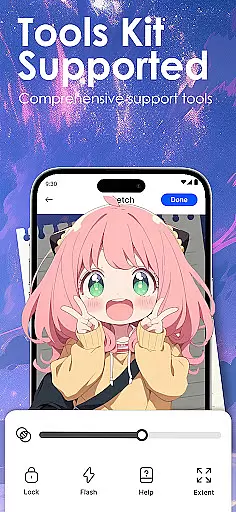
Draw Anime: AR Sketch & Trace is a revolutionary drawing application designed specifically for anime enthusiasts and artists. This app combines the traditional art of anime sketching with cutting-edge Augmented Reality (AR) technology, offering users an innovative way to create stunning artwork. Whether you're a beginner or a professional artist, this tool provides guided AR drawing, anime templates, and simple sketch tutorials to help improve your skills.
The app's core functionality lies in its ability to turn your phone into a smart tracing tool. Through the camera, users can trace anything from anime characters to real objects, following clear outlines projected onto paper. The app also features a growing library of anime, manga, chibi, fanart, and trending templates, making it easy to practice and perfect various styles. Additionally, Draw Anime offers video tutorials and adjustable settings like opacity and zoom, allowing users to personalize their learning experience.
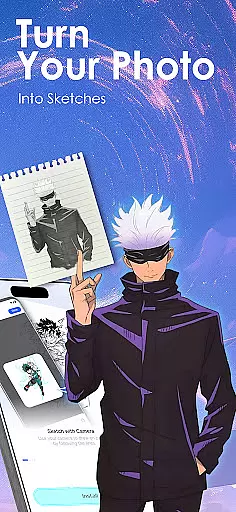
This app is particularly useful for those looking to develop their anime art techniques. With features that cater to all skill levels, users can practice anatomy, proportions, and other essential art techniques step by step. The ability to import personal photos and convert them into traceable outlines adds another layer of creativity, while the option to record drawing processes helps track progress over time.
Draw Anime: AR Sketch & Trace stands out due to its rich feature set tailored specifically for anime artists. One of the key highlights is the AR Guidance system, which allows users to trace through their camera. This feature supports tracing of anime characters, real-world objects, or custom designs, providing confidence to artists as they sketch.
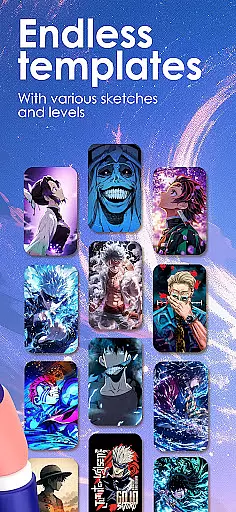
The app includes a comprehensive learning system designed to help users draw anime easily. It simplifies complex pictures into traceable outlines, catering to different skill levels such as beginner, intermediate, and expert. Users can gradually improve their understanding of anatomy, proportions, and specific anime art techniques through structured lessons. Moreover, the app offers a vast library of templates covering various popular anime styles, ensuring there's something for everyone.
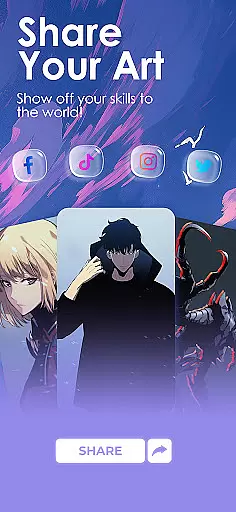
Creativity is further enhanced by features like importing personal photos, adjusting drawing settings, and recording the artistic process. These tools not only inspire users but also allow them to share their finished artwork with a community of like-minded creators. Personalized learning paths and tailored content ensure that each user's unique style and preferences are accommodated, making Draw Anime: AR Sketch & Trace an indispensable tool for any aspiring anime artist.
In the realm of digital artistry, having a comprehensive set of creative tools is paramount. Draw Anime: AR Sketch & Trace offers an extensive suite designed to cater to anime enthusiasts and artists at all levels.
With features like AR Guidance, users can trace anything through their camera, be it anime characters, real objects, or custom designs, following clear outlines for confident sketching. The inclusion of a growing library filled with anime, manga, chibi, fanart, and trending templates ensures that inspiration is never far away.
This app doesn't just stop at providing drawing aids; it extends into learning with different skill levels - beginner, intermediate, and expert - allowing users to improve anatomy, proportions, and refine their anime art techniques progressively.
Moreover, functionalities such as adjusting opacity, zooming in on details, and recording the drawing process are indispensable for those looking to personalize and perfect their craft. These robust features collectively contribute to making Draw Anime: AR Sketch & Trace a complete creative companion.
A canvas's adaptability can greatly influence an artistu2019s workflow. In Draw Anime: AR Sketch & Trace, the flexibility of the canvas and format options empowers creators to bring their visions to life without constraints.
Artists have the freedom to import personal photos and instantly convert them into traceable outlines, which means they can work from any image they find inspiring or relevant to their project. This feature bridges the gap between imagination and realization by simplifying complex pictures into manageable sketches.
The ability to adjust elements such as opacity and zoom provides precision control over the artwork, enabling detailed work that remains true to the artist's intent. Such adjustments ensure that each stroke can be executed with purpose and accuracy.
Furthermore, saving and rewatching videos of oneu2019s progress not only serves as a valuable learning tool but also allows artists to share their creative journey with others. By offering these versatile canvas and formatting options, Draw Anime: AR Sketch & Trace supports a dynamic and personalized artistic experience.
User-friendly interface
AR-guided drawing
Variety of templates
Customizable settings
Active creative community
Requires good device
Some features locked
Learning curve present
Occasional bugs
Premium content costly

Vidu is an AI video generator made for creators and aspiring makers.
 3.30
3.30
Your Essential Color Theory Guide: Red, Yellow, Blue (RYB)
4.4
Convert image to JPG PNG HEIC PDF, support almost all kinds of image formats
4.70
Photo editor for art, avatars, filters & fun transformations.
4.60
A luxurious gold watch face for an elegant and refined look.
4.0
Bring One UI 8.5 Icons to life -elegant dark icons with a modern, premium touch.
4.30
Create and Design Custom Logos in Seconds with AI-Powered Tools!
4.40
Create amazing pictures and unleash your creative genius with AR Drawing Sketch
4.40
Multiplayer Drawing game, Coloring, Painting・Sketch, Handwriting・Paint, draw
4.30
Digital, Abstract, Classic - all types of color wheels in one app!
4.60
Draw glowing spinners, relax, and spin your creative art
4.60
Image resizer to resize, crop, rotate, flip, change dpi photo or picture in bulk
4.60
Draw Trace image sketch by, AR art projector app, Easy to trace any image.
4.50
Video AI: Revolutionize Your Content Creation with Advanced Video Generation
4.50
Sketch, plan, take notes and illustrate on an infinite canvas.
4.20
Digital Drawing: Draw & Paint
4.10
Paint with oils and sketch with natural tools on a realistic virtual canvas.
3.80
Experience next-gen icons with a modern liquid glass look.
3.60
Retouch photos. Create or edit images. Endless capabilities.
2.70


User Reviews