
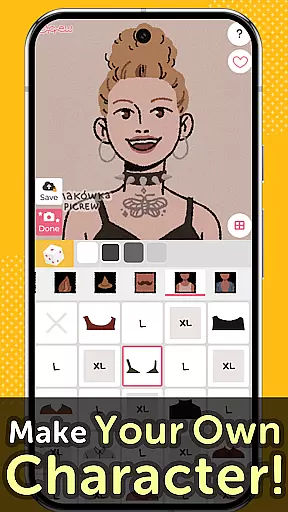
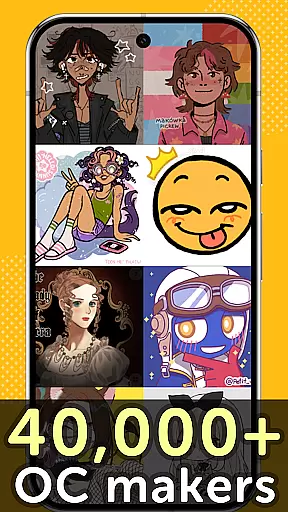
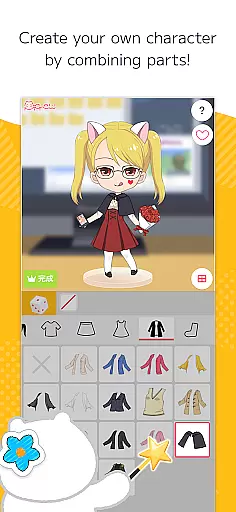
Picrew PFP & OC Maker is a versatile avatar and character creation platform that allows users to design unique profile pictures, icons, and characters completely free of charge. With over 10,000 Image Makers available, the app caters to various tastes including cute, cool, stylish, and even scary themes. Users can create avatars that resemble themselves or craft original characters reflecting their personal style.
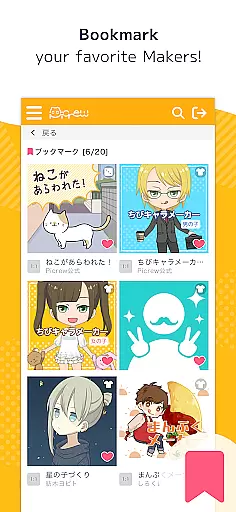
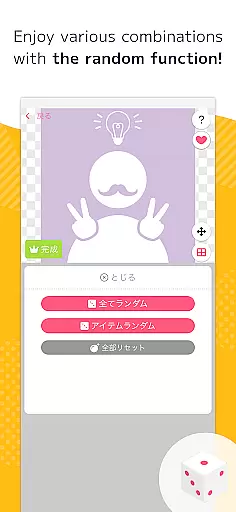
The app offers two main creation modes: Dress-up Maker for manual customization and Random Maker for luck-based creations. The images produced can be downloaded for free or shared directly on social media platforms like Facebook and X. Additionally, Picrew features advanced search and tagging capabilities, bookmarking options, and content moderation tools such as reporting and blocking inappropriate Image Makers.
This application is particularly useful for social media enthusiasts, gamers looking for custom profile pictures, and artists seeking creative inspiration. By providing diverse customization options and supporting user-generated content from creators worldwide, Picrew ensures an engaging and personalized experience for all users.
Picrew stands out with its comprehensive suite of creative tools designed for both casual users and serious designers. The Dress-up Maker allows precise control over every aspect of character creation, enabling users to select specific facial features, hairstyles, clothing items, and accessories. Meanwhile, the Random Maker provides a fun, fortune-telling-like experience where users can generate unexpected but often delightful character combinations.
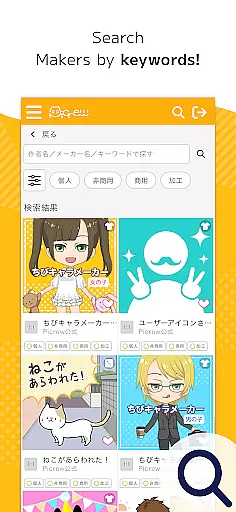
Social media integration is seamless, allowing users to instantly share their creations across multiple platforms. The app's robust search functionality lets users find specific Image Makers through keywords, categories, and creator-defined tags. Advanced organizational features include bookmarking favorite Image Makers for quick access and reporting inappropriate content to maintain community standards.
What truly sets Picrew apart is its commitment to creative freedom and community engagement. Each Image Maker comes with clearly defined usage guidelines set by both the creator and Picrew, ensuring proper credit and appropriate use. The platform actively monitors content quality and provides easy contact channels for user support, making it a reliable choice for both casual entertainment and professional projects.
Picrew PFP & OC Maker stands out in the Art & Design category by offering an extensive suite of creative tools that cater to a wide array of customization needs. With over 10,000 Image Makers at your disposal, this platform allows users to craft unique avatars, characters, and icons with precision and creativity.
The app includes features such as the Dress-up Maker and Random Maker, which provide versatile options for character creation. Whether you're selecting parts manually or generating designs through randomization, Picrew ensures a comprehensive and engaging experience.
Moreover, Picrew's integration of social media sharing, search functionalities, tagging, bookmarking, reporting, and blocking mechanisms enriches the user experience. These tools not only facilitate creativity but also foster a safe and interactive community environment.
By leveraging these complete and varied creative tools, users can explore endless possibilities in designing their own original characters and avatars, making Picrew an indispensable asset for anyone interested in digital art and design.
Flexibility in canvas and format options is crucial for any design application, and Picrew PFP & OC Maker excels in this aspect. The platform supports the creation of various types of images including pfps, portraits, and icons, all within a customizable framework that adapts to individual preferences.
Users have the freedom to adjust their creations according to specific stylistic choices, whether they aim for cute, cool, stylish, or even eerie aesthetics. This adaptability ensures that every piece produced is a true reflection of the creatoru2019s vision and personal flair.
In addition to diverse stylistic options, Picrew enables easy sharing and downloading of created images. This seamless transition from creation to distribution across multiple platforms underscores the app's commitment to user convenience and satisfaction.
Ultimately, Picrew's flexible canvas and format capabilities empower users to produce high-quality, personalized content that meets both personal and professional standards, enhancing its appeal among digital artists and casual users alike.
User-friendly interface
Extensive customization options
Vast library of Image Makers
Free to use
Active community support
Limited mobile features
Occasional inappropriate content
Dependent on creator contributions
No offline functionality
Variable image quality

Draw beautiful mandala's very easily
 4.60
4.60
The perfect place to start sketching! Use Sketchbook to draw and paint sketches.
4.50
Create stunning art with AI.
4.80
Your AI soulmate — meaningful chats, and unique emotional moments
4.70
Powerful home decoration & house design that allows you to design dream home.
3.80
Image resizer to resize, crop, rotate, flip, change dpi photo or picture in bulk
4.60
A luxurious gold watch face for an elegant and refined look.
4.2
Photo stitcher for automatically screenshot stitching into a long screenshot
4.70
All-in-One art, logo & collage maker. Design photos and edit video backgrounds
4.80
Castle is social media for creating and playing games!
4.60
Draw glowing spinners, relax, and spin your creative art
4.60
Unleash your drawing and painting potential
4.50
Photo blender app to create overlay photos & double exposure.
4.40
Remove Background, Magic Eraser, Photo Enhancer, Story Templates, Collage Maker
4.30
Create Logos, Tattoos, AI Art & more with our AI Photo Generator & Design Editor
4.20
AR Anime Drawing: How to draw anime with AR drawing & sketching apps!
4.00
Resize photos and print photos in exact size with our powerful photo printer!
3.80
AI Face Swap, Video Effects Editor, Realtime Morph, Funny Video FX,AI Filters
3.70
Your Essential Color Theory Guide: Red, Yellow, Blue (RYB)
4.4


User Reviews