
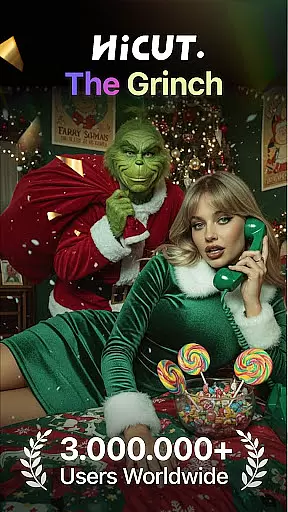
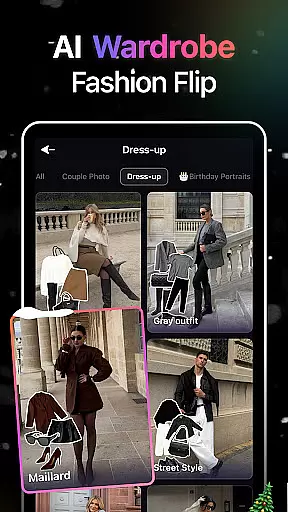
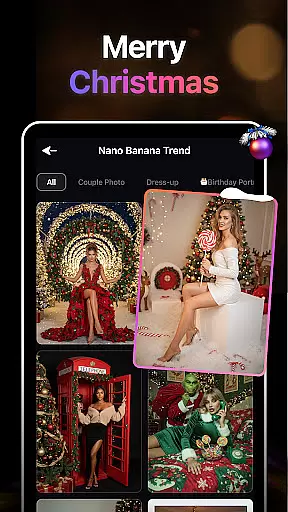
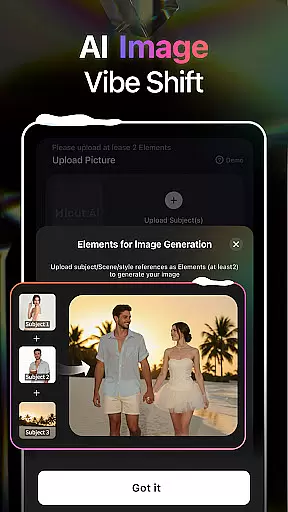
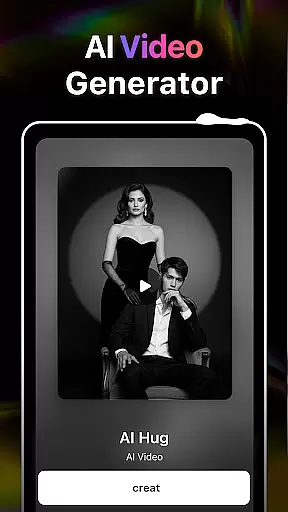
HiCut is an innovative AI-powered application designed for photo editing and video creation, offering users a unique blend of creativity and technology. The app's core functionality lies in its ability to transform ordinary photos into stunning anime, comic, or game character visuals, as well as generate realistic virtual hugs through its exclusive AI Hugging Video feature.
Beyond just photo transformations, HiCut provides a comprehensive suite of tools that cater to diverse artistic needs. Whether you're looking to create personalized avatars, produce content with a distinct anime style, or even simulate heartfelt embraces with loved ones, this app delivers a seamless experience driven by cutting-edge AI technology.
With its versatile features, HiCut is ideal for artists, content creators, and anyone eager to explore the intersection of art and artificial intelligence. By leveraging advanced AI filters and conversion techniques, the app empowers users to push creative boundaries and craft memorable visual experiences.
HiCut distinguishes itself through a rich array of specialized features tailored for creative expression. One standout capability is the Anime Photo Editor, which allows users to convert their photos into two-dimensional anime-style images. With hundreds of customizable styles available, users can achieve a highly personalized aesthetic that suits their artistic vision.
In addition to anime transformations, the app offers Cartoon Filters and Game Character Maker functions. These enable users to cartoonize their images or design unique game characters in various artistic styles such as cyberpunk, pixel art, and more. This versatility makes HiCut suitable for both casual experimentation and professional projects.
The crown jewel of HiCut's feature set is undoubtedly the AI Hugging Video technology. By uploading two single-person photos, users can generate hyper-realistic virtual hugs, creating emotionally resonant content that transcends physical limitations. This combination of technical innovation and emotional connection sets HiCut apart from other creative applications.
In the realm of digital creativity, having a comprehensive suite of tools is paramount. AI Video Generator-HiCut rises to this occasion by offering an extensive array of features that cater to various artistic needs. From anime filters to game character creation, the application ensures that users have at their disposal everything required for transforming ordinary photos into extraordinary pieces of art.
The app's capabilities extend beyond mere photo editing; it ventures into the territory of video creation with its exclusive AI hugging video technology. This feature allows users to craft virtual hugs from single-person photos, creating memorable moments that defy the constraints of reality. Such innovation not only showcases the app's technical prowess but also its commitment to providing a complete creative experience.
Moreover, HiCut doesn't stop at static imagery. It empowers creators to delve into diverse visual styles including comic, game character, and sketch conversions. With hundreds of customizable options available, artists can explore new dimensions in their work, secure in the knowledge that this application supports their journey with cutting-edge AI-driven tools designed for unleashing boundless imagination.
Flexibility in canvas and format options is crucial for any art and design application, allowing creators to express themselves without limitations. AI Video Generator-HiCut excels in this aspect by providing versatile solutions tailored to meet varied project requirements. Whether you're looking to create anime-style avatars or realistic virtual hugs, the app adapts seamlessly to your vision.
One standout feature is its ability to convert photos into different artistic styles while maintaining high-quality output across all formats. Users can experiment with cartoon filters, game character designs, and even two-dimensional anime transformations, knowing that each piece will retain clarity and detail regardless of chosen style or presentation medium.
Furthermore, HiCut ensures compatibility with both traditional and modern aesthetics through its wide range of customization possibilities. Artists can choose from retro film noir looks to futuristic cyberpunk themes, confident that their creations will be supported by robust technology capable of handling complex adjustments. This adaptability makes it an invaluable asset for anyone seeking a flexible platform where creativity knows no bounds.
User-friendly interface
Wide range of styles
Advanced AI technology
Unique hugging feature
Versatile creative tools
May require paid subscription
Processing time varies
Limited free features
High system requirements
Learning curve for new users

Stylish letters, Stylish Keyboard, Symbols, Emojis, Cool nickname
 4.40
4.40
Easy 3D drawing design maker & creator. Model designing, Sculpting. Create&paint
4.00
Paint with oils and sketch with natural tools on a realistic virtual canvas.
3.80
Make your phone cooler and have a fantastic experience
4.80
Get creative and make art with your Sesame Friends!
4.00
OneUI 8.5 icons ✨ Smooth, modern & based on the latest Play Store design ??
4.10
Draw, fidget, and spin glow art! Relax and express your creativity with a finger
4.60
Sketch and paint on your device with the feel and freedom of drawing on paper
4.00
An intuitive, high-performance painting app that lets you focus on creating
4.40
Castle is social media for creating and playing games!
4.60
Create color palette from Image, RGB & RYB Color wheel harmonies, Color Scheme
4.50
Video AI: Revolutionize Your Content Creation with Advanced Video Generation
4.50
AI Tattoo Generator: Create Tattoo Designs & Get Ideas! Ink & Stencil Maker
4.50
Nano Banana AI Image Generator, Anime Filter, AI Portrait, AI Photo Generator
4.30
Text to Image, Image to Video & AI Chat
4.20
AR Anime Drawing: How to draw anime with AR drawing & sketching apps!
4.00
Apply cartoon, caricature, and portrait effects to make your photos stand out!
3.60
Vidu is an AI video generator made for creators and aspiring makers.
3.30
Inky runs Inkscape on Android devices and Chromebooks
2.90


User Reviews