
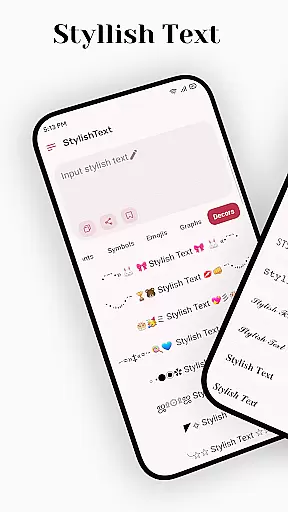
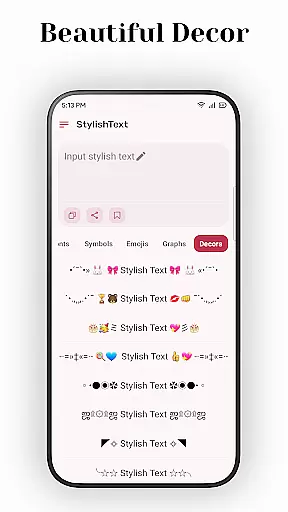
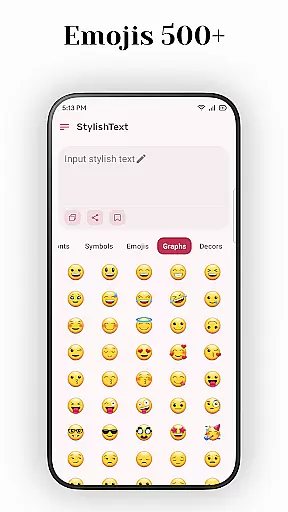
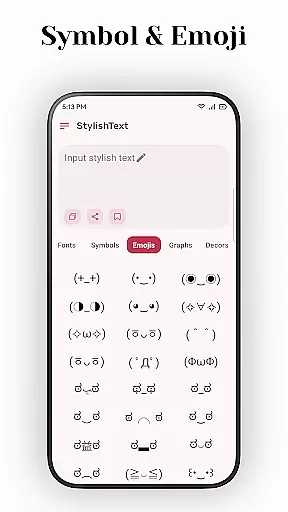
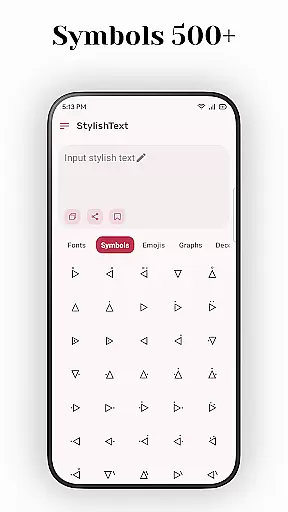
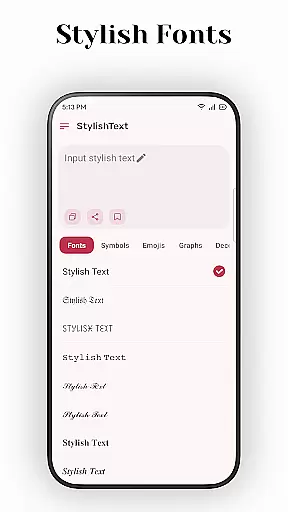
Stylish Text is a creative tool designed for users who want to enhance their text with unique fonts and symbols. This app allows you to transform ordinary text into stylish designs that stand out on social media platforms like Instagram, Facebook, and WhatsApp. Whether you're looking to customize your profile, decorate greetings, or create eye-catching tweets, Stylish Text provides the tools to make your content unique.
The app supports a wide range of features including mainstream emojis, various symbols, and multiple universal letter fonts. It also offers text transformation options and mixed input for free transformation, making it versatile for different creative needs. With its user-friendly interface, Stylish Text is perfect for anyone wanting to add a personal touch to their digital communication.
Stylish Text stands out with its comprehensive set of features tailored for creative expression. One of the key highlights is its support for almost all symbols and emojis, allowing users to incorporate these elements seamlessly into their text. The app also provides multiple font options, enabling users to transform existing text into various stylish formats.
Another notable feature is the mixed input capability, which allows for free transformation of text styles without limitations. This flexibility ensures that users can experiment with different combinations to achieve their desired look. Additionally, Stylish Text supports long text inputs, making it suitable for more extensive writing projects while maintaining ease of use throughout the process.
Stylish Text offers a comprehensive suite of creative tools that cater to users who wish to make their social media presence stand out. The application supports mainstream emojis, almost all symbols, and multiple universal letter fonts, providing an extensive palette for creativity.
The ability to transform existing text and apply mixed input for free transformation allows users to experiment with different styles and aesthetics. This flexibility ensures that whether you're looking to decorate greetings or create unique tweets, Stylish Text has the features necessary to bring your vision to life.
With support for long text, this app is not just about singular words or short phrases; it's a robust editor capable of styling entire paragraphs. This makes it suitable for more than just social media posts, extending its utility to areas such as game name creation and personalized messages.
Flexibility in canvas and format options within Stylish Text empowers users to seamlessly integrate their styled text across various platforms like Instagram, Facebook, WhatsApp, and more. The app's design allows for easy adaptation to different content requirements and platform specifications.
Whether it's adjusting the size for a tweet or ensuring the integrity of longer documents intended for professional use, Stylish Text maintains high-quality output. Its compatibility with diverse formats means that whatever your project demands, from simple decorated greetings to complex font transformations, you can achieve your desired result without compromise.
Moreover, the user-friendly interface ensures that despite the depth of features offered, using Stylish Text remains accessible even to those new to design. This ease of use combined with broad format support makes it an invaluable tool for anyone looking to add a personal touch to digital communications.
User-friendly interface
Wide range of fonts
Supports long texts
Versatile symbol usage
Unique text transformations
Limited advanced options
No cloud sync
Basic design templates
Few customization settings
Occasional bugs

Premium version of Shimeji-ee app with no ads & no limit active shimeji
 4.3
4.3
Image/ Text to Video Generator
4.40
Digital, Abstract, Classic - all types of color wheels in one app!
4.60
Draw glowing spinners, relax, and spin your creative art
4.60
Novices can also easily complete diamond painting masters
4.70
Image resizer to resize, crop, rotate, flip, change dpi photo or picture in bulk
4.60
Art of Combination Wear OS Watch Faces
3.30
Photo stitcher for automatically screenshot stitching into a long screenshot
4.70
Just trace a projected picture on paper and color! Draw & Paint with AR drawing
4.40
Learn how to draw with step-by-step tutorials, fun lessons & multiplayer drawing
4.70
Create color palette from Image, RGB & RYB Color wheel harmonies, Color Scheme
4.50
Video AI: Revolutionize Your Content Creation with Advanced Video Generation
4.50
Text to Image, Image to Video & AI Chat
4.20
Create Logos, Tattoos, AI Art & more with our AI Photo Generator & Design Editor
4.20
Design your dream room with AI. Get decor ideas & plan home interiors
3.90
Turning simple sketches into captivating tales filled with life and motion
3.90
AI Art Generator transforms your words into AI generated art & paintings.
3.70
Create cute cat emojis & PFPs! Fun, custom avatars for cat lovers.
3.70
Create trending AI photos & videos with powerful effects and 3D styles.
3.20


User Reviews