
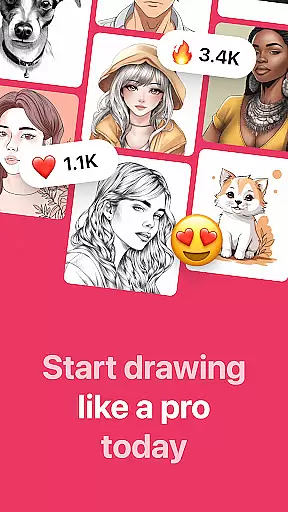
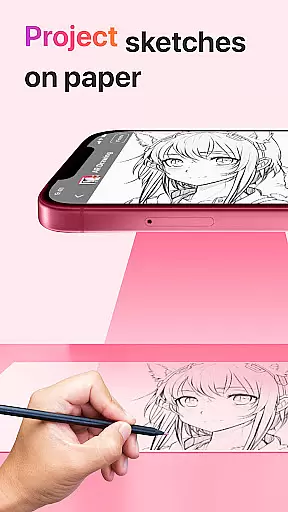
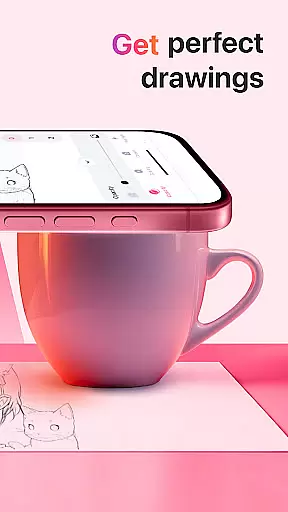
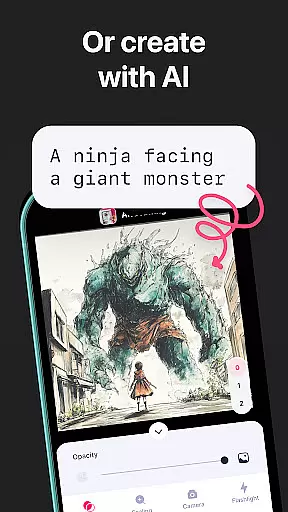
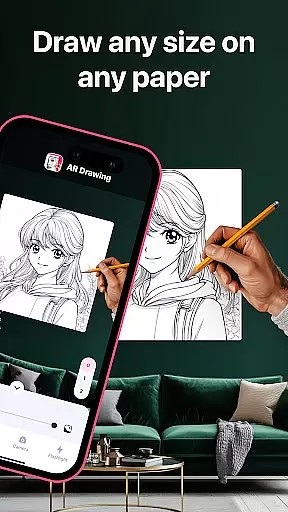
AR Drawing: Sketch & Paint is an innovative mobile application that utilizes augmented reality technology to help users learn drawing and create impressive artworks. The app projects images onto any surface, allowing users to trace and color them with ease. Whether you're a beginner or an experienced artist, this app provides the perfect platform to unleash your creativity.
The core feature of AR Drawing is its ability to transform your smartphone into a powerful drawing tool. Using the phone's camera, users can project various templates - including animals, cars, nature scenes, food, and anime characters - directly onto paper or other surfaces. The built-in flashlight ensures optimal visibility in different lighting conditions. With functionalities like saving drawings in a gallery, recording the entire creative process, and sharing finished works with friends, AR Drawing offers a complete artistic experience.
This app is particularly useful for those looking to learn drawing quickly and effectively. By following the projected outlines, users can master basic drawing techniques within just three days. The app's versatility makes it suitable for both personal enjoyment and educational purposes, providing a new way to engage with art through technology.
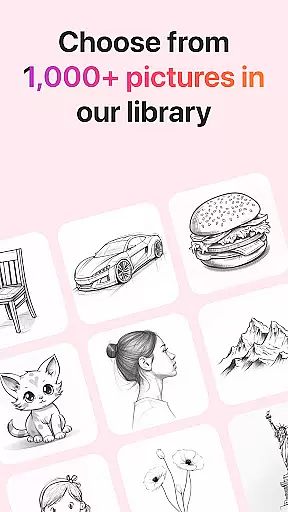
AR Drawing stands out with its diverse range of features designed to enhance the drawing experience. The app offers numerous tracing templates across various categories such as animals, vehicles, natural landscapes, culinary delights, and popular anime characters. This variety ensures that users of all interests and skill levels can find something inspiring to work on.
One of the most notable features is the built-in flashlight, which automatically adjusts to provide optimal lighting conditions for drawing. The app also includes a comprehensive gallery system where users can save their completed works. Additionally, artists can record time-lapse videos of their entire drawing and painting process, creating valuable content for sharing or personal review.
The sharing functionality allows users to showcase their artwork on social media platforms or with friends directly through the app. Moreover, the ability to both sketch and paint digitally expands the creative possibilities beyond traditional paper-based drawing. These features collectively make AR Drawing a versatile tool for artists seeking to explore new dimensions in their work while leveraging modern technology.
AR Drawing: Sketch & Paint offers a comprehensive suite of creative tools that cater to both novice and experienced artists. The app provides various tracing templates, including Animals, Cars, Nature, Food, and Anime, which serve as a perfect starting point for beginners.
One of the standout features is the use of augmented reality technology through your phone's camera, allowing you to project images onto any surface for tracing. This innovative approach not only simplifies the drawing process but also makes it more accessible to everyone regardless of their skill level.
In addition to its drawing capabilities, the app includes a built-in flashlight for better visibility in low-light conditions, enhancing the user experience. Users can also record videos of their creative process, providing an avenue for sharing their artistic journey with others and receiving feedback on their progress.
The AR Drawing app excels in offering canvas and format flexibility that empowers users to explore their creativity without limitations. With the ability to draw on any surface using augmented reality, users are not confined to traditional digital canvases or paper sizes, thus opening up new possibilities for artistic expression.
Moreover, the app allows users to save their drawings in a gallery, ensuring that their work is preserved in high quality and can be accessed anytime for review or sharing. This feature is particularly beneficial for tracking one's artistic development over time.
Sharing options further enhance the flexible format, enabling artists to showcase their finished pieces with friends or on social media platforms easily. By integrating these versatile features, AR Drawing: Sketch & Paint ensures that artists have all they need to create stunning artworks while enjoying complete freedom over their choice of canvas and presentation formats.
User-friendly interface
Wide template selection
Built-in lighting control
Video recording feature
Social sharing capability
Limited free templates
Requires good lighting
Premium feature costs
Device compatibility issues
Learning curve for beginners

Create sweet, cool and unique couple avatars easily, in just a few steps!
 3.40
3.40
Design your dream room with AI. Get decor ideas & plan home interiors
3.90
Create neon drawing with magic doodle and fun doodle art effects!
4.50
Remove Background, Magic Eraser, Photo Enhancer, Story Templates, Collage Maker
4.30
Draw Trace image sketch by, AR art projector app, Easy to trace any image.
4.50
Your AI soulmate — meaningful chats, and unique emotional moments
4.70
Turn your drawings into flipbook-style animations with simple creative tools
4.60
Video AI: Revolutionize Your Content Creation with Advanced Video Generation
4.50
Turning simple sketches into captivating tales filled with life and motion
3.90
Make your phone cooler and have a fantastic experience
4.80
Draw anime & manga drawing, art with templates to create stunning picture!
4.50
Create color palette from Image, RGB & RYB Color wheel harmonies, Color Scheme
4.50
Bring One UI 8.5 Icons to life -elegant dark icons with a modern, premium touch.
4.30
Digital Drawing: Draw & Paint
4.10
Get creative and make art with your Sesame Friends!
4.00
Create trending AI photos & videos with powerful effects and 3D styles.
3.20
Meet the magic aı 3d photo generator and smart AI video generator app.
3.20
Inky runs Inkscape on Android devices and Chromebooks
2.90
Art of Combination Wear OS Watch faces
4.3


User Reviews