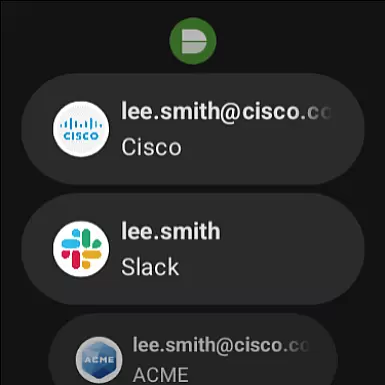
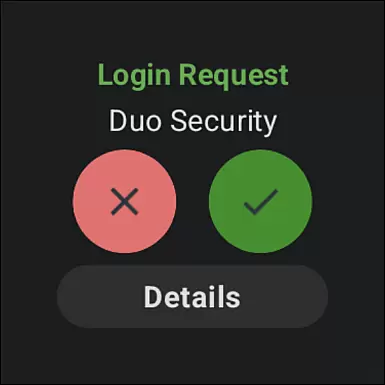
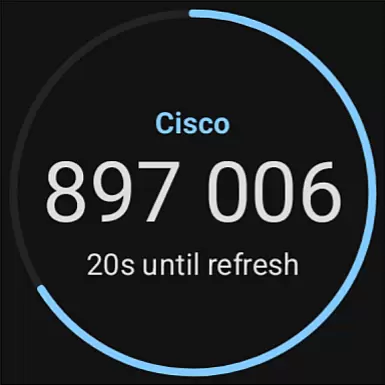
Duo Mobile is a security application designed to enhance login protection through two-factor authentication. The app generates passcodes and provides push notifications for easy, one-tap authentication, making secure access both convenient and reliable.
In addition to supporting Duo Security accounts, the app allows users to manage two-factor authentication for various other applications and web services. With its companion app for Wear OS, Duo Wear, users can enjoy an even more seamless experience on their smartwatches.
Whether you're accessing your account from a smartphone or smartwatch, Duo Mobile ensures that your data remains protected with minimal disruption to your daily routine.
Duo Mobile offers several key features that make it a robust security solution. First, it generates time-based one-time passcodes (TOTP) for secure login, ensuring that each authentication attempt is unique and cannot be reused.
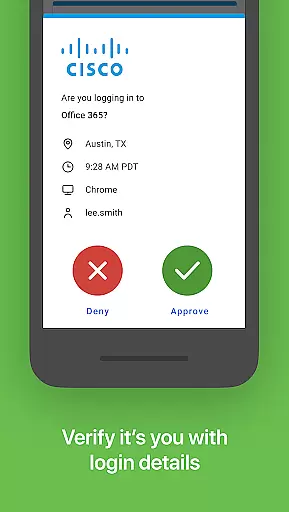
The app also supports push notifications, allowing users to approve login requests with a single tap. This feature streamlines the authentication process while maintaining high-security standards.
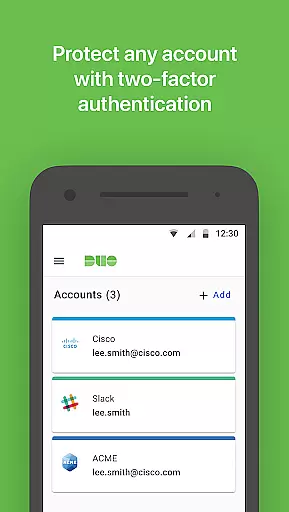
Furthermore, Duo Mobile integrates with third-party services, enabling users to manage multiple accounts from a single platform. Its compatibility with Wear OS enhances accessibility, providing users with the flexibility to authenticate from their smartwatches.
Companion app integration is a crucial feature for applications that extend their functionality to wearable devices. Duo Mobile excels in this area by offering seamless synchronization with its Wear OS companion app, Duo Wear.
The integration process begins during the account activation phase, where users can link their smartwatch through QR code scanning or alternative methods. This ensures that all two-factor authentication capabilities are readily accessible on both mobile and wearable platforms.
Users benefit from enhanced convenience as they can receive push notifications directly on their smartwatch. The one-tap authentication feature remains consistent across devices, maintaining the same level of security while adapting to different form factors.
This comprehensive integration demonstrates Duo Security's commitment to providing flexible authentication solutions that accommodate various device ecosystems without compromising on functionality or user experience.
Device compatibility is essential for applications supporting wearable technology. Duo Mobile ensures broad compatibility with Wear OS devices, making secure authentication accessible on smartwatches.
The application maintains consistent performance across supported devices, regardless of manufacturer-specific customizations. This universal compatibility is achieved through rigorous testing and adherence to Wear OS development standards.
Users can expect reliable functionality including passcode generation and push notification reception on their wearable devices. The application optimizes its interface for smaller screens without sacrificing essential features or security protocols.
This approach to device compatibility enhances user accessibility while maintaining enterprise-grade security standards, demonstrating how Duo Mobile successfully extends its two-factor authentication service to the wearable ecosystem.
Enhanced security
User-friendly interface
Multi-account support
Wear OS integration
Push notification approvals
Requires activation
QR code scanning
Limited offline use
Dependent on network
No standalone use

Watch the sharpness of the sky on your wrist..
 3.70
3.70
Snowflake Rose Gold Watch Face - Digital, modern, & sleek with GYRO effect.
4.10
A full-featured Amazon Alexa voice assistant that can show you things.
3.70
MyNISSAN® lets you remotely control your car from your phone.*
4.50
Elegant animated Christmas tree with multiple customization options
4.20
Beautiful, colorful and practical watch face. For Wear OS devices.
5.00
Digital, flexibly customizable watch face. For Wear OS 5.0, API 34+ and later.
5.00
Stylish, Energizing and Modern Watch Face crafted by Dominus Mathias.
4.50
A modern hybrid informative watch face for Wear OS designed by BALLOZI
4.80
The Chevron App allows you to pay for fuel from the comfort of your car!
4.80
Real-time results, stats, schedules and player profiles for all leagues
4.60
Walking app for weight loss: walk & step tracker, pedometer, indoor treadmill
4.60
Current temperature, weather hourly, weather radar by the weather forecast app
4.40
Premium hybrid watch face with many customizations for Wear OS devices.
4.40
Bold, Modern Hybrid Watch Face for Wear OS. 10 Colors, Rich Info Display.
4.30
Locate your family members by GPS phone location tracker everywhere and anytime
4.30
Get helpful reminders, take progress photos and find answers to your questions.
3.90
Simple Analog-Digital Watchface For Wear OS 3.0 and Up Smartwatches
4.5
Minimalistic design modern digital watch face.
4.3


User Reviews