
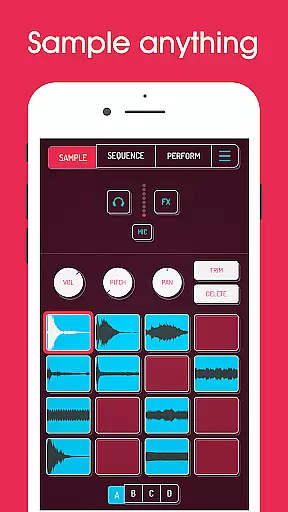
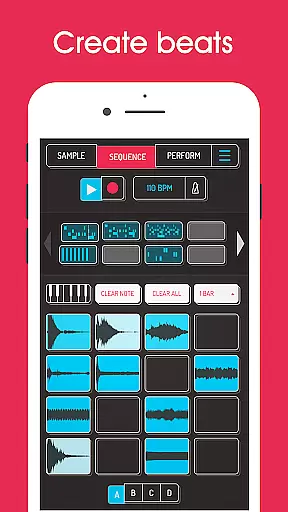
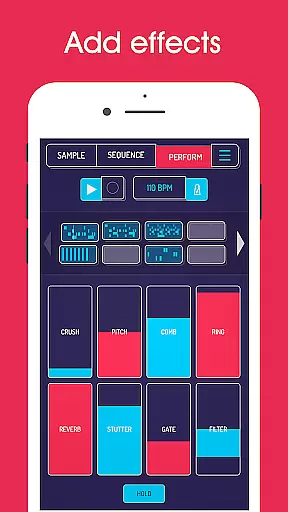
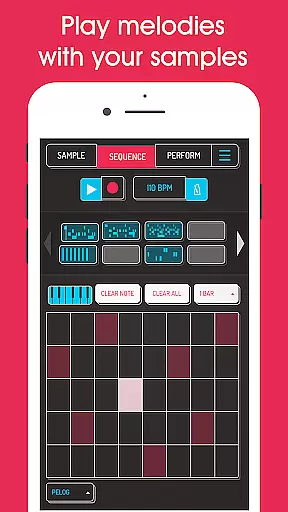
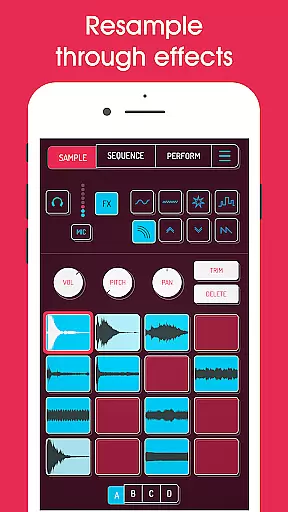
Koala Sampler is a pocket-sized music production tool designed for both amateur and professional musicians. This app allows users to record sounds through their phone's microphone or import existing samples, transforming them into beats with built-in effects. With an intuitive interface, Koala helps users create tracks quickly without getting bogged down by complex parameters.
One of the standout features is its ability to resample the output back into the input through various effects, offering endless sonic possibilities. The app also supports AI-powered sample separation, enabling users to isolate individual instruments like drums, bass, and vocals. Whether you're creating loops, exporting high-quality WAV files, or using MIDI controllers, Koala Sampler keeps the music-making process instant, fun, and engaging.
Koala Sampler offers a comprehensive suite of features that cater to diverse music production needs. Users can record up to 64 different samples and apply 16 built-in effects such as reverb, fuzz, and synthesizer. The app includes advanced tools like a high-resolution sequencer, quantization, swing adjustment, and multiple playback modes (normal, one-shot, loop, reverse).
For those seeking more control, the app provides attack, release, and tone adjustments for each sample, along with mute/solo controls and note repeat functionality. Additionally, Koala supports in-app purchases for premium features like pro-quality timestretch, piano roll editor, and auto-chop functions. These capabilities ensure that users can craft professional-quality tracks directly from their mobile devices.
Koala Sampler offers an extensive music library that allows users to record up to 64 different samples using their phone's mic. This vast capability ensures a rich diversity of sounds, which is crucial for creative freedom in music production.
In addition to recording, the app supports importing your own samples, thus providing complete control over the audio content you work with. The ability to use AI to separate samples into individual instruments like drums, bass, vocals, and others further expands the creative possibilities.
Regarding copyright authenticity, Koala Sampler includes superb built-in effects and features that are fully licensed, ensuring that all musical creations made with the app are original and legally compliant. Users can confidently transform their voice or any other sound with 16 built-in FX without worrying about copyright infringement.
The app provides professional-quality WAV file export options, making it possible to create tracks that meet industry standards. Whether exporting loops or entire tracks, users can be assured of high audio fidelity that captures every nuance of their compositions.
Koala Sampler also includes adjustable parameters on each sample such as attack, release, and tone, allowing precise control over the audio output. These options ensure that the final sound aligns perfectly with the creator's vision.
Furthermore, the inclusion of advanced features through SAMURAI In-App Purchase, such as pro-quality Timestretch and Piano roll editor, enhances the audio manipulation capabilities. This positions Koala Sampler as not just a tool for amateurs but also a robust platform for professional musicians seeking uncompromised audio quality.
Intuitive interface
Extensive effects library
AI-powered sample separation
High-quality export options
MIDI compatibility
Limited free features
Occasional audio glitches
Steep learning curve
In-app purchases required
Heavy on system resources

Formerly known as Spotistats! View your top tracks, artists, albums and more!
 4.40
4.40
Full-featured, High-Quality Groovebox Workstation, perfect for Live Performance!
4.80
VB-AUDIO Software / VBAN-Receptor allows listening to any VBAN Streams
4.10
Music Streaming suite for Ampache, Nextcloud Music and compatible backends.
4.3
A sleek, no-frills player designed for true music lovers.
4.20
Offline Music Player & MP3 Player.Powerful equalizer, Lyrics, Themes, Tag Editor
4.80
Sheet music reader, piano & music note player. Play music score & learn to read.
3.90
Master Salsa Rhythm quickly and with a lot of fun!
4.30
Customize Your Favorite Songs and Videos with booster.
4.70
Tune in to the greatest hits on UK Radio | The home of Capital, Smooth & Heart.
4.90
Brian Eno and Peter Chilvers’ acclaimed music app Bloom, radically reinvented.
4.80
Make songs with AI! Any genre, custom lyric, song generator for music creation!
4.80
Performance-Synthesizer & Multi-Track-Sequencer, polyphonic + multi timbral!
4.70
Save hundreds of dollars for a physical strobe tuner and instead use this app.
4.50
The Music Journey in Your Hands
4.30
Bass Booster Pro takes auto-equalizing to the next level!
4.30
Time Trainer: accurate metronome w tools to help you develop your internal time!
4.20
Offline and always ad-free - stream in the highest quality available.
4.10
The official Sonos app
4.10


User Reviews