
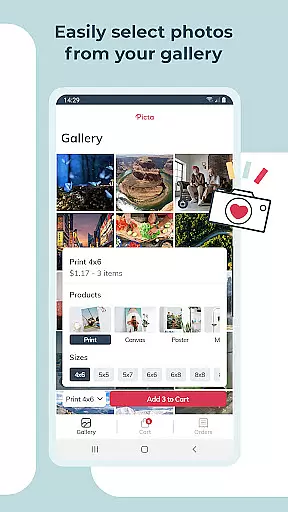
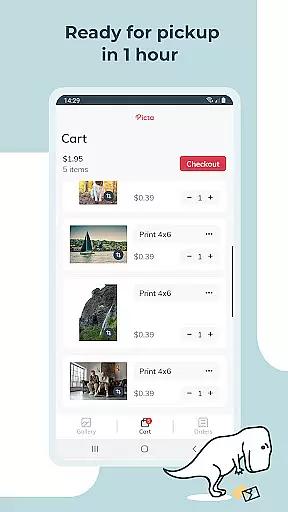
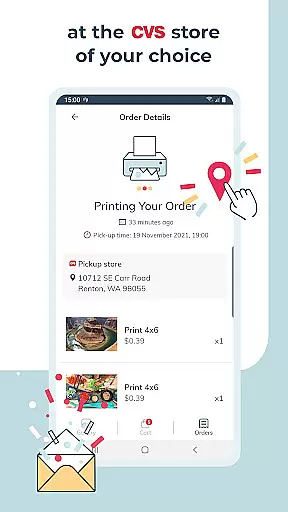
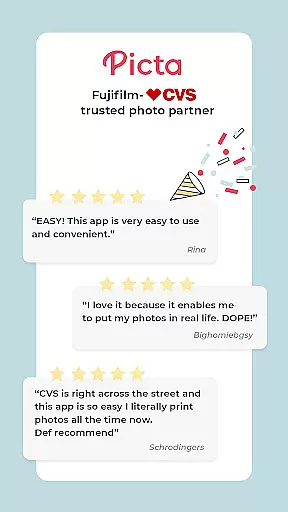
Picta x CVS Photo Print is a mobile application designed to simplify the photo printing process. This app allows users to effortlessly print their digital photos at local CVS stores, offering a range of print sizes including 4x6, 5x7, and square formats. With an intuitive interface, users can easily select, crop, and adjust their photos before sending them for printing.
The app stands out with its fast processing time, promising same-day pickup in many cases. It also provides additional features such as creating custom photo products like magnets and greeting cards. Picta x CVS Photo Print is available for free download, making it convenient for users to turn their digital memories into physical keepsakes without the need for home printers or waiting in-store.
Picta x CVS Photo Print offers a comprehensive set of features tailored for photography enthusiasts. The app supports professional-quality photo printing on glossy paper in various sizes, catering to different user preferences. Users can choose from standard print sizes or opt for square prints ideal for social media photos.
Beyond basic printing, the app enables the creation of personalized photo gifts, including magnets and greeting cards, perfect for special occasions. Its enhanced CVS store locator simplifies the process of finding nearby stores for quick photo pickups. Additionally, the app's gallery function organizes photos by date, enhancing the overall user experience and ensuring that precious moments are easily accessible and well-organized.
Real-time capture and preview functionality is essential for ensuring that users can accurately select and edit their photos before printing. With Picta x CVS Photo Print, the app provides an intuitive interface that allows users to instantly view their selected images in high quality.
The app's real-time capture feature enables users to take new photos directly from within the application, streamlining the process of photo selection and print ordering. This seamless integration ensures that users can quickly move from capturing a moment to printing it without any delays.
Additionally, the preview function offers advanced editing options such as cropping and zooming, allowing users to customize each photo precisely as they desire. These tools ensure that every print meets the user's expectations in terms of composition and detail.
By providing robust real-time capture and preview capabilities, Picta x CVS Photo Print enhances the overall user experience, making photo printing not only faster but also more accurate and satisfying.
AI beauty and enhancement features are increasingly important in photography apps, offering users the ability to improve their photos with natural-looking effects. Picta x CVS Photo Print incorporates sophisticated AI algorithms that enhance photo quality while maintaining authenticity.
The app's AI enhancements focus on improving image clarity, color balance, and overall aesthetics without over-processing. This ensures that edited photos retain their original charm and do not appear overly artificial or altered.
Users can apply these enhancements to their photos before printing, resulting in professional-quality prints that capture the essence of the original images. The AI technology intelligently adjusts elements like brightness and contrast, making each photo pop with vibrant colors and sharp details.
With its commitment to natural enhancement, Picta x CVS Photo Print delivers superior photo prints that preserve the integrity and beauty of users' cherished memories, setting it apart from other photo printing applications.
User-friendly interface
Fast photo printing service
Wide range of print sizes
Customizable photo products
Convenient store locator feature
Limited to CVS store locations
Requires physical store visit for pickup
No direct payment option within app
Occasional delays during peak times
Dependent on store operating hours

Search, tag and rate your way to an organized image gallery
 4.40
4.40
Virtual makeup, hair filters & body tuner—edit from face to full body!
4.20
Pet Camera
3.70
Photo prints, cards, & gifts at Walgreens. Easy ordering & fast local pickup !
4.80
Over 800 film simulation recipes for Fujifilm. Black Friday Offer!
4.4
Movie camera, supports pro recording settings for filming. Try it and be amazed!
4.50
Create amazing frames with up to five photos. Rounded corners, effects and more!
3.60
Unblur, enhance & restore photos with powerful AI photo enhancer tools.
4.60
Professional camera app that brings DSLR manual photography controls to Android.
4.20
Find time and duration of different sunlight phases at any location
4.90
AI photo editor with hair editor, retouch tools, hair color changer & filters!
4.50
Future baby face generator: AI kids generator, kid face! What my baby look like?
4.40
All-in-One Editor & AI Photo Enhancer, Collage, Cartoonify, Funny Stickers & BGS
4.10
The #1 app for B&W film developing featuring an advanced darkroom timer.
4.10
Transform Photos: Edit, Beautify and Craft Memories & Make Collages!
4.10
Catch sunlight, sunrise sunset times and sun phases with the AR sun tracker.
4.10
How would you look like with a differently shaped nose, chin or lips?
3.90
Gallery Slideshow is slideshow maker app for slideshow from your gallery photos.
3.90
Snap photos remotely using your Garmin watch as the camera trigger
4.1


User Reviews