

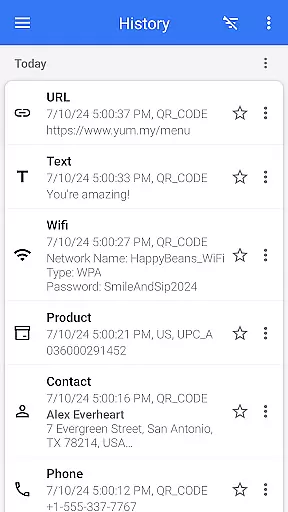

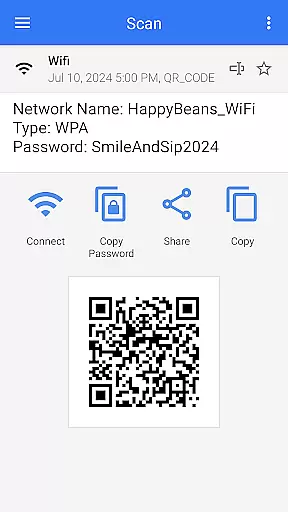
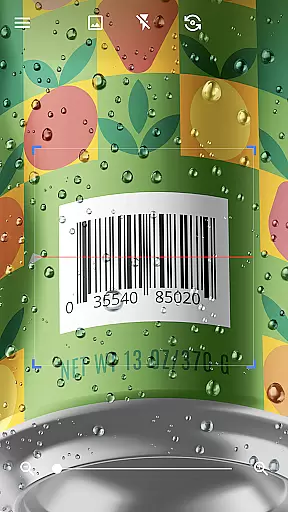

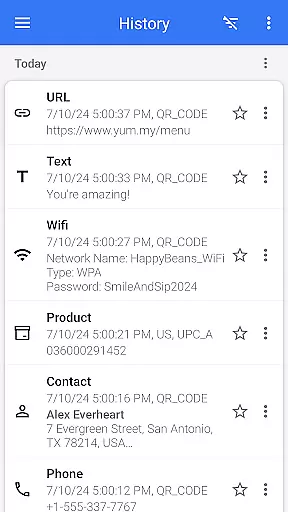


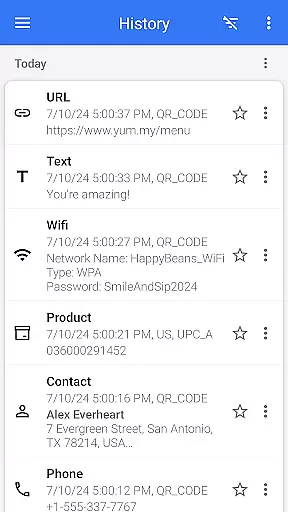

QR & Barcode Scanner is a versatile tool designed for Android users who need fast and reliable scanning capabilities. This app serves as both a QR code reader and barcode scanner, making it an essential utility for various tasks. With its intuitive interface, users can effortlessly scan different types of codes including text, URLs, ISBNs, product details, contacts, calendar events, emails, locations, Wi-Fi information, and more.
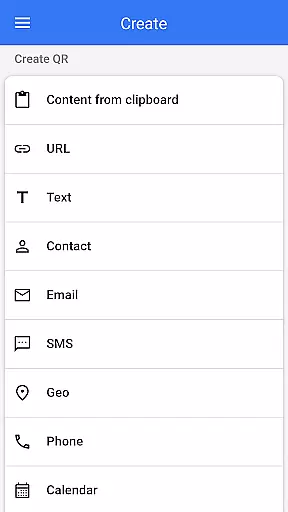
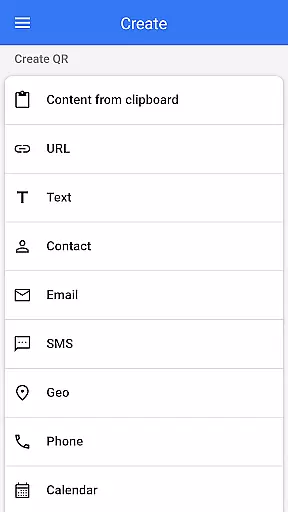
Beyond just scanning, the app also functions as a QR code generator. Users can create custom QR codes by entering desired data and generating the corresponding code instantly. The application supports additional features like flashlight activation for low-light conditions, pinch-to-zoom functionality for distant codes, batch scanning mode for multiple codes at once, and exporting scanned data in formats such as .csv or .txt files. These comprehensive functionalities make QR & Barcode Scanner an indispensable tool for personal convenience and professional efficiency.
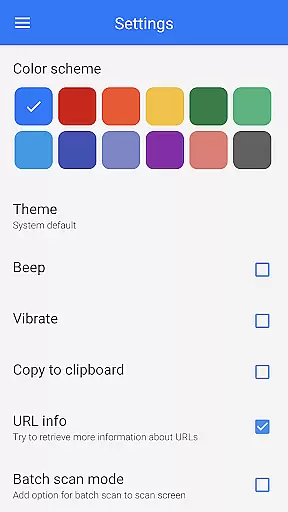
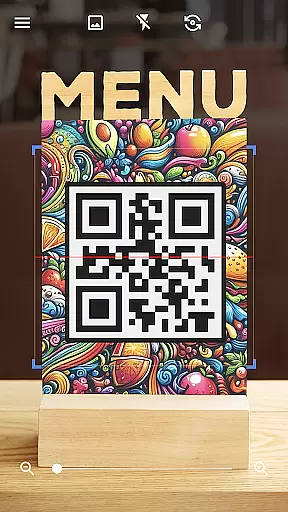
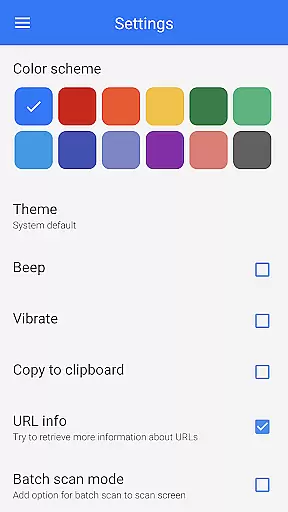
One of the standout features of QR & Barcode Scanner is its ability to automatically detect and decode QR codes and barcodes without requiring any user intervention beyond pointing the camera. This seamless scanning experience is complemented by advanced options that allow users to customize their interaction with the app. For instance, users can change themes, switch to dark mode, and manage favorite scans easily.
The app's dual capability as a QR code generator adds significant value. By inputting specific data, users can generate QR codes for various purposes such as sharing contact information, Wi-Fi passwords, or even images. Additionally, the app supports importing and exporting data, enabling users to maintain organized records of their scans. Practical functionalities like price comparison while shopping further enhance its utility, allowing users to compare prices online and save money efficiently.
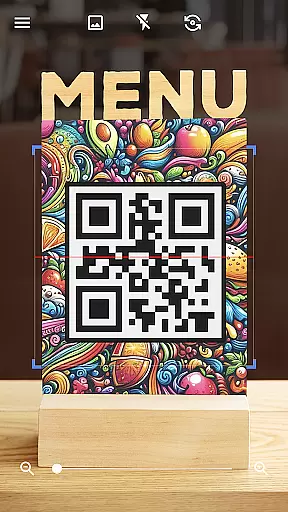
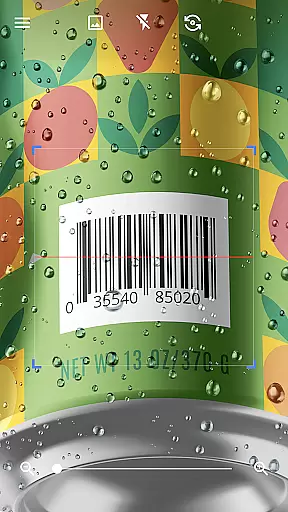
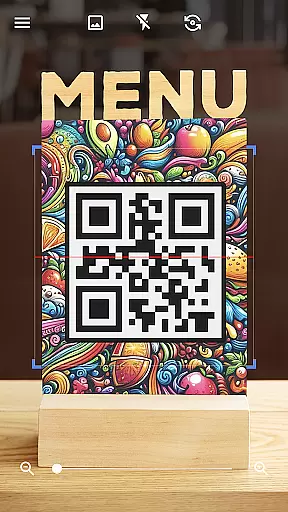
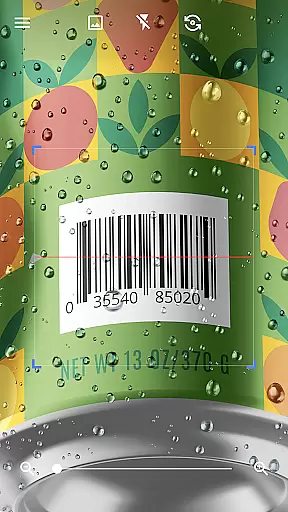
QR & Barcode Scanner stands out for its exceptional core functionality, which centers on the accurate and efficient scanning of various codes. The app is designed to automatically detect and scan QR codes and barcodes without any additional input from the user, such as pressing buttons or adjusting zoom, making it incredibly user-friendly.
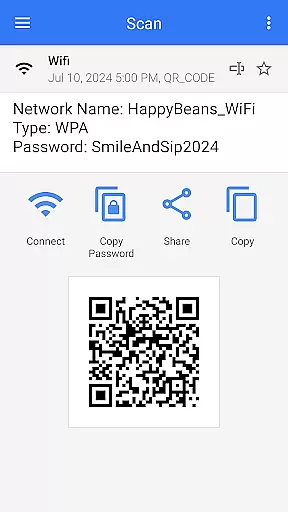
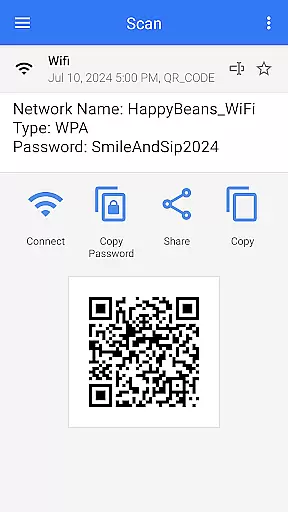
The effectiveness of this tool is evident in its ability to swiftly scan and decode a multitude of code types, ranging from URLs and ISBNs to contact information and Wi-Fi details. This versatility ensures that users can rely on the app for both personal and professional needs, streamlining tasks like inventory management, price comparison, and accessing digital content.
Moreover, the app's batch scan mode allows for the simultaneous scanning of multiple codes, greatly enhancing productivity. With features like exporting scan results as .csv or .txt files, QR & Barcode Scanner not only reads codes but also facilitates further data processing and organization.
By integrating advanced scanning technology with an intuitive interface, QR & Barcode Scanner delivers a seamless experience that translates into significant time savings and ease of use for individuals and businesses alike.
A hallmark of QR & Barcode Scanner is its simple and intuitive interface, which contributes significantly to a hassle-free user experience. Upon launching the app, users are greeted with a clean layout that emphasizes ease of navigation and immediate functionality, eliminating the learning curve typically associated with new software.
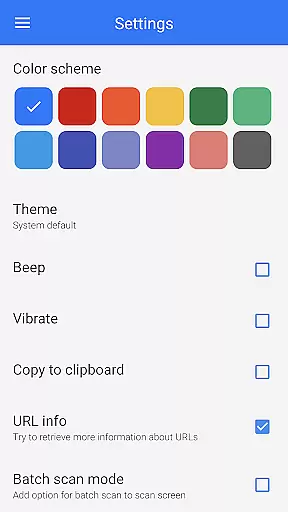
With dedicated buttons for frequently used features such as flashlight activation for low-light scanning and pinch-to-zoom for distant codes, the app ensures that all necessary tools are at the user's fingertips. These practical options are complemented by customizable settings, allowing users to adjust the app's theme and color scheme according to their preferences.
Furthermore, the app's design supports quick access to advanced functions like generating QR codes and scanning from images in the gallery, without overwhelming the user with unnecessary complexity. Such accessibility empowers users to harness the full potential of QR & Barcode Scanner effortlessly.
Overall, the straightforward interface of QR & Barcode Scanner enhances its appeal across a broad spectrum of users, ensuring that even those who are less tech-savvy can utilize the app's powerful features with confidence and ease.
User-friendly interface
Fast scanning speed
Versatile code generation
Comprehensive format support
Customizable settings
Limited iOS availability
Occasional ads
Requires internet
No cloud backup
Basic design

HD Camera captures every special moment.
 4.60
4.60
Extremely fast, secure, and protects your privacy
4.80
Save any video in HD - paste the link, download fast and watch offline.
4.3
Small and simple app to Verify Root Access and BusyBox Install!
4.70
Undelete and recover your lost or deleted files with DiskDigger!
3.40
Remote Play with FSR upscaling, low latency & full controller support
4.80
Introducing Smart Printer, your ultimate destination for printing solutions!
4.00
Screen recorder with audio to record high-quality videos and take screenshots.
4.40
fast and easy mp3 music downloader
4.80
Best leveling tool for your Android device. Hang paintings like a pro.
4.90
The ultimate tool for network analysis, wifi scanning and problem detection.
4.90
Connect instantly to a fast, encrypted VPN with one tap
4.60
FV File Manager Pro, Fast and powerful file manager for Android
4.60
Canon PRINT is a companion app for your Canon printer.
4.60 4.50
4.50
The Ultimate Bluetooth Keyboard & Mouse. Securely control your PC, Mac, and more
4.50
Button mapper, mouse toggle, sleep timer and a lot of another features
4.50
Clean up large files and similar photos, fast and easy to use
4.40
Just one-tap to easy translate in any language after calls within seconds.
4.20


User Reviews