
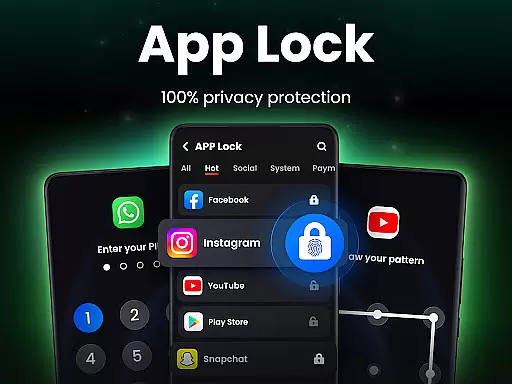
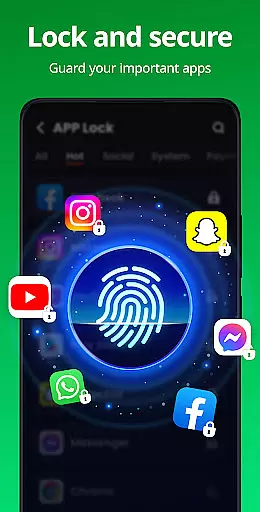
App Lock is a powerful productivity tool designed to help users secure their private data with ease. The app allows you to lock specific applications on your device using PIN, pattern, or fingerprint authentication. This ensures that sensitive information in apps like WhatsApp, Instagram, and Facebook remains protected from unauthorized access.
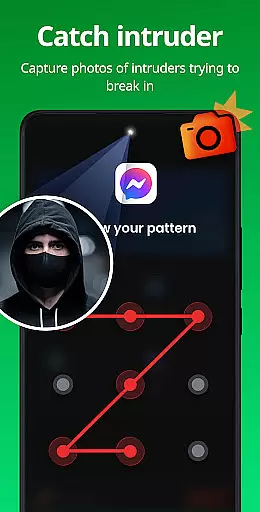
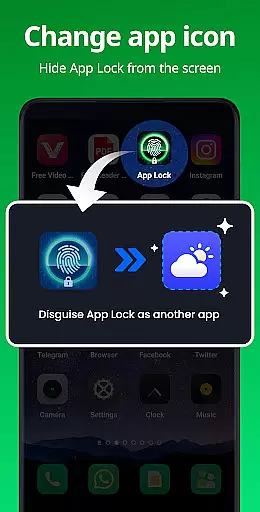
Beyond basic app locking, the application offers advanced features such as Safe Vault for hiding private photos and videos, Intruder Selfie which captures a photo of anyone attempting to break in, and Disguise App functionality that masks the app's presence on your device. These features make it an ideal choice for individuals who prioritize privacy and security.
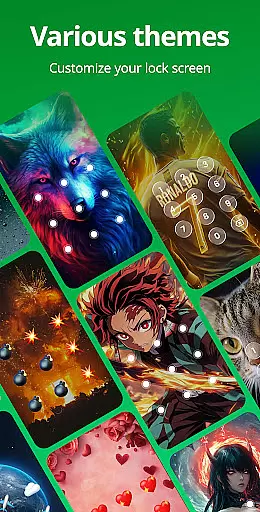
The app also includes customizable themes, random keyboard layouts to prevent password guessing, and relock settings that automatically secure your apps after use. With its comprehensive suite of security tools, App Lock provides peace of mind by safeguarding both personal and professional data on mobile devices.
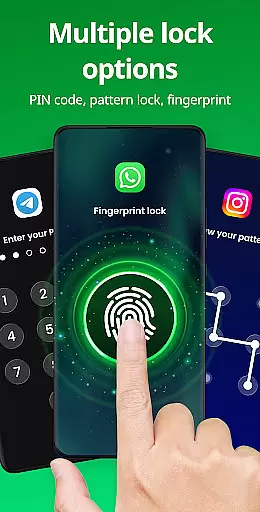
App Lock stands out due to its diverse range of security features tailored for privacy-conscious users. One of the key highlights is the ability to lock apps using multiple methods including PIN, pattern, or fingerprint recognition. This flexibility ensures that users can choose the most convenient yet secure method for protecting their data.
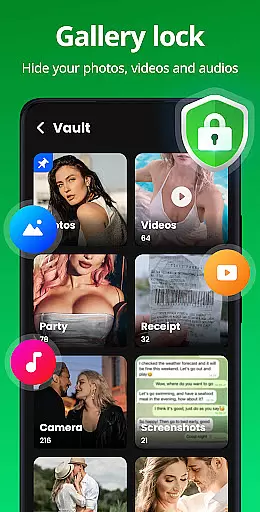
In addition to locking apps, the app offers a Safe Vault feature where users can store private photos and videos. These files are hidden from the regular gallery and can only be accessed through the app with a password. Another innovative feature is the Intruder Selfie, which takes a picture of anyone who enters the wrong password, adding an extra layer of security.
Other notable features include Disguise App, allowing users to mask the app’s icon to prevent detection, Uninstall Protection to avoid accidental removal, and customizable themes for personalization. With functionalities like Hide Pattern Draw Path and Random Keyboard, App Lock ensures maximum protection against unauthorized access while providing a user-friendly experience.
In the realm of productivity, core task management is pivotal for organizing and executing tasks efficiently. App Lock excels in this area by providing users with the ability to manage access to their apps effortlessly. With a simple interface, users can lock or unlock apps with just one click, streamlining the process of safeguarding personal data.
The app supports multiple locking methods including PIN, pattern, or fingerprint, catering to different user preferences and ensuring that only authorized individuals gain entry. This flexibility not only enhances security but also offers convenience, as users can choose the method that best fits their lifestyle.
Moreover, App Lock goes beyond basic locking features by offering advanced functionalities such as intruder selfies, which capture photos of anyone attempting unauthorized access. This feature adds an extra layer of protection, deterring potential intruders and giving users peace of mind knowing their privacy is fully secured.
By integrating these comprehensive task management capabilities, App Lock empowers users to take control of their digital environment, protecting sensitive information across social media, financial transactions, and personal communications. The result is a robust system that not only locks apps but also actively monitors and responds to security threats.
Cross-device synchronization reliability is crucial for maintaining consistent security measures across all user devices. App Lock addresses this need by ensuring that settings and protections are reliably synced, allowing users to maintain uniform app security whether they're using their phone, tablet, or other connected devices.
This synchronization extends to various protective features within the app, such as the ability to hide private photos and videos in a secure vault. Regardless of the device being used, users can rest assured that their hidden files remain inaccessible without the correct credentials, preserving privacy across platforms.
Additionally, App Lock's disguise feature contributes to synchronization reliability by enabling users to mask the app's presence on any device. By altering the app icon, users can prevent others from identifying and tampering with their security settings, thus maintaining a seamless and covert protection strategy.
With reliable cross-device functionality, App Lock ensures that users enjoy uninterrupted security and privacy. Whether at home or on the go, the app delivers a dependable solution for safeguarding personal data, reinforcing its position as a leader in the productivity category.
Easy-to-use interface
Multiple locking methods
Advanced privacy features
Customizable themes
Intruder detection system
Requires many permissions
May slow down older devices
Limited free version
Frequent fingerprint errors
Occasional bugs reported

Easily read and manage all your PDF files
 4.10
4.10
A lightweight JSON & XML files creator, editor and viewer (Premium Version)
4.40
Remotely view listen control and record cameras.
3.70
Easiest event planning, volunteer signups & parent teacher conference scheduling
2.20
PDF scanner & converter for files, photos, lottery, QR codes. One swipe away!
4.50
All document reader, all in one file viewer read PDF, DOCX, XLS, PPT, TXT files.
4.60
Secure, open-source, SPICE and SSH Remote Desktop for QEMU KVM virtual machines
4.00
* block pre-roll ads, pop-up and forced redirect ads * Samsung certification app
4.00
2026 USPS Alpha/Color coded calendar Sunday/Rotating day off schedules
4.3
Best Tool for the professionals Electrician, Electrical contractors, etc.
4.90
Protect and view your important info on your phone and tablet with eWallet®
4.80
Quickly and easily keep track of your work shifts
4.70
Client for Nextcloud Deck
4.60
A simple Whisper AI keyboard for reliable speech transcription and rewording
4.60
Intelligent AI Assistant
4.10
Customizable calendar widget for seamless event sync, planning & scheduling.
4.00
Access your phone's notifications, calls, apps, photos & texts on your PC
3.90
Ultimate Virtual AI Character for immersive Roleplay Chat. Perfect Companion
3.90
Mega cloud explorer plugin for Solid Explorer
3.80


User Reviews