
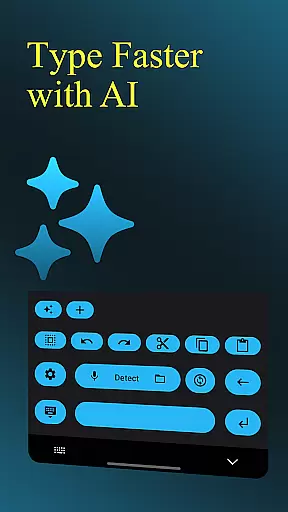
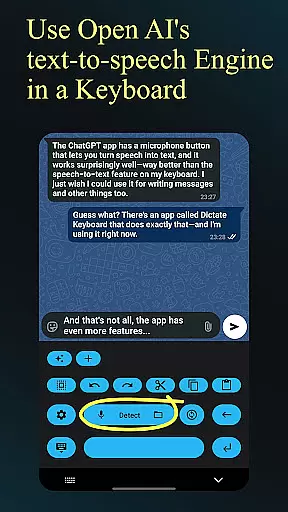
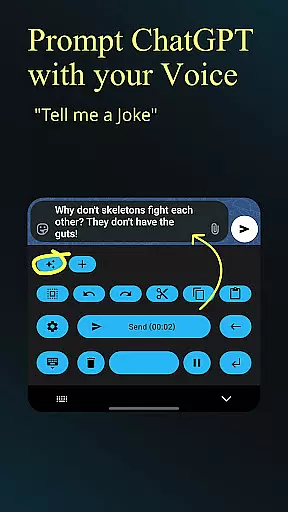
Dictate Keyboard is a cutting-edge productivity tool designed to streamline text input through advanced speech recognition technology. This innovative keyboard app converts spoken words into written text with remarkable accuracy, supporting all major languages. Its AI-powered engine not only transcribes your speech but also intelligently adds punctuation and formatting elements.
Beyond basic transcription, Dictate offers professional-grade features including custom rewording using GPT-5, multiple transcription models, and seamless integration with various API providers. The application supports transcription from both live dictation and media files while providing users with extensive customization options such as system prompts, theme settings, and API configurations. Whether you're composing emails or creating documents, Dictate enhances your workflow by combining voice-to-text capabilities with sophisticated text processing features.
Dictate Keyboard distinguishes itself through its comprehensive feature set tailored for maximum productivity. The app's core functionality lies in its powerful speech recognition engine powered by Whisper and other advanced models, which accurately transcribes spoken language while automatically adding appropriate punctuation and formatting.
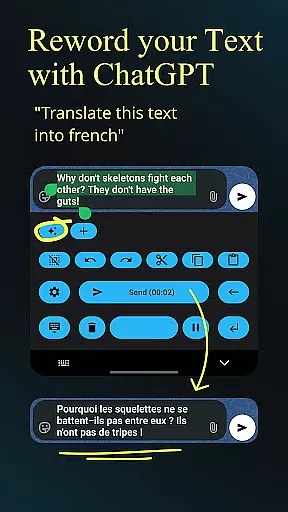
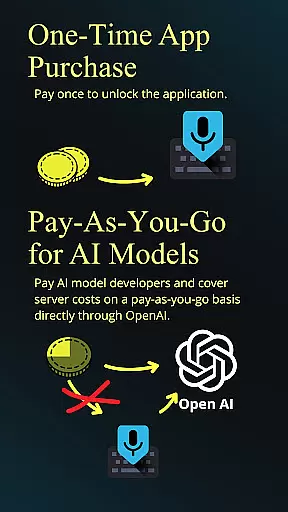
Users can leverage custom rewording instructions using GPT-5 and alternative models for translation, summarization, and style modification. The app supports multiple transcription models and providers, including OpenAI and Groq, allowing flexible configuration based on user preferences and cost considerations. Additional productivity-enhancing features include automatic formatting of spoken commands, seamless emoji insertion, and efficient number handling. Professional users will appreciate the ability to set system prompts that guide the AI's behavior and output style.
The application maintains user convenience through practical interface elements such as quick keyboard switching, haptic feedback, and optional typing animation. Its open-source nature and extensive customization options make it particularly valuable for power users seeking complete control over their productivity tools.
Dictate Keyboard revolutionizes core task management by integrating advanced speech recognition AI, allowing users to convert spoken language into text efficiently. This feature is crucial for productivity apps as it streamlines the way users input data, making the process faster and more intuitive.
The app supports all common national languages, providing a versatile tool for diverse users. Its ability to automatically add punctuation and recognize even sung text ensures that users can focus on their tasks without worrying about manual corrections, thus enhancing overall efficiency.
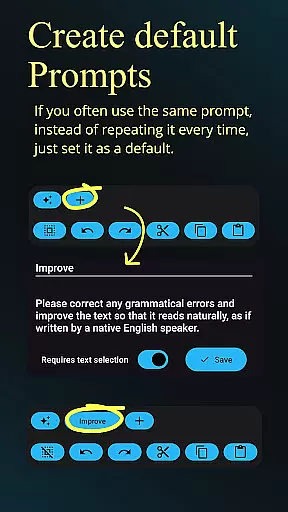
With custom rewording instructions and auto formatting of spoken commands, Dictate Keyboard offers an adaptive experience tailored to individual preferences. Users can execute complex tasks such as translation, summarizing, and style-changing effortlessly, which significantly boosts productivity by reducing time spent on task management.
Cross-device synchronization is a pivotal feature in today's interconnected world, and Dictate Keyboard excels in this area by ensuring reliable and seamless data sharing across devices. This reliability is essential for users who switch between multiple devices throughout their day, maintaining continuity and consistency in their work.
By supporting different transcription models and providers like OpenAI, Groq, or personal transcription servers, Dictate Keyboard empowers users with flexibility and control over their data. This adaptability enhances synchronization reliability, as users are not constrained by a single service provider and can choose the best option available.
Moreover, the app's capability to export and import all prompts further strengthens its synchronization features. Users can easily transfer their settings and preferences across devices, ensuring a uniform experience. This level of reliability and customization fosters user confidence and satisfaction, making Dictate Keyboard a dependable tool for productive cross-device usage.
Advanced speech recognition
Multi-language support
Customizable rewording
Flexible API options
Open-source framework
Requires API setup
Incurs usage fees
Complex for beginners
Internet connection needed
Limited offline functions

AI Video AI Image Private LLM AI Browser Llama Gemma Ollama Connect LLM Studio
 4.5
4.5
Total remote control for your Android device, PC and cloud services (IFTTT)!
4.20
Planet Free VPN - The best Fast Unlimited and Secure VPN Without Logs
4.50
The upgraded version of Name Wheel with AI and the power to add your own wheels.
4.0
Easiest event planning, volunteer signups & parent teacher conference scheduling
2.20
Stay on top of your to-dos with Google Tasks, part of Google Workspace.
4.60
ID.me Authenticator is a simple and free Two Factor Authentication solution
3.50
Lightweight PDF, Word, Excel reader.
4.60
Seamlessly read, manage, and organize all your PDF files solution in one place
4.40
We're working to become the best machining app on the market! www.cncdirt.com
4.80
Simple notepad & memo. Take notes, to-do list, shopping list with reminders.
4.80
Client for Nextcloud Deck
4.60
App Lock with fingerprint, password: Lock apps & hide photos with lock screens
4.60
CalenGoo is a very flexible and feature-rich calendar app
4.40
Enjoy classic gameplay with customizable features and retro-style graphics.
4.30
Take control of your clipboard with Clipper!
3.90
A Revolutionary All-in-One Artificial Intelligence Tools
3.80
Smart PDF reader & editor to view, organize and manage PDF documents easily.
3.70
Ads Free App! Editor, Hide File, Copy, Move, Delete and Rename.. all facility av
1.70


User Reviews