
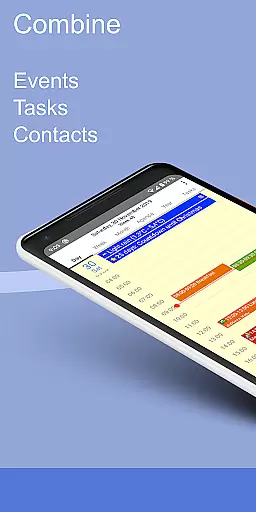
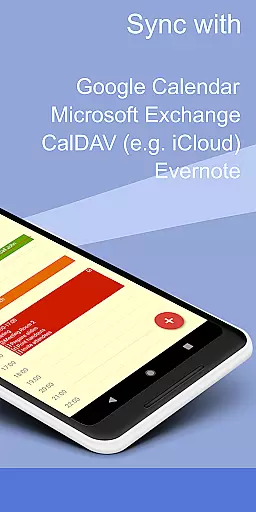
CalenGoo is a comprehensive productivity app designed to help users efficiently manage their events and tasks. The app offers extensive synchronization options, allowing seamless integration with Google Calendar, Exchange, CalDAV, and iCloud either directly or via the Android calendar. With features like attaching photos, files, and Evernote notes to events, it ensures all necessary information is readily accessible.
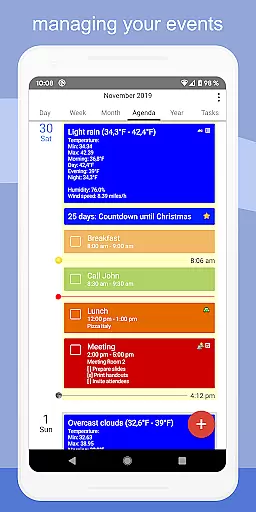
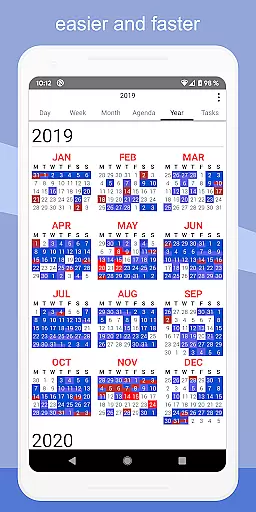
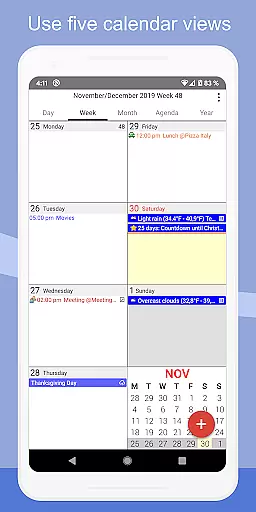
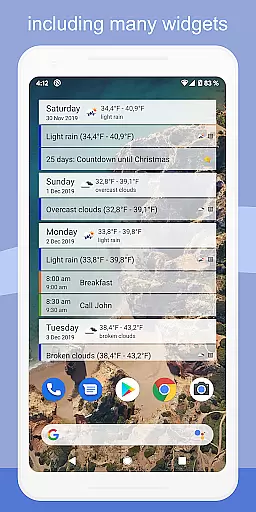
The app stands out with its customizable views including day, week, month, agenda, and year formats, alongside four distinct agenda view styles. Users can employ drag-and-drop functionality for organizing events and utilize widgets to keep track of schedules directly from their home screen. Additional functionalities such as weather forecasts, event icons, reminder notifications, and contact linking make CalenGoo an indispensable tool for personal and professional time management.
CalenGoo boasts a wide array of features tailored to enhance productivity. One of its core strengths is the robust synchronization capability that supports multiple calendar services such as Google Calendar, Exchange, CalDAV, and iCloud. This ensures users have access to their schedules across all devices without any hiccups. The ability to attach photos, files, and Evernote notes directly to events adds another layer of utility, making sure all relevant data is centralized.
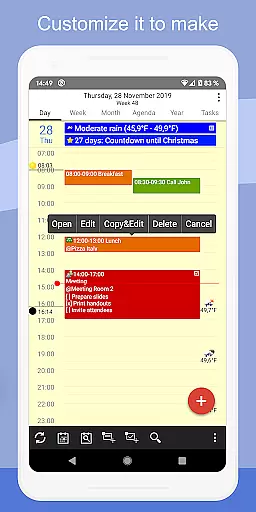
Customization is at the heart of CalenGoo's design. It offers five different calendar views—day, week, month, agenda, and year—alongside four unique agenda view styles. Users can personalize their experience further by adding event icons, using keywords to change event colors, and choosing between dark and light themes. Practical features like drag-and-drop event management, widgets for home screen tracking, and various reminder functions ensure that staying organized is both efficient and intuitive.
CalenGoo offers robust core task management features that allow users to efficiently organize and track their events and tasks. The app provides seamless synchronization with multiple calendar services such as Google Calendar, Exchange, CalDAV, and iCloud, ensuring all your past and future events are always up-to-date.
With the ability to attach photos, files, and even Evernote notes to events, users can enrich their scheduling experience. Additionally, the app supports five types of calendar views including day, week, month, agenda, and year, along with four styles of agenda views, offering flexibility in how you manage your time.
The drag-and-drop functionality makes it easy to move or copy events across different dates and times. Moreover, various reminder functions like notifications, pop-up windows, spoken reminders, and custom sounds ensure you never miss an important event. These comprehensive task management capabilities make CalenGoo a powerful tool for productivity.
One of CalenGoo's standout features is its reliable cross-device synchronization. By integrating directly with Google Calendar, Exchange, CalDAV, and iCloud, the app ensures that all your devices reflect the latest changes in your schedule without delay. This direct syncing method enhances data accuracy and availability across platforms.
Users benefit from real-time updates, meaning any modification made on one device instantly appears on others. Whether you're at home, in the office, or on the go, your calendar remains consistent and current. Furthermore, the app supports sharing calendars with others via Google Calendar, facilitating collaborative work environments.
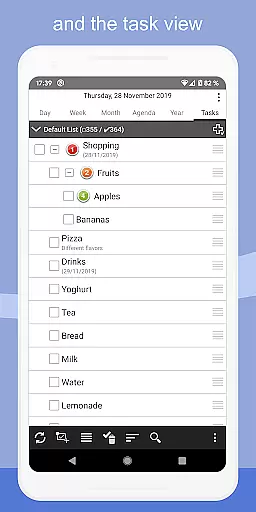
CalenGoo also includes widgets for your home screen, displaying day, week, month, agenda, year, and task views. These widgets provide quick access to your schedule, enhancing usability. With these reliable synchronization features, CalenGoo ensures that your productivity tools are always in sync, no matter where you are.
User-friendly interface
Extensive customization options
Robust synchronization capabilities
Comprehensive task management
Versatile reminder functions
Premium version requires purchase
Initial setup can be complex
Limited free trial period
Occasional sync issues reported
Feature overload for casual users

When you Focus, so will your Bean in this cozy focus timer
 4.30
4.30
Create study competitions, track your hours, and stay consistent with friends
4.0
aCalendar+ makes your day, week and month
4.70
Stay on top of your to-dos with Google Tasks, part of Google Workspace.
4.60
Access your phone's notifications, calls, apps, photos & texts on your PC
3.90
Ultimate Virtual AI Character for immersive Roleplay Chat. Perfect Companion
3.90
Intelligent AI Assistant
4.10
Simple notepad & memo. Take notes, to-do list, shopping list with reminders.
4.80
Put a lock on your cloud: Take the security of your data into your own hands
3.70
Seamlessly integrate data and reports to build your presentation to impress
4.80
Planet Free VPN - The best Fast Unlimited and Secure VPN Without Logs
4.50
PDF scanner & converter for files, photos, lottery, QR codes. One swipe away!
4.50
A Pixel Art watchface inspired by other iconic 90s designs for Wear OS devices!
4.40
All in One PDF Reader: Manage, Read and Edit your Documents
4.20
Unlock AutoNotification
4.00
Smart PDF reader & editor to view, organize and manage PDF documents easily.
3.70
Make your handwriting beautiful, even more than pen on paper.
3.60
ID.me Authenticator is a simple and free Two Factor Authentication solution
3.50
IP Camera Viewer - Android TV : RTSP Surveillance camera viewer for Android TV
4.4


User Reviews