
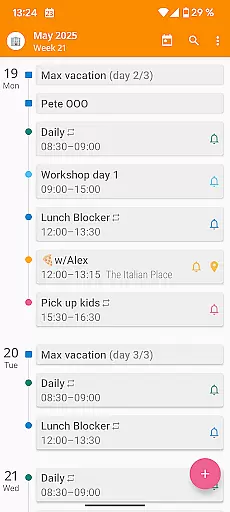

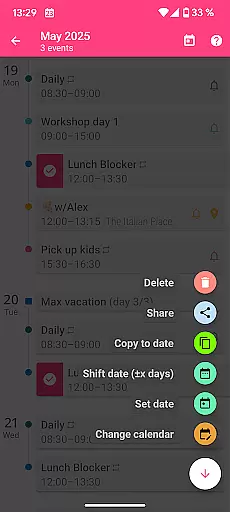
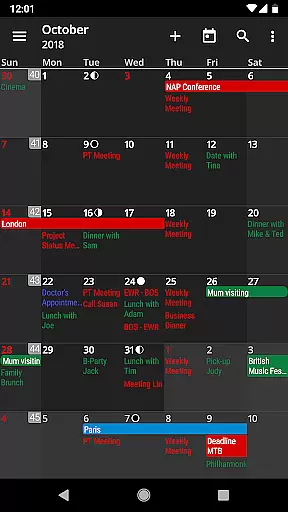
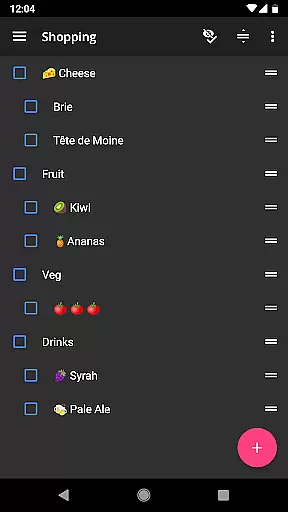
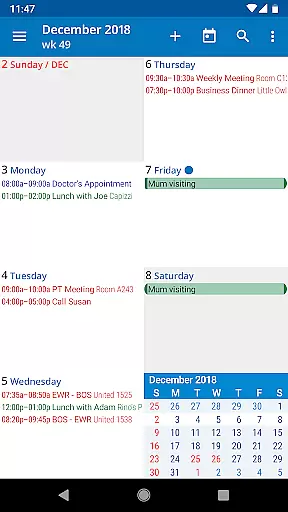
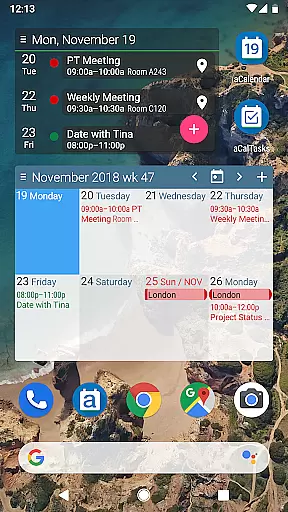
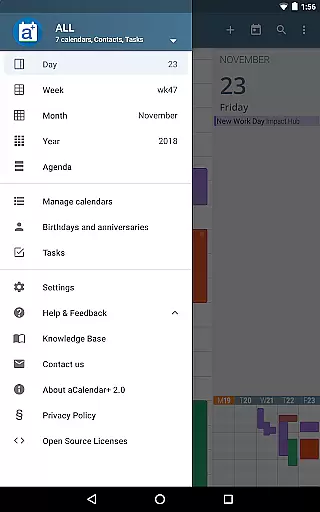
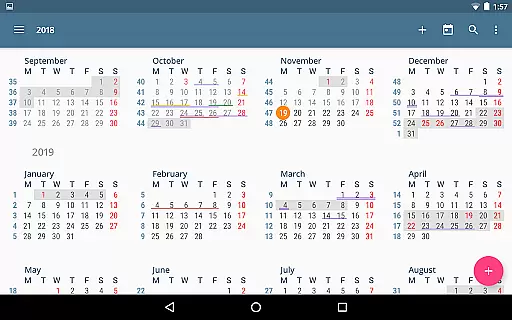
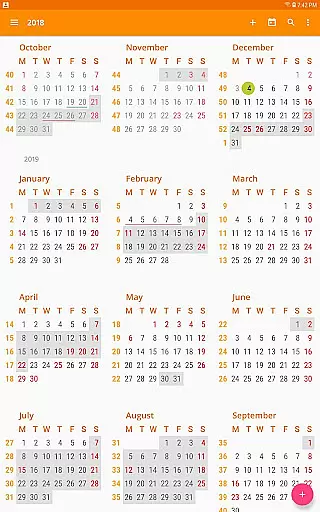
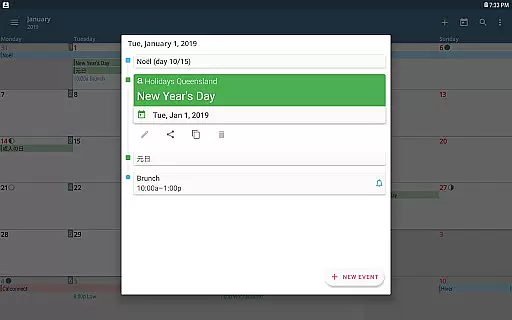
aCalendar+ is a premium productivity application that offers an advanced calendar and task management system. It provides users with a comprehensive suite of features to organize their day, week, and month effectively. The app stands out with its intuitive navigation, smooth transitions between day, week, month, and year views, and fullscreen widgets for quick access.
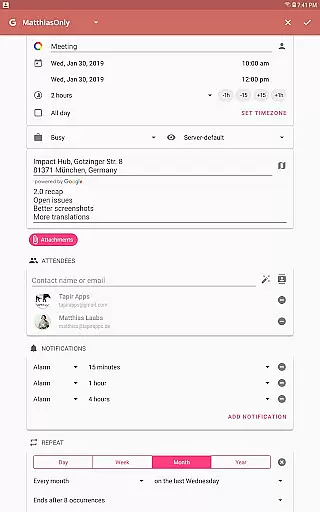
One of the key highlights of aCalendar+ is its ability to integrate seamlessly with Android's native calendar backend while offering additional functionalities such as public holidays, more color options, business features like inviting attendees, and managing tasks from various sources. Whether you're scheduling meetings, setting reminders, or planning long-term projects, this app ensures your agenda is always up-to-date and easily accessible.
The app is particularly useful for professionals and individuals who need a reliable tool to manage their busy schedules without distractions from ads. By choosing aCalendar+, users also contribute to a good cause as 10% of all revenue supports rainforest conservation efforts through the World Land Trust.
aCalendar+ boasts a rich set of features designed to enhance productivity and streamline calendar management. With options like configurable public holidays, additional color themes, and advanced business tools, it caters to both personal and professional needs. Users can invite attendees to events, link contacts, and manage private profiles efficiently.
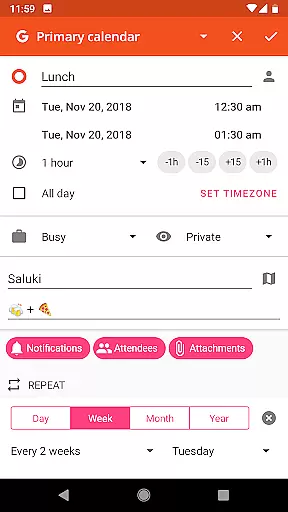
In addition to its core functionalities, aCalendar+ allows for flexible recurrence settings, over 100 color choices for calendars, per-event colors, custom event font sizes, and integration with Google Tasks or CalDAV/OpenTasks for task management. These features ensure that every user can tailor the app to fit their unique workflow and preferences.
Usability is further enhanced by intuitive gestures such as vertical swiping to move through the calendar, horizontal swiping to switch views, and tap actions to open or create events. Long-press functions enable quick additions or modifications of events, making daily operations smooth and efficient. Moreover, privacy-conscious users will appreciate that aCalendar+ respects their data and does not share private information unless explicitly configured to do so.
Effective task management is essential for productivity apps, and aCalendar+ excels in this area. The app provides comprehensive tools for managing tasks from various sources, including Google Tasks and CalDAV/OpenTasks.
Users can organize their tasks with intuitive navigation and smooth transitions between different views such as day, week, month, and year. This ensures that users never lose sight of upcoming responsibilities while planning their schedules.
The ability to set flexible recurrences allows for personalized task repetition, catering to both routine chores and unique project timelines. With over 100 color options available, prioritizing and categorizing tasks visually becomes effortless.
Additionally, features like per-event colors and custom event font sizes enhance clarity and accessibility, making it easier for users to distinguish between different types of commitments at a glance.
In today's interconnected world, reliable cross-device synchronization is crucial. aCalendar+ leverages Androidu2019s native calendar backend to ensure seamless updates across all devices linked to the same account.
This means that whether you're viewing your schedule on your phone during commute or checking it on a tablet at home, every change made is instantly reflected everywhere else. Such consistency helps maintain accurate planning without worrying about outdated information.
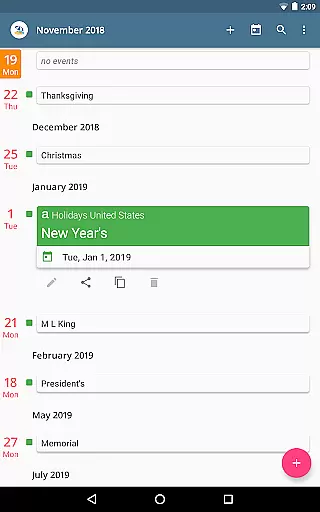
Furthermore, public holidays and school holidays are automatically integrated into the calendar list based on user configuration, ensuring no important dates are missed regardless of where they're accessed from.
By supporting multiple languages through volunteer translations, aCalendar+ also guarantees global accessibility, allowing international teams or travelers to stay synchronized irrespective of geographical boundaries.
User-friendly interface
Extensive customization options
Seamless synchronization with Android
Supports environmental causes
No intrusive advertisements
Premium version comes at a cost
Occasional sync issues reported
Limited third-party integrations
Advanced features may overwhelm new users
Requires manual updates for optimal performance

QuickBooks Workforce lets teams view pay info and track time in one place.
 4.70
4.70
Create study competitions, track your hours, and stay consistent with friends
4.4
Send files, sync SMS, notifications & clipboard across devices via local network
4.40
⏰ Finally a timer app which can run multiple timers simultaneously on your watch
3.90
All document reader, all in one file viewer read PDF, DOCX, XLS, PPT, TXT files.
4.60
Access your phone's notifications, calls, apps, photos & texts on your PC
3.90
Understand anything with a personalized AI research assistant
4.80
Set up, print, and get support—in one place
4.20
Note taking, handwriting, record audio, PDF annotation, planner & journal
4.20
Mind Map and brainstorm, note taking and idea collection
4.80
Simple notepad & memo. Take notes, to-do list, shopping list with reminders.
4.80
Tally and goal counter for Wear OS & mobile
4.50
This small app MUST BE INSTALLED after purchase, else license won't work
4.40
Device's storage information in a simple and clear graphical form (infographics)
4.10
Cloud storage, automatic phone backup, and more.
4.10
Create and edit presentations with Google Slides, part of Google Workspace.
4.00
The upgraded version of Name Wheel with AI and the power to add your own wheels.
4.0
A simple, portable logger for POTA, SOTA, Field Day, and more
4.3
A comprehensive suite of tools designed specifically for Lactation Consultants
4.1


User Reviews