
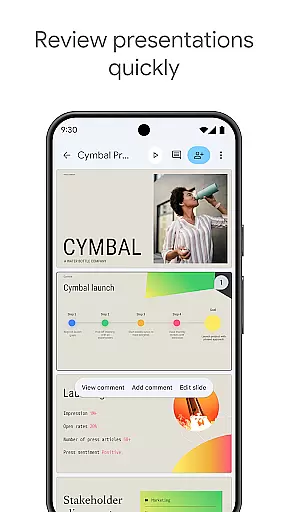
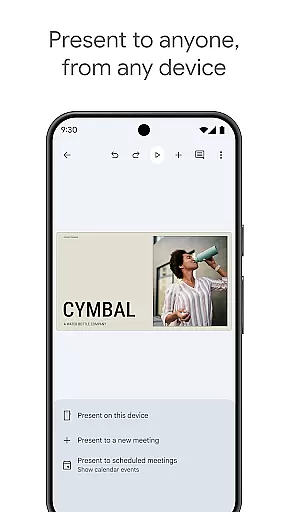
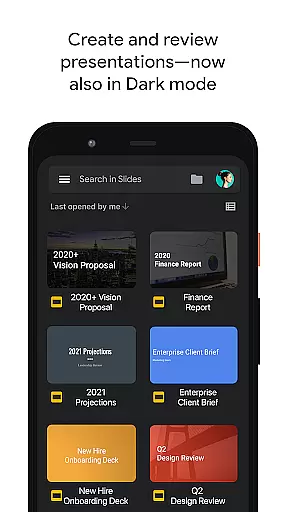
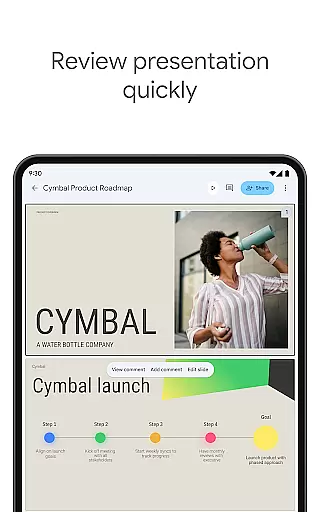
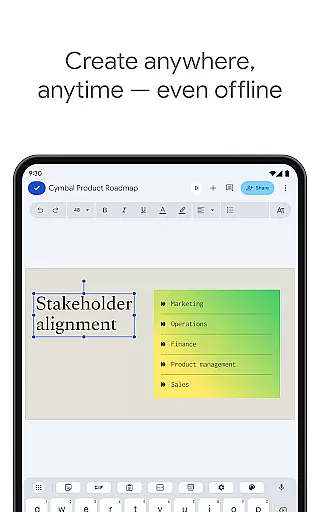
Google Slides is a powerful productivity application that allows users to create, edit, and collaborate on presentations directly from their Android devices. The app provides a comprehensive suite of features including real-time collaboration, offline working capabilities, and automatic saving functionality. Users can add and respond to comments, rearrange slides, format text and shapes, and even present straight from their mobile device.
The application stands out with its smart suggestions feature that helps users create visually appealing slides instantly. It also integrates seamlessly with Google Workspace, allowing teams to work together efficiently. With support for PowerPoint files and the ability to present slides during video calls, Google Slides ensures users can work flexibly across different platforms and devices. This makes it an ideal tool for professionals who need to prepare and deliver presentations on the go.
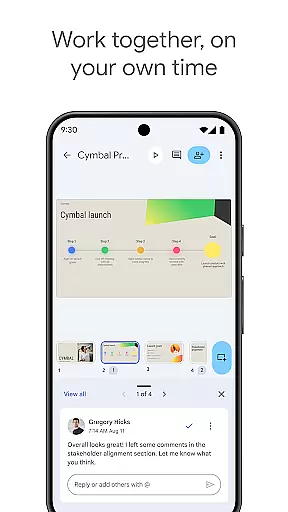
Google Slides offers a rich set of features designed to enhance productivity and collaboration. One of its key strengths is the ability to collaborate in real-time, allowing multiple users to work on the same presentation simultaneously. This feature is particularly useful for teams spread across different locations who need to work together efficiently.
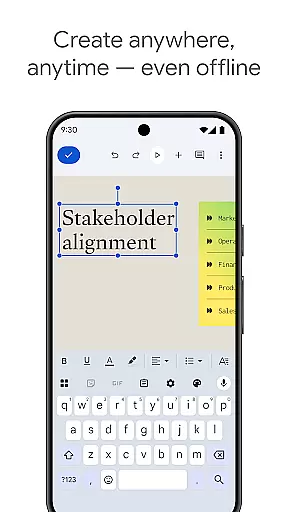
In addition to collaboration, the app provides a range of tools for creating and editing presentations. Users can add and rearrange slides, format text and shapes, and enhance their presentations with videos, images, and smooth transitions. The app also supports offline working, ensuring users can continue to work on their presentations even without an internet connection. Furthermore, Google Slides automatically saves all work, eliminating the risk of losing important data.
Another notable feature is the integration with Google Workspace, which unlocks additional functionalities for subscribers. These include advanced permission controls and access to a library of templates that can expedite the presentation creation process. The app's ability to present slides during video calls further enhances its utility for remote meetings and presentations.
Google Slides excels in core task management by providing a comprehensive suite of tools for creating and editing presentations. The app allows users to generate new slideshows or modify existing ones with ease, ensuring that all necessary content is organized and presented effectively.
The application supports real-time collaboration, enabling multiple users to work on the same presentation simultaneously. This feature is crucial for teams that need to coordinate their efforts from different locations, streamlining the process of compiling group projects or preparing for important meetings.
Additionally, Google Slides offers functionality that extends beyond basic slide creation. Users can add and respond to comments, rearrange slides, format text and shapes, and even present directly from their mobile devices. These capabilities ensure that users have full control over the design and delivery of their presentations.
With automatic saving, users never have to worry about losing their work. Every change is saved instantly as they type, providing peace of mind and allowing them to focus on the quality of their presentation rather than data management.
Cross-device synchronization is a standout feature of Google Slides, ensuring that users can access their presentations from any device at any time. Whether working on a PC, Mac, tablet, or smartphone, the app maintains consistency across platforms, which is essential for professionals who are always on the go.
This reliable synchronization means that users can continue editing their presentations without missing a beat, regardless of the device they are using. It also supports offline work, allowing users to make changes when an internet connection is not available and syncing updates once connectivity is restored.
Moreover, the ability to open, edit, and save PowerPoint files adds another layer of convenience. Users can seamlessly transition between different formats and devices without worrying about compatibility issues, thus enhancing productivity and flexibility in various work environments.
For those subscribed to Google Workspace, additional features further enhance cross-device functionality. Enhanced collaboration options and advanced editing tools provide a richer experience, making Google Slides a versatile choice for both individual and team-based projects.
User-friendly interface
Real-time collaboration
Automatic saving
Offline access
Cross-platform support
Limited design templates
Fewer animation options
No advanced formatting
Basic charting tools
Dependent on internet

Total remote control for your Android device, PC and cloud services (IFTTT)!
 4.20
4.20
Send files, sync SMS, notifications & clipboard across devices via local network
4.40
Smart PDF reader & editor to view, organize and manage PDF documents easily.
3.70
Mind Map and brainstorm, note taking and idea collection
4.80
Todo reminder
4.10
All document reader, all in one file viewer read PDF, DOCX, XLS, PPT, TXT files.
4.60
A Pixel Art watchface inspired by other iconic 90s designs for Wear OS devices!
4.40
Share files & memories safely. Keep your photos and videos secure.
4.40
AT&T Internet customers can use this app to personalize their Wi-Fi network.
4.40
Android Wallet Password Manager
4.80
Stay on top of your to-dos with Google Tasks, part of Google Workspace.
4.60
Functional QR scanner and barcode reader that requires little storage space.
4.60
Subscribe to Webcal & .ics calendars and keep them up-to-date!
4.50
Secure your apps with lock screens, use custom themes and different features.
4.40
When you Focus, so will your Bean in this cozy focus timer
4.30
Take control of your clipboard with Clipper!
3.90
Remotely view listen control and record cameras.
3.70
ID.me Authenticator is a simple and free Two Factor Authentication solution
3.50
IP Camera Viewer - Android TV : RTSP Surveillance camera viewer for Android TV
4.3


User Reviews