

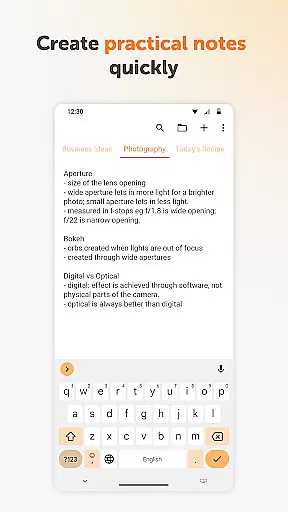
Simple Notes Pro is a productivity-focused note-taking application designed to help users quickly capture ideas, create shopping lists, and manage daily tasks. The app emphasizes simplicity and efficiency, offering an intuitive interface that allows users to start taking notes immediately without any complex setup. With its user-friendly design, it serves as a reliable personal notebook for remembering important information on the go.
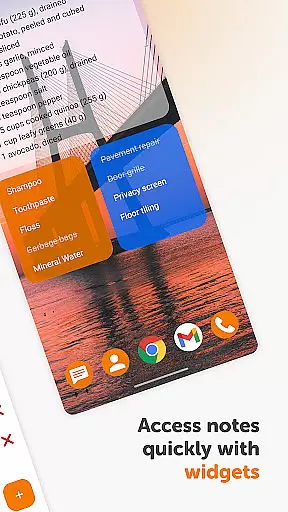
A key feature of Simple Notes Pro is its autosave functionality, ensuring that users never lose their work due to accidental closures or interruptions. Additionally, the app supports multiple independent plain text notes and lists, making it easy to organize various types of content. Its customizable and resizable widget provides quick access to your notes directly from the home screen, enhancing usability and convenience.
This app is particularly useful for individuals who need a straightforward tool to manage their daily agendas, set reminders, and jot down ideas. By combining essential note-taking features with a clean, ad-free experience, Simple Notes Pro delivers significant value to users seeking a no-nonsense productivity solution.
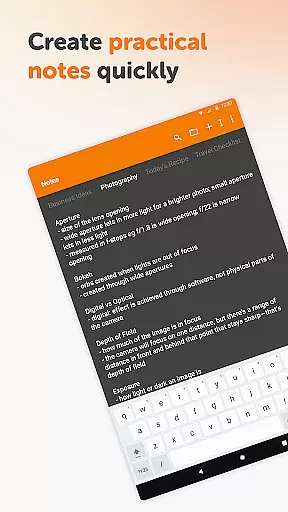
Simple Notes Pro stands out with its array of practical features tailored for efficient note-taking and task management. One of its standout capabilities is the autosave function, which automatically saves changes as you type, preventing accidental data loss. This feature is complemented by support for multiple independent plain text notes, allowing users to maintain separate lists and notes for different purposes without cluttering their workspace.
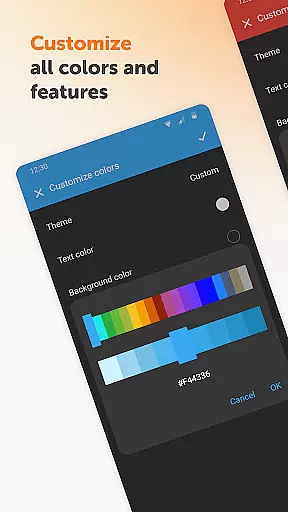
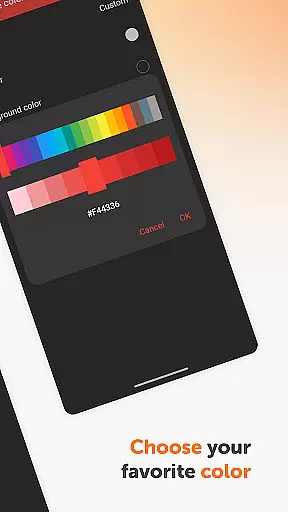
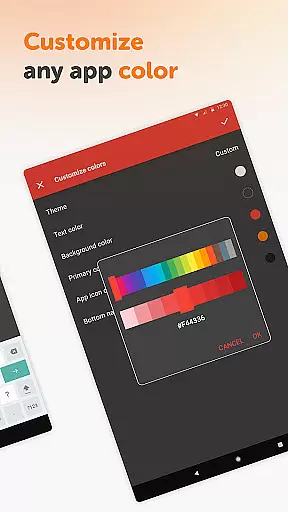
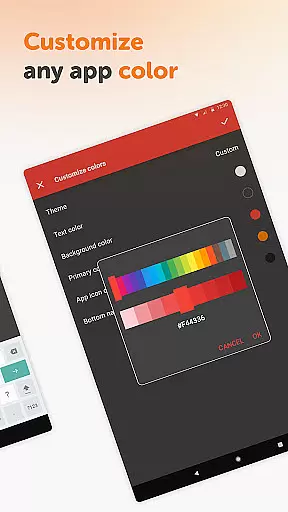
The app also includes a customizable and resizable widget, providing instant access to your notes and lists right from the home screen. This widget can be adjusted to fit your preferred size and style, making it a convenient tool for quick updates and references. Furthermore, Simple Notes Pro offers a variety of color customization options, enabling users to personalize their note-taking experience according to their preferences.
Privacy and security are prioritized in Simple Notes Pro, as the app operates without requiring internet access. This ensures that your notes remain private and secure, free from potential online threats. Coupled with its open-source nature and absence of ads or unnecessary permissions, Simple Notes Pro provides a streamlined and trustworthy environment for managing your personal and professional tasks.
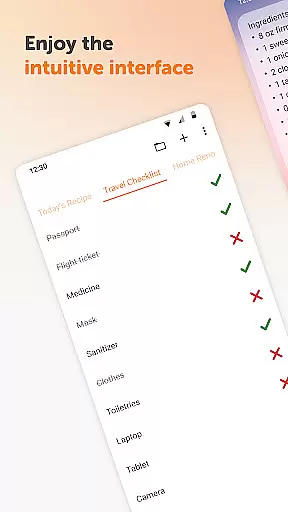
Task management is at the heart of productivity applications, and Simple Notes Pro excels in this area. This feature allows users to efficiently organize their daily tasks, ensuring nothing important slips through the cracks. With its intuitive interface, users can easily create, categorize, and prioritize notes and to-do lists.
The app supports multiple independent plain text notes and lists, which can be created swiftly, making it an invaluable tool for both personal and professional use. Its autosave functionality ensures that no changes are lost, providing peace of mind to users who rely on their notes for critical information.
Simple Notes Pro enhances user experience by offering a customizable and resizable widget. This widget not only provides quick access to your notes but also opens the app directly, streamlining the process of managing tasks. The simplicity and efficiency of task management in Simple Notes Pro make it an essential tool for anyone looking to boost their productivity.
Cross-device synchronization is crucial for users who operate across multiple platforms. Simple Notes Pro offers reliable synchronization, ensuring that all your notes and lists are up-to-date, regardless of the device you're using. This seamless integration means you can start a note on your mobile and continue editing it on another device without missing a beat.
The app's design emphasizes privacy and security, as it functions without internet access. This approach not only enhances stability but also reassures users about the safety of their data. By keeping all information locally stored, Simple Notes Pro provides a secure environment for managing sensitive information.
Moreover, Simple Notes Pro is fully open-source, allowing tech-savvy users to verify the app's security features themselves. The absence of ads and unnecessary permissions further underscores the app's commitment to user privacy and data integrity. For those seeking a dependable cross-device synchronization solution, Simple Notes Pro stands out as a trustworthy choice.
User-friendly interface
Autosave functionality
Customizable widgets
No ads or unnecessary permissions
Offline functionality
Limited advanced features
No cloud sync option
Basic design aesthetics
Plain text only
No collaboration tools

A Revolutionary All-in-One Artificial Intelligence Tools
 3.80
3.80
Unlock AutoNotification
4.00
The Pro Version of Android's tiniest Notepad app. Just 0.3MB but feature-packed!
4.60
A lightweight JSON & XML files creator, editor and viewer (Premium Version)
4.40
All in One PDF Reader: Manage, Read and Edit your Documents
4.20
PDF scanner & converter for files, photos, lottery, QR codes. One swipe away!
4.50
A beautiful digital clock with autostart and many other functions
4.70
Daily processing of PDF documents.
4.40
2026 USPS Alpha/Color coded calendar Sunday/Rotating day off schedules
4.4
QuickBooks Workforce lets teams view pay info and track time in one place.
4.70
All document reader, all in one file viewer read PDF, DOCX, XLS, PPT, TXT files.
4.60
Calendar 2023 widget for Android. Appointment scheduler, planner, and reminder
4.60
A simple Whisper AI keyboard for reliable speech transcription and rewording
4.60
CalenGoo is a very flexible and feature-rich calendar app
4.40
Docker, Kubernetes management over Portainer Mobile
4.40
Access, manage and transfer files on Android, PC, Mac, NAS and cloud storages.
4.30
Total remote control for your Android device, PC and cloud services (IFTTT)!
4.20
Find and delete junk files & block unwanted notifications & manage files
3.70
Auto-shutoff Alarm with Sunrise, Sunset & Fixed Options.
3.50


User Reviews