
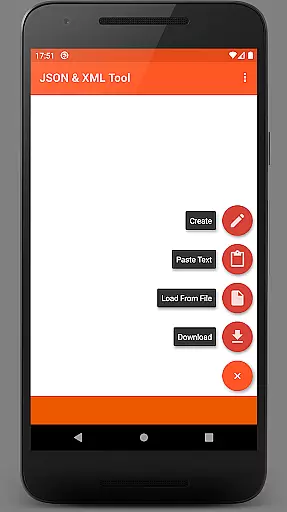
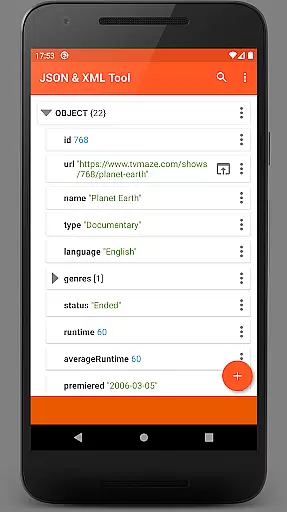
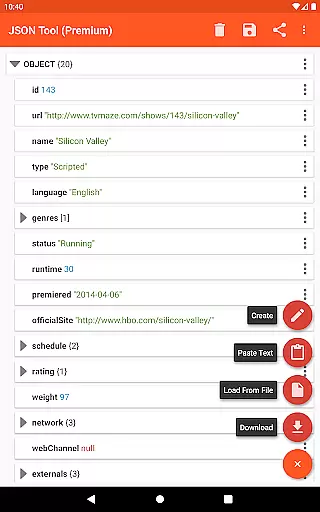
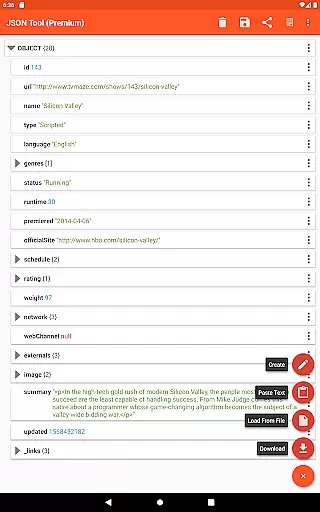
JSON & XML Tool Premium is a powerful productivity app designed for effortless creation, editing, and conversion of JSON and XML files. The app's standout feature is its simple hierarchical view that makes file navigation intuitive and efficient. Whether you're working on game addons or handling data transformation tasks, this tool provides the necessary functionality to get the job done with precision.
The app supports various file handling options including loading from internal storage, downloading from URLs, or receiving text from other apps. It also offers advanced editing capabilities like renaming nodes, modifying values, switching between data types, and reordering elements within arrays. With additional features such as dark theme support, PDF export, and JMESPath query language integration, it caters to both basic and complex use cases in data management.
For professionals who regularly work with structured data formats, JSON & XML Tool Premium serves as an essential utility. Its ability to handle files without requiring explicit storage permissions (thanks to SAF) ensures security while maintaining ease of use. This makes it particularly valuable for developers, data analysts, and tech enthusiasts who need reliable tools for their daily workflows.
One of the key strengths of JSON & XML Tool Premium lies in its comprehensive set of features tailored for efficient file manipulation. The app allows users to perform multiple actions on JSON and XML files through an intuitive interface. You can load files using either the built-in SAF-based file picker or external pickers when needed. Additionally, the option to download files directly from URLs expands its usability beyond local storage.
Editing capabilities are robust, enabling users to rename elements, modify values, duplicate nodes, and manage array structures seamlessly. The app also supports switching between different value types like Boolean, Number, and String with ease. These features ensure that users can make precise modifications without needing to switch contexts or use additional tools.
Beyond basic editing, the app includes several productivity-enhancing functions. Users can preview formatted text output, share content via ACTION_SEND intents, and even extract specific elements using JMESPath queries. The inclusion of dark theme support and PDF export options demonstrates attention to user experience and versatility. By registering itself as a default handler for JSON/XML files upon installation, the app streamulates workflow integration while maintaining system-level compatibility.
At the heart of the JSON & XML Tool Premium app lies its robust core task management system, which is essential for efficiently handling JSON and XML files. This functionality allows users to perform a variety of operations such as viewing, creating, and editing these file types with remarkable ease.
The app's hierarchical view simplifies navigation through complex data structures, making it possible to edit game addons or convert between different data formats like JSON to XML. Its intuitive interface supports renaming node elements, modifying values, and switching between value types effortlessly.
Users benefit from enhanced productivity as they can add, duplicate, remove, and rearrange node elements within arrays. The ability to save work as a new file or overwrite existing ones ensures that data management is both flexible and secure.
Cross-device synchronization is a critical feature for users who need reliable access to their JSON and XML files across multiple devices. The JSON & XML Tool Premium app leverages the Storage Access Framework (SAF) to provide a seamless experience without requiring explicit storage permissions in most scenarios.
This approach ensures that files loaded via the internal SAF picker or external sources maintain integrity and accessibility. When storage permissions are requested, it's typically due to specific use cases involving external file pickers or when proper access hasn't been granted initially.
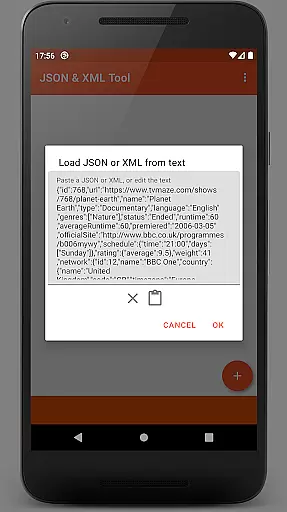
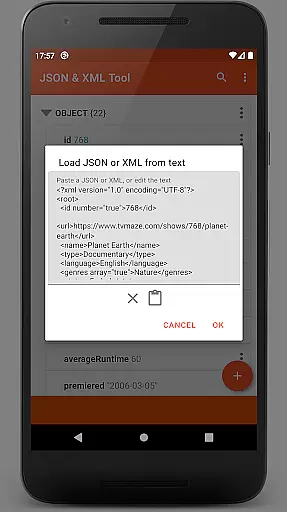
By supporting various methods of file loadingu2014including URL downloads, text pasting, and integration with other appsu2014the tool guarantees consistent availability of your data regardless of where you are or what device you're using.
User-friendly interface
Advanced editing tools
SAF integration
Multiple file handling options
Dark theme available
Premium version only
No free trial offered
External picker may require permissions
Learning curve for beginners
Limited to JSON/XML formats

Unlock AutoNotification
 4.00
4.00
Planet Free VPN - The best Fast Unlimited and Secure VPN Without Logs
4.50
Android Wallet Password Manager
4.80
App Lock with fingerprint, password: Lock apps & hide photos with lock screens
4.60
ID.me Authenticator is a simple and free Two Factor Authentication solution
3.50
Access, manage and transfer files on Android, PC, Mac, NAS and cloud storages.
4.30
A beautiful digital clock with autostart and many other functions
4.70
This small app MUST BE INSTALLED after purchase, else license won't work
4.40
Simple notepad & memo. Take notes, to-do list, shopping list with reminders.
4.80
Secure, fast, open-source, VNC and SSH Remote Desktop for Windows, Linux and Mac
4.70
Direct Chat without saving contacts & Dual WA Account on Single Device
4.70
The Pro Version of Android's tiniest Notepad app. Just 0.3MB but feature-packed!
4.60
Professional calendar app for Google Calendar, MS Outlook & Exchange
4.20
⏰ Finally a timer app which can run multiple timers simultaneously on your watch
3.90
All in one sketching tool. Technical and General drawing. Online Maps support.
3.70
Smart PDF reader & editor to view, organize and manage PDF documents easily.
3.70
Simple and reliable communication between inmates, friends and family
3.20
AI Video AI Image Private LLM AI Browser Llama Gemma Ollama Connect LLM Studio
4.1
IP Camera Viewer - Android TV : RTSP Surveillance camera viewer for Android TV
4.1


User Reviews