
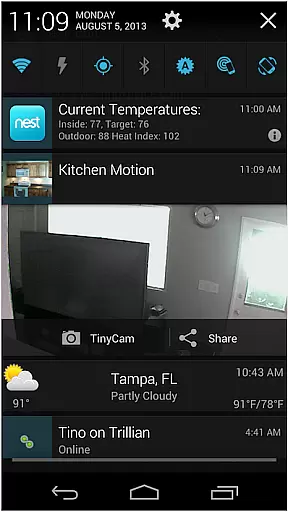
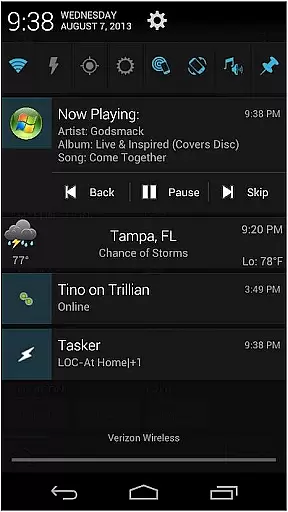
AutoNotification Unlock Key is a productivity-enhancing application designed to unlock the full potential of AutoNotification. This app allows users to fully utilize advanced notification management features on their Android devices, making it easier to automate and control notifications from various apps.
The core functionality includes enabling complete access to all premium features within AutoNotification, such as customizing notification settings, creating notification-based automation rules, and integrating with other applications. Whether you're looking to streamline your workflow or minimize distractions, this app provides the tools necessary to optimize your notification experience.
This app's standout feature is its ability to unlock the complete suite of AutoNotification functionalities. Users can create complex notification filters, set up triggers based on specific notification content, and even interact with notifications directly from their device's lock screen.
Additionally, AutoNotification Unlock Key supports seamless integration with task automation apps like Tasker, allowing for sophisticated workflows and personalized notification handling. These capabilities ensure that users can tailor their notification experiences precisely to their needs, enhancing both personal and professional productivity.
Task management is a cornerstone of productivity applications, enabling users to organize, prioritize, and track their tasks efficiently. AutoNotification Unlock Key enhances this experience by unlocking the full potential of task automation within the app.
This application allows users to create complex notification-based triggers that seamlessly integrate with their daily workflows. By utilizing customizable parameters, users can set up precise conditions under which notifications are triggered, ensuring timely reminders and actions.
The benefit to the user is significant; they gain access to advanced features that streamline their task management process. This includes enhanced control over notification settings, allowing for a tailored experience that fits individual preferences and needs.
Ultimately, the AutoNotification Unlock Key empowers users to take full advantage of automated task management, leading to increased productivity and a more organized digital life.
Cross-device synchronization is vital for users who operate across multiple platforms and devices, ensuring that their data remains consistent and up-to-date everywhere. The AutoNotification Unlock Key addresses this need by providing reliable synchronization capabilities.
With this unlock key, users can synchronize their notification settings and preferences across various devices effortlessly. This means that any changes made on one device will be accurately reflected on all others, maintaining uniformity in how notifications are managed.
For the user, this translates into a seamless experience where they do not have to manually adjust settings on each device. Instead, they enjoy the convenience of having their environment automatically tuned to their preferences, regardless of the device they are using.
By enhancing synchronization reliability, AutoNotification ensures that users can depend on consistent performance and availability of their customized notifications, thus improving overall efficiency and satisfaction.
Unlocks full functionality
Highly customizable
Enhances productivity
Seamless Tasker integration
Comprehensive notification control
Requires AutoNotification
Premium cost
Complex setup
Limited iOS support
Advanced user focus

QuickBooks Workforce lets teams view pay info and track time in one place.
 4.70
4.70
Professional calendar app for Google Calendar, MS Outlook & Exchange
4.20
8 custom complications. Custom Time Fonts. Beautiful color schemes. A++ Design.
5.00
Simple and reliable communication between inmates, friends and family
3.20
The AI assistant that thinks with you - write, code, and solve complex tasks
4.60
Secure, open-source, SPICE and SSH Remote Desktop for QEMU KVM virtual machines
4.00
Scientific calculator for Android - looks and operates like the real thing!
4.90
Share files & memories safely. Keep your photos and videos secure.
4.40
Put a lock on your cloud: Take the security of your data into your own hands
3.70
Mind Map and brainstorm, note taking and idea collection
4.80
The long-awaited modern gallery app for your Nextcloud server
4.70
To do list widget with a notebook organizer, checklist, simple shopping list
4.60
Experience Reading - Night Mode for Documents
4.40
Send files, sync SMS, notifications & clipboard across devices via local network
4.40
A lightweight JSON & XML files creator, editor and viewer (Premium Version)
4.40
Pwnagotchi companion app
4.20
Todo reminder
4.10
Activate Two Factor Authentication (2FA or Multi OTP), Password manager and more
4.10
Mega cloud explorer plugin for Solid Explorer
3.80


User Reviews