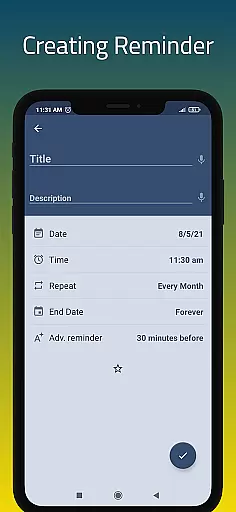
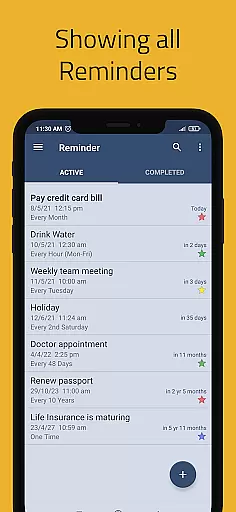
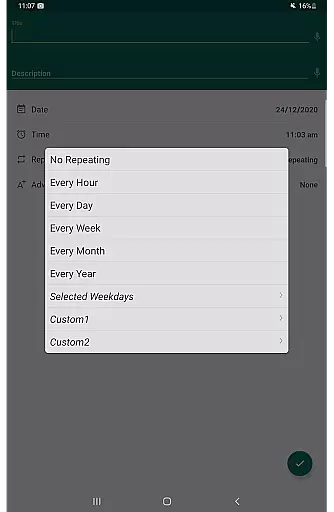
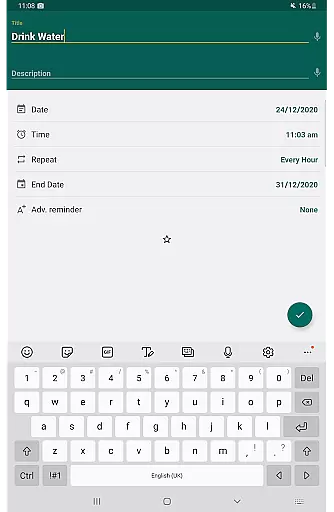
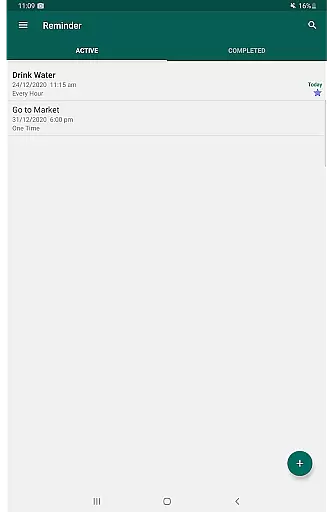
Reminder Pro represents a powerful productivity solution designed to enhance personal organization and time management. This robust application allows users to create both one-time and recurring reminders for various aspects of their daily lives, including appointments, deadlines, bill payments, medication schedules, and important events.
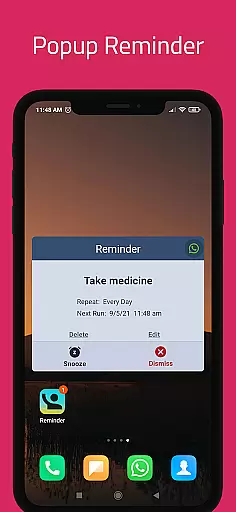
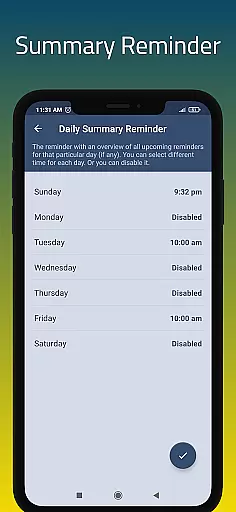
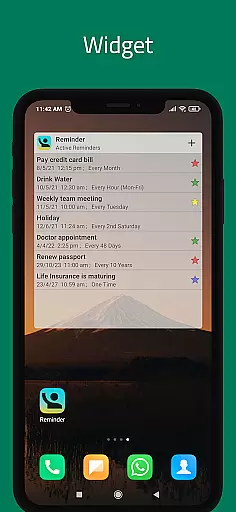
The app's core functionality revolves around its ability to provide timely notifications through popup alerts and customizable reminder systems. Users can take advantage of features like daily summary reports, advance reminders, and quiet hours settings to optimize their scheduling experience. The inclusion of practical tools such as widgets and categorized views further enhances usability.
What sets Reminder Pro apart is its adaptability to different user needs. Whether managing work-related tasks, personal obligations, or health-related reminders, the application offers a comprehensive solution that can be tailored to individual preferences. Its value proposition lies in helping users maintain better control over their schedules while reducing the risk of missing important commitments.
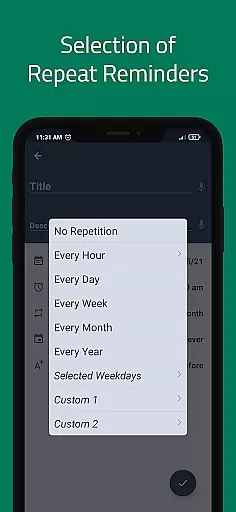
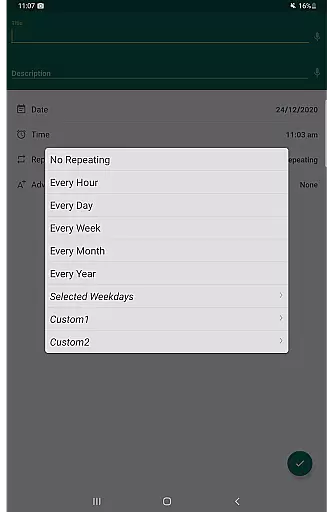
Reminder Pro offers a comprehensive suite of productivity features designed to streamline task management. The app excels in providing users with multiple ways to organize their schedules, including custom recurring reminders that can be tailored to specific needs.
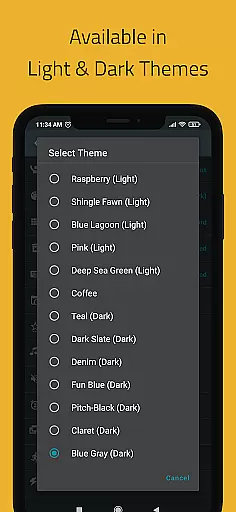
Users benefit from practical functionalities like popup notifications, snooze options, and quiet hours settings. These features ensure timely alerts while allowing personalized notification preferences. The inclusion of multiple themes and categorized views makes task organization both efficient and visually appealing.
The app's strength lies in its versatility - from deadline tracking to medication schedules, it adapts to various user requirements. Advanced features such as auto-backup, search functionality, and different view options (standard, compact, monthly) demonstrate the app's commitment to comprehensive task management solutions.
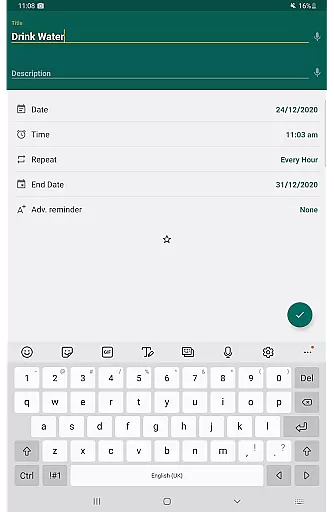
Task management is at the heart of any productivity app, and Reminder Pro excels in this area. The app allows users to create both one-time and recurring reminders for a variety of tasks, ensuring that nothing important slips through the cracks. Whether it's deadlines for work or school, meetings, daily chores, birthdays, anniversaries, errands, medication schedules, or paying bills, Reminder Pro has got you covered.
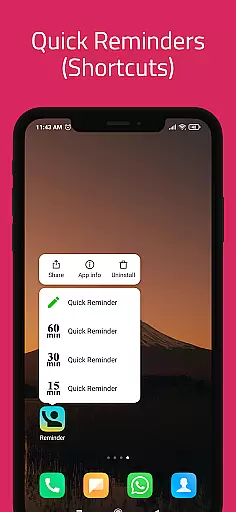
The app offers versatile features such as custom recurring reminders, multiple themes, quiet hours settings, advance reminders, and more. These features ensure that users can tailor their experience to fit their unique needs. With options like popup notifications, snooze functionality, and widgets, staying on top of tasks has never been easier. Users can also categorize their tasks with different colors and settings, making organization intuitive and visually appealing.
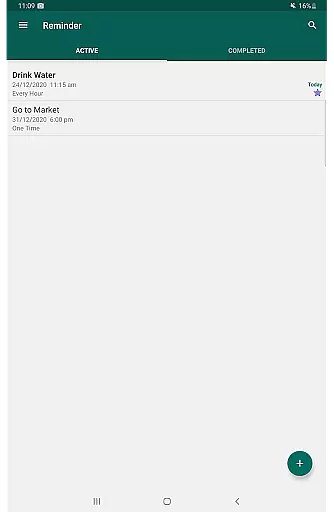
Reminder Pro stands out by providing various grouping view options for the list of reminders, including standard, compact, and monthly views. This flexibility enables users to see their tasks in a way that best suits their workflow. Additionally, the search functionality helps users quickly find specific reminders among potentially hundreds, saving time and reducing stress. Overall, Reminder Pro ensures that managing tasks is not only efficient but also adaptable to individual preferences.
In todayu2019s fast-paced world, having reliable cross-device synchronization is crucial for maintaining productivity. Reminder Pro understands this need and offers seamless integration across multiple devices. By utilizing auto backup and manual backup options, users can ensure that their reminders are always up-to-date and accessible, no matter which device they are using.
This feature is particularly beneficial for individuals who rely on multiple devices throughout their day. Whether transitioning from a phone to a tablet or a computer, Reminder Pro ensures that all your reminders are synchronized in real-time. This means that any changes made on one device will instantly reflect on others, providing a consistent and reliable user experience.
Moreover, the ability to access your reminders from anywhere adds an extra layer of convenience. Imagine setting a reminder on your phone while commuting and then being able to review and modify it on your tablet once you get home. With Reminder Pro, this level of flexibility and reliability becomes a reality, empowering users to stay organized and productive regardless of their location or the device they are using.
Comprehensive features
User-friendly interface
Versatile customization
Reliable notifications
Regular updates
Limited customization
No voice control
Basic widget design
Premium version cost
Occasional bugs
Create study competitions, track your hours, and stay consistent with friends
 4.1
4.1
Wake up & get tasks done! Add alarms & reminders on the Clock Launcher.
4.00
A simple, portable logger for POTA, SOTA, Field Day, and more
4.0
All in One PDF Reader: Manage, Read and Edit your Documents
4.20
Make apps & sites with natural language prompts
4.10
Great calculator for Android named one of USA TODAY's "25 Essential Apps".
4.90
Access your phone's notifications, calls, apps, photos & texts on your PC
3.90
Use powerful, industry-leading AI tools to generate visual charts from any data
4.80
2026 USPS Alpha/Color coded calendar Sunday/Rotating day off schedules
4.2
We're working to become the best machining app on the market! www.cncdirt.com
4.80
Understand anything with a personalized AI research assistant
4.80
Direct Chat without saving contacts & Dual WA Account on Single Device
4.70
Client for Nextcloud Deck
4.60
Stay on top of your to-dos with Google Tasks, part of Google Workspace.
4.60
A simple Whisper AI keyboard for reliable speech transcription and rewording
4.60
A lightweight JSON & XML files creator, editor and viewer (Premium Version)
4.40
Professional calendar app for Google Calendar, MS Outlook & Exchange
4.20
Take control of your clipboard with Clipper!
3.90
Make your handwriting beautiful, even more than pen on paper.
3.60


User Reviews