
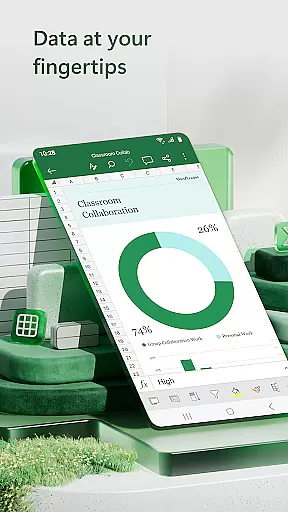

Microsoft Excel is the leading productivity application for creating, editing, and sharing spreadsheets on mobile devices. This powerful app brings desktop-grade spreadsheet capabilities to your fingertips, allowing users to manage budgets, track expenses, and perform complex data analysis from anywhere. With its intuitive interface, Excel enables seamless financial planning and data visualization through dynamic charts and pivot tables.
The app stands out with its robust set of features including built-in templates for budgeting and accounting, advanced calculation tools, and real-time collaboration capabilities. Whether you're a business professional managing financial reports or an individual tracking personal expenses, Excel provides the necessary tools to organize and analyze data efficiently. Its cross-platform compatibility ensures consistent performance across all devices.
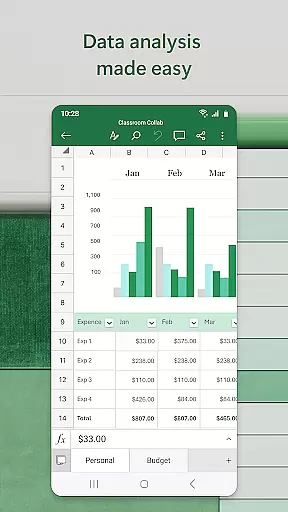
Excel's feature set includes comprehensive spreadsheet management tools that cater to various productivity needs. The app offers modern spreadsheet templates for budgeting, task management, and financial analysis, alongside familiar formulas and calculation functions. Users can create dynamic charts and pivot tables using advanced data analysis tools, making it easier to visualize complex information.
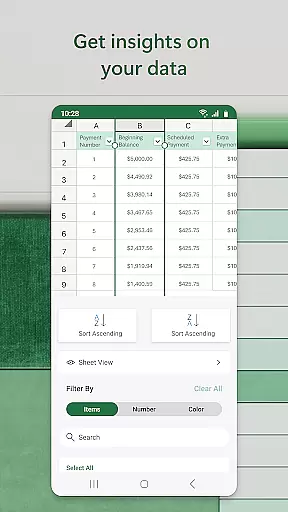
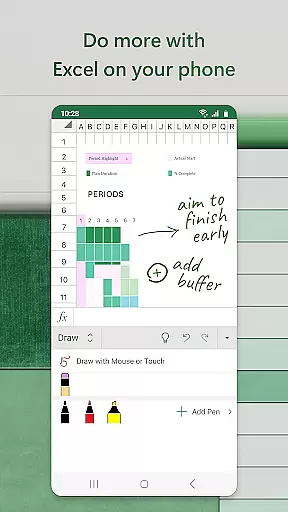
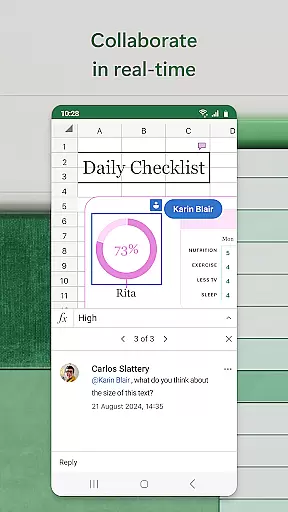
One of Excel's key strengths is its powerful collaboration features. The app allows multiple users to work on the same document simultaneously, with real-time updates and commenting capabilities. Advanced review tools enable users to annotate charts, sort and filter data columns, and utilize touch-enabled drawing features for equation writing. These capabilities make Excel an essential tool for both individual productivity and team-based projects.
Microsoft Excel revolutionizes core task management by providing users with a comprehensive suite of tools to organize, track, and manage tasks efficiently. The app offers modern templates for creating budgets, task lists, and financial analyses, which are essential for effective task management.
With its powerful data analysis capabilities, Excel allows users to sort and filter columns, making it easier to prioritize and monitor tasks. The ability to create charts directly from your phone enhances the visualization of task progress and completion rates, aiding in better decision-making and planning.
Furthermore, Excel's collaboration features enable seamless teamwork, allowing multiple users to edit, view, or comment on shared files and sheets. This ensures that everyone involved in a project is on the same page, enhancing coordination and productivity across teams.
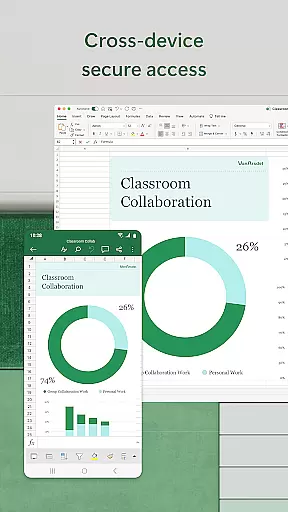
Cross-device synchronization is a cornerstone of Microsoft Excel's functionality, ensuring that users can access their spreadsheets, charts, and data from any device without losing formatting or functionality. This reliability is crucial for maintaining workflow continuity and productivity.
Excel achieves this through its cloud-based platform, which automatically saves and updates files across devices. Whether you're using a smartphone, tablet, PC, or Mac, you can be confident that your work is up-to-date and accessible wherever you go. This feature is particularly beneficial for professionals who need to manage their tasks and data on-the-go.
In addition, signing in with a free Microsoft account on devices with a screen size smaller than 10.1 inches allows users to create or edit documents effortlessly. For those with a qualifying Microsoft 365 subscription, the full experience is unlocked, offering advanced features and seamless integration across all devices.
Industry-leading spreadsheet functionality
Real-time collaboration features
Cross-platform compatibility
Advanced data analysis tools
Intuitive user interface
Requires subscription for full features
Steep learning curve for beginners
Resource-intensive on older devices
Limited functionality in free version
Occasional sync issues

Seamlessly integrate data and reports to build your presentation to impress
 4.80
4.80
A simple, portable logger for POTA, SOTA, Field Day, and more
4.0
Mind Map and brainstorm, note taking and idea collection
4.80
App Lock with fingerprint, password: Lock apps & hide photos with lock screens
4.60
Multilingual translator for text, voice, and image translation!
4.90
Lightweight PDF, Word, Excel reader.
4.60
Understand anything with a personalized AI research assistant
4.80
Browse and view your photos and videos from the phone with photo & video hide.
4.10
2026 USPS Alpha/Color coded calendar Sunday/Rotating day off schedules
4.0
Secure, fast, open-source, VNC and SSH Remote Desktop for Windows, Linux and Mac
4.70
The AI assistant that thinks with you - write, code, and solve complex tasks
4.60
Calendar 2023 widget for Android. Appointment scheduler, planner, and reminder
4.60
A Pixel Art watchface inspired by other iconic 90s designs for Wear OS devices!
4.40
Share files & memories safely. Keep your photos and videos secure.
4.40
When you Focus, so will your Bean in this cozy focus timer
4.30
Intelligent AI Assistant
4.10
Mega cloud explorer plugin for Solid Explorer
3.80
Create study competitions, track your hours, and stay consistent with friends
4.0
The upgraded version of Name Wheel with AI and the power to add your own wheels.
4.2


User Reviews