
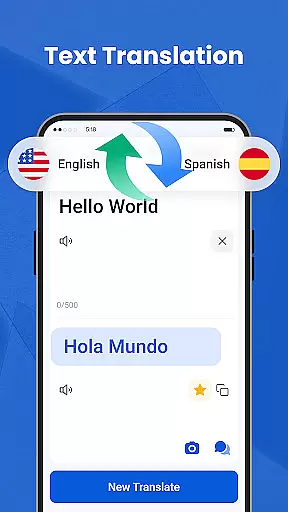
We Translate is a comprehensive translation app designed to break language barriers and facilitate seamless global communication. With its powerful suite of features, the app supports text, voice, and photo translation across multiple languages, making it an essential tool for travelers, students, and professionals alike.
The app's standout capabilities include real-time conversation translation, document translation for various file formats like PDF and Word, and OCR-based photo translation. These features ensure users can communicate effectively in any situation - from daily conversations to business meetings and travel. Additionally, the app provides history tracking and favorites functionality, allowing users to save and quickly access frequently-used translations.
Whether you're studying abroad, conducting international business, or simply looking to connect with people worldwide, We Translate offers an intuitive solution for all your multilingual needs. Its personalized settings and efficient translation services make cross-language communication more accessible than ever before.
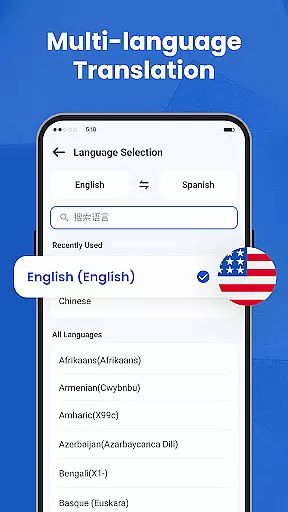
We Translate distinguishes itself through its diverse range of innovative features that cater to various translation needs. The app's multi-language text translation function delivers instant and accurate results for typed content, supporting over 100 languages for maximum versatility.
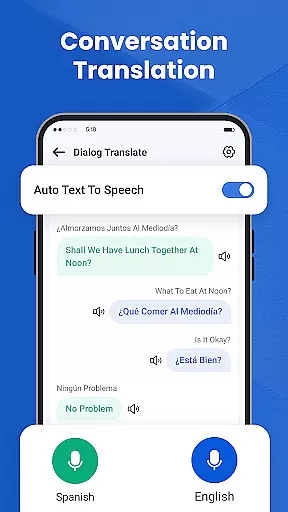
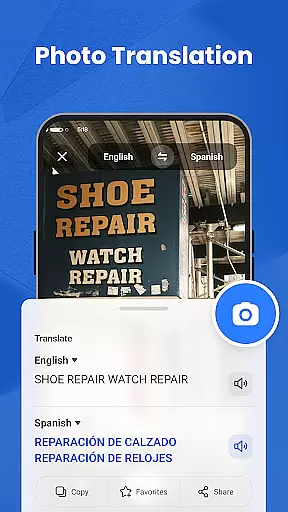
For verbal communication, the app's conversation translation feature provides real-time speech translation with automatic language detection. This enables natural, face-to-face interactions without awkward pauses. The photo translation function utilizes advanced OCR technology to extract and translate text from images, perfect for translating menus, signs, and documents on the go.
Additional notable features include document translation for common file formats, customizable personal settings, and a robust history management system. Users can adjust voice reading speed, select preferred languages, and maintain organized records of their translations. These comprehensive capabilities make We Translate an indispensable tool for anyone working in multilingual environments.
Efficient task management is essential for productivity applications, serving as the backbone for organizing and executing tasks seamlessly. We Translate excels in this area by offering a comprehensive suite of features designed to manage and streamline your translation needs.
The app provides robust tools such as multi-language text translation, conversation translation, and photo translation, ensuring that language barriers do not hinder your daily communications. With functionalities like history records and favorites, users can effortlessly organize and retrieve past translations, making it an indispensable tool for both personal and professional use.
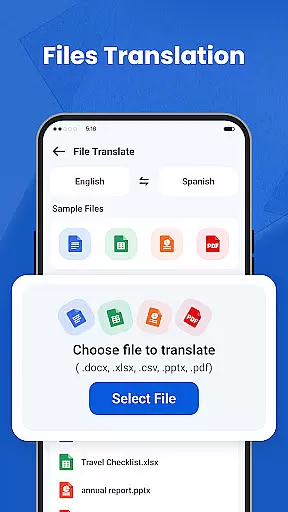
We Translate goes beyond basic task management by integrating advanced capabilities such as document translation compatible with various formats including PDF, Word, and Excel. This ensures that users can handle all their translation tasks within a single platform, significantly boosting efficiency and convenience.
Ultimately, the core task management features of We Translate empower users to communicate across languages effortlessly, enhancing productivity and enabling seamless global connections. Whether for travel, study, or work, the app's sophisticated task management system ensures that you have the right tools at your fingertips.
In today's interconnected world, reliable cross-device synchronization is crucial for maintaining productivity and ensuring that important information is accessible wherever you go. We Translate addresses this need by providing consistent and dependable synchronization across multiple devices.
Users can start a translation task on one device and continue on another without missing a beat. The synchronization feature ensures that all your translation history, favorite phrases, and personalized settings are updated in real-time across your smartphone, tablet, or computer. This seamless integration allows for maximum flexibility and convenience, adapting to the dynamic nature of modern life.
We Translate employs advanced cloud technologies to guarantee data integrity and availability. By leveraging secure and efficient cloud storage solutions, the app ensures that your information is not only synchronized but also protected against loss or unauthorized access.
With reliable cross-device synchronization, We Translate offers peace of mind and uninterrupted productivity. Users can trust that their translation data is always up-to-date and accessible, empowering them to break language barriers and stay connected globally with ease.
Multi-language support
Real-time translation
User-friendly interface
Accurate OCR technology
Comprehensive document support
Requires internet connection
Premium features locked
Occasional translation errors
Limited offline functionality
Subscription fees apply

A Revolutionary All-in-One Artificial Intelligence Tools
 3.80
3.80
Experience real multitasking on your Android!
4.00
Send files, sync SMS, notifications & clipboard across devices via local network
4.40
The Pro Version of Android's tiniest Notepad app. Just 0.3MB but feature-packed!
4.60
We're working to become the best machining app on the market! www.cncdirt.com
4.80
Make your handwriting beautiful, even more than pen on paper.
3.60
Easiest event planning, volunteer signups & parent teacher conference scheduling
2.20
All in One PDF Reader: Manage, Read and Edit your Documents
4.20
Make apps & sites with natural language prompts
4.10
Best Tool for the professionals Electrician, Electrical contractors, etc.
4.90
Protect and view your important info on your phone and tablet with eWallet®
4.80
Use powerful, industry-leading AI tools to generate visual charts from any data
4.80
Simple notepad & memo. Take notes, to-do list, shopping list with reminders.
4.80
Okta MFA
4.70
A simple Whisper AI keyboard for reliable speech transcription and rewording
4.60
Todo reminder
4.10
Access your phone's notifications, calls, apps, photos & texts on your PC
3.90
The upgraded version of Name Wheel with AI and the power to add your own wheels.
4.1
IP Camera Viewer - Android TV : RTSP Surveillance camera viewer for Android TV
4.2


User Reviews