
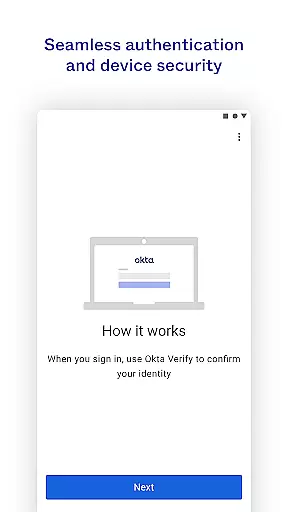
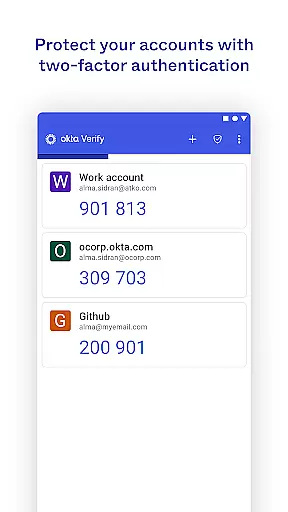
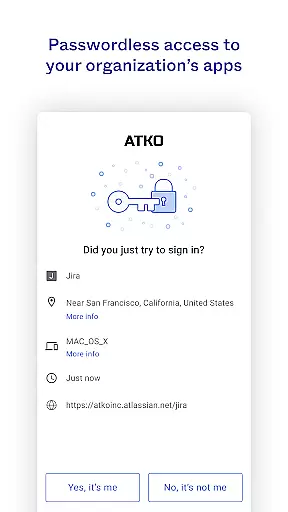
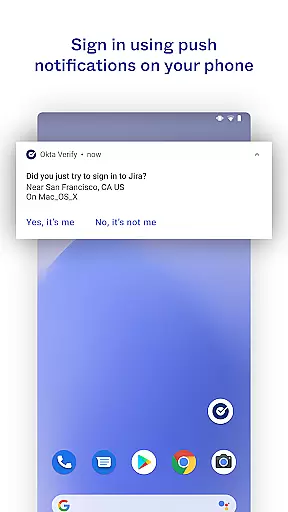
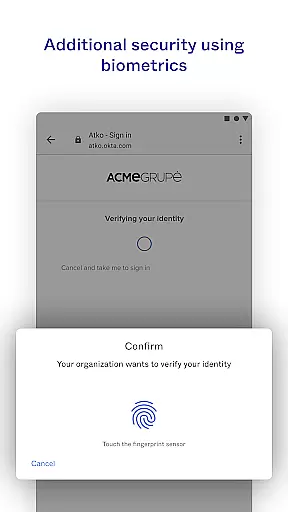
Okta Verify is a productivity-focused application designed to enhance security through two-step verification. This app ensures that only authorized users can access their accounts by providing multiple authentication methods. Users can choose from push notifications, temporary 6-digit codes, or biometric verification if enabled by their organization.
The app also allows for easy enrollment by scanning QR codes with your device camera. Okta Verify is particularly useful for businesses and individuals who need secure access to multiple applications without compromising on convenience. By integrating advanced security measures, it offers peace of mind while maintaining ease of use.
Okta Verify offers several key features that make it stand out in the realm of productivity apps. Firstly, it provides multiple layers of security including push notifications, 6-digit codes, and biometric verification. These options ensure that users can select the most convenient method for their needs while maintaining high-security standards.
Additionally, the app supports QR code scanning for easy device enrollment. This feature simplifies the initial setup process and enhances user experience. The integration capabilities with various organizational systems further extend its utility, making it an essential tool for secure and efficient access management.
Okta Verify excels in core task management by providing a streamlined approach to secure app access through two-step verification. This ensures that only authorized users can access their accounts.
The app offers multiple verification methods including push notifications, temporary 6-digit codes, and biometrics if enabled by the organization. These features allow users to choose the most convenient way to authenticate their identity while maintaining high security standards.
By integrating these advanced authentication options, Okta Verify simplifies the login process without compromising on safety. Users can quickly and securely access their applications with minimal disruption to their workflow.
Cross-device synchronization is a key feature of Okta Verify, ensuring that users can seamlessly verify their identity across multiple devices. This reliability is crucial for maintaining consistent access to important applications.
When enrolling a device, Okta Verify requests camera permission to scan a QR code. This process links the device to the user's account, enabling synchronized verification across all registered devices.
The app's robust synchronization capabilities mean that changes made on one device are instantly reflected on others. This ensures that users always have up-to-date verification options available, regardless of which device they are using.
Enhanced Security
User-Friendly Interface
Multiple Verification Methods
Easy Enrollment Process
Organizational Integration
Requires Camera Permission
Biometrics Not Always Available
Push Notifications Optional
QR Code Dependency
Organization Dependent Features

Take control of your clipboard with Clipper!
 3.90
3.90
Make your handwriting beautiful, even more than pen on paper.
3.60
Translate text/voice/photos in 150+ languages. Offline & fast translator app.
4.50
Create and edit presentations with Google Slides, part of Google Workspace.
4.00
Secure your apps with lock screens, use custom themes and different features.
4.40
Scan paperwork into PDF/JPG, generate your own e-signature and send fax or email
4.70
AI Chatbot and AI writing assistant powered by ChatGPT.
4.60
Daily processing of PDF documents.
4.40
QuickEdit is a fast, stable and full featured text and code editor.
4.20
Multilingual translator for text, voice, and image translation!
4.90
App lock - lock apps with fingerprint, password, pin or pattern, protect privacy
4.70
Send files, sync SMS, notifications & clipboard across devices via local network
4.40
Share files & memories safely. Keep your photos and videos secure.
4.40
Enjoy classic gameplay with customizable features and retro-style graphics.
4.30 4.20
4.20
Cloud storage, automatic phone backup, and more.
4.10
* block pre-roll ads, pop-up and forced redirect ads * Samsung certification app
4.00
Access your phone's notifications, calls, apps, photos & texts on your PC
3.90
A comprehensive suite of tools designed specifically for Lactation Consultants
4.0


User Reviews