

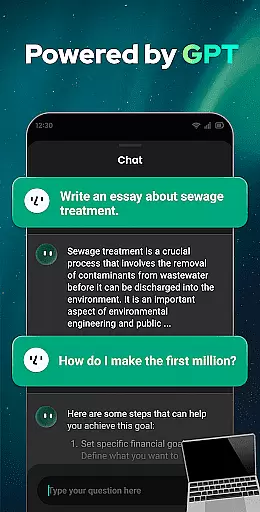
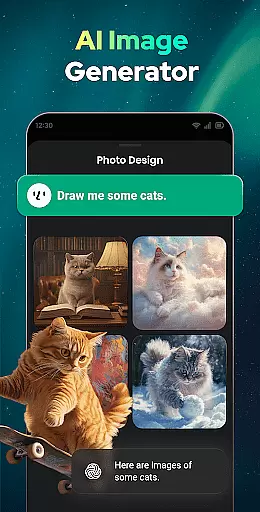

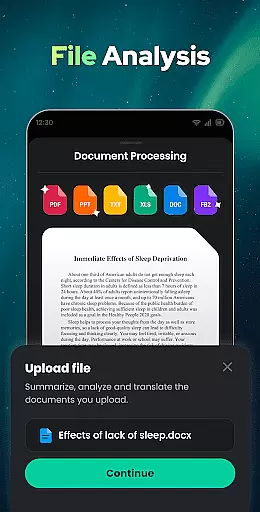

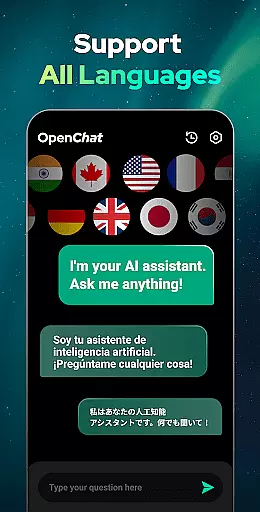
Open Chat is a cutting-edge AI chatbot application designed to revolutionize the way users interact with artificial intelligence. As the leading AI assistant app powered by ChatGPT, it leverages the latest advancements in AI chat technology to deliver human-like text responses. The app's core functionality lies in its ability to understand and answer questions across various fields, assist with writing tasks such as essays and stories in multiple languages, and maintain continuous dialogue through an elegant user interface.
Beyond basic question-answering, Open Chat serves as a reliable AI chat partner for casual conversations, creative writing assistance, and even grammar checking. Its multilingual capabilities make it an ideal tool for language learning and translation needs. Whether you're seeking help with academic writing, looking for a conversation partner, or need assistance with proofreading, Open Chat provides a comprehensive solution that adapts to different productivity requirements.
The app's practical applications extend to professional and personal contexts alike. For instance, content creators can utilize Open Chat to generate ideas and draft articles, while students can benefit from its tutoring capabilities across various subjects. This versatility makes Open Chat particularly valuable for anyone seeking to enhance their productivity through intelligent automation and AI-powered assistance.
Open Chat distinguishes itself through several remarkable features that cater to diverse productivity needs. The app's foundation on GPT-4 technology enables it to handle complex tasks with remarkable accuracy, from answering specialized questions across various domains to generating creative content like poems and stories. Its continuous dialogue capability allows for seamless follow-up conversations, creating a more natural interaction experience.
Among its most notable features is the comprehensive writing assistance module. Users can leverage Open Chat for everything from drafting professional documents to creating social media content, with support for multiple languages and advanced grammar checking. The app's ability to remember chat history and adapt to individual preferences enhances its effectiveness as a personal productivity tool. Additionally, the inclusion of practical features like Night Mode and automatic chat history storage demonstrates attention to user comfort and data management.
What sets Open Chat apart from other productivity tools is its combination of depth and accessibility. While maintaining sophisticated AI capabilities, the app presents them through an intuitive interface that makes advanced technology approachable for everyday users. This balance between powerful functionality and user-friendly design creates a productivity tool that's both effective and easy to integrate into various workflows.
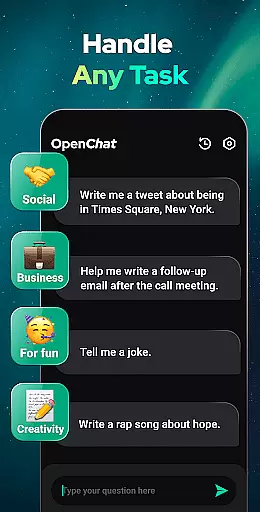
Effective task management is essential for productivity applications, serving as the backbone for organizing and executing tasks efficiently. Open Chat excels in this area by offering users a versatile AI chatbot that can handle any task thrown its way.
The app leverages the latest ChatGPT technology to provide continuous dialogue, ensuring that every interaction is fluid and productive. Whether you need assistance with writing essays, creating social media content, or planning your next trip, Open Chat's AI assistant is designed to manage these tasks seamlessly.
Users benefit from features like night mode, simple and elegant UI, and the ability to save chat history. This functionality ensures that managing various tasks not only becomes easier but also more enjoyable. The app's capability to pick up conversations where they left off adds another layer of convenience, making task management feel natural and intuitive.
Ultimately, Open Chat transforms how users approach task management by integrating advanced AI capabilities with user-friendly features. This combination empowers users to focus on their core activities while the app takes care of the organizational aspects, enhancing overall productivity.
Cross-device synchronization is crucial for users who rely on multiple devices throughout their day. It ensures that all information and progress are consistently updated across platforms, providing a seamless experience. Open Chat addresses this need by offering reliable synchronization features.
With Open Chat, users can access their chat history and continue conversations regardless of the device they are using. This feature is particularly beneficial for individuals who switch between smartphones, tablets, and computers, allowing them to maintain continuity in their communications and tasks.
The app's support for all languages further enhances its cross-device functionality. Users can chat in any language they prefer, and the app will synchronize these interactions across devices without losing context or accuracy. This multilingual support makes Open Chat a versatile tool for global users.
By prioritizing reliable cross-device synchronization, Open Chat ensures that users have a consistent and uninterrupted experience. This reliability fosters trust and dependence on the app, knowing that their data and interactions are always up-to-date and accessible wherever they go.
User-friendly interface
Multilingual support
Advanced AI capabilities
Continuous dialogue feature
Comprehensive writing tools
Limited offline functionality
Occasional response latency
Subscription-based model
Privacy concerns
Learning curve for new users

Take control of your clipboard with Clipper!
 3.90
3.90
Easily read and manage all your PDF files
4.10
A lightweight JSON & XML files creator, editor and viewer (Premium Version)
4.40
A simple, portable logger for POTA, SOTA, Field Day, and more
4.4
Pwnagotchi companion app
4.20
PDF scanner & converter for files, photos, lottery, QR codes. One swipe away!
4.50
Multilingual translator for text, voice, and image translation!
4.90
Secure your apps with lock screens, use custom themes and different features.
4.40
Note taking, handwriting, record audio, PDF annotation, planner & journal
4.20
Great calculator for Android named one of USA TODAY's "25 Essential Apps".
4.90
Client for Nextcloud Deck
4.60
Translate text/voice/photos in 150+ languages. Offline & fast translator app.
4.50
A Pixel Art watchface inspired by other iconic 90s designs for Wear OS devices!
4.40
Share files & memories safely. Keep your photos and videos secure.
4.40
Automates browsing any website and notifies you of important changes or events
4.30
Make apps & sites with natural language prompts
4.10
Unlock AutoNotification
4.00
Remotely view listen control and record cameras.
3.70
IP Camera Viewer - Android TV : RTSP Surveillance camera viewer for Android TV
4.3


User Reviews