
Web Alert (Pro) is a powerful productivity tool designed for professionals in web development and automation. This premium version offers advanced monitoring capabilities, allowing users to track webpage changes with precision. With features like parallel checks, custom frequency settings, and text filtering, it ensures efficient change detection.
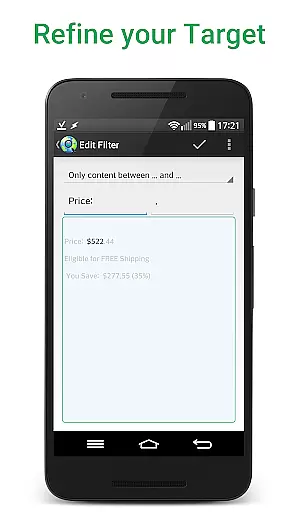
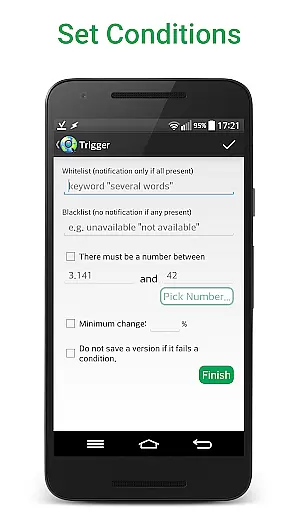
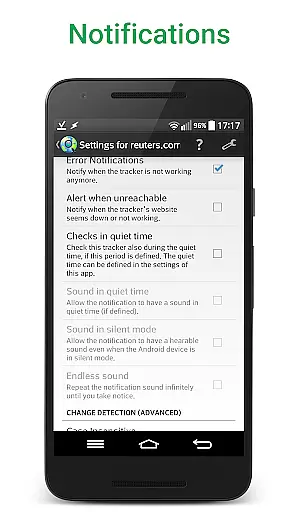
The app excels in specific use cases such as price monitoring in online stores or tracking website status. Its sophisticated notification system can be customized based on keywords, change percentages, or specific time ranges. The inclusion of developer-friendly tools like RegEx filtering, CSS/jQuery selectors, and HTML source code monitoring makes it particularly valuable for technical professionals.
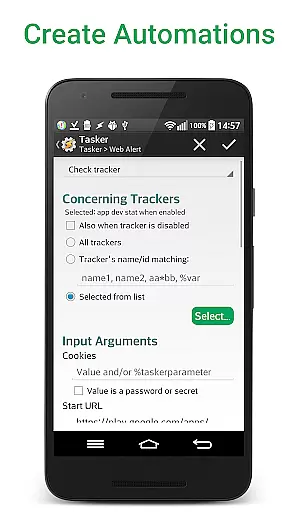
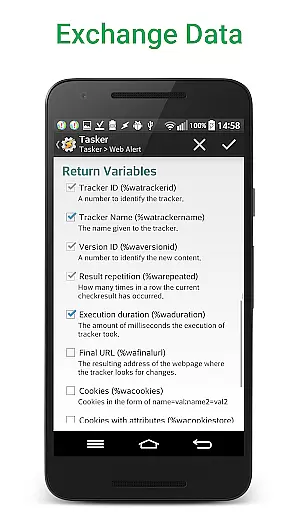
What sets Web Alert (Pro) apart is its seamless integration with automation tools through an extensive Tasker plugin. This programmable interface enables users to create complex workflows without requiring programming knowledge. When combined with the free Web Alert app, it becomes a comprehensive solution for automated web monitoring needs.
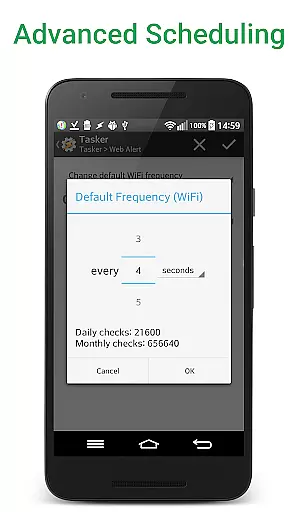
Web Alert (Pro) distinguishes itself through its comprehensive feature set tailored for both general users and technical professionals. The application's core functionality revolves around its sophisticated monitoring capabilities. Users can configure precise check frequencies down to every 5 seconds, implement parallel checks, and apply advanced filters to monitor specific text segments or numerical values.
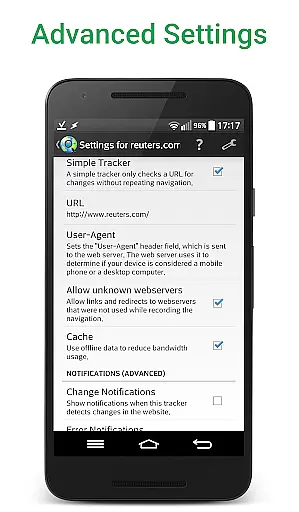
For developers and automation specialists, the app provides powerful tools including RegEx filtering, CSS/jQuery selectors, and HTML source code monitoring. These features enable granular control over what aspects of a webpage to track. The Tasker plugin integration stands out as a particularly innovative feature, allowing users to create complex automation workflows without coding knowledge.
The app's value extends beyond basic monitoring with features like website version exporting, alert management, and detailed change visualization. Professional users will appreciate the ability to maintain website links within detected changes and view only modified content. The combination of these advanced features with essential monitoring tools creates a robust solution for various productivity needs.
Web Alert (Pro) excels in core task management by providing users with advanced monitoring capabilities for web pages. This includes setting custom frequencies for checks, allowing precise control over how often the app monitors changes.
The app supports parallel checks, meaning multiple web pages can be monitored simultaneously without delays. This ensures that professionals in web development or automation can efficiently manage numerous tasks at once.
Additionally, Web Alert (Pro) offers sophisticated filtering options. Users can focus on specific text changes, monitor numerical values like product prices, and define time ranges to avoid unnecessary notifications. These features collectively enhance productivity by streamlining the monitoring process.
Cross-device synchronization is a critical feature of Web Alert (Pro), ensuring that all alerts and settings are reliably synced across different devices. This means users can access their monitoring tasks from any device with consistent and up-to-date information.
The app allows exporting and importing of alerts, which facilitates easy transfer between devices. Whether you're switching phones or using multiple devices, your data remains intact and accessible wherever you go.
Moreover, Web Alert (Pro) integrates seamlessly with Tasker, Automate, and Automagic through an extensive plugin. This integration enhances synchronization reliability by enabling programmable control over many app functions without needing programming knowledge, thus maintaining uniformity across devices.
Advanced monitoring options
Developer-friendly tools
Tasker plugin integration
Comprehensive alert management
Precise customization capabilities
Requires separate free app
Complex for casual users
Higher price point
Limited beginner guidance
Technical setup needed

Experience Reading - Night Mode for Documents
 4.40
4.40
Create study competitions, track your hours, and stay consistent with friends
4.3
Activate Two Factor Authentication (2FA or Multi OTP), Password manager and more
4.10
Functional QR scanner and barcode reader that requires little storage space.
4.60
Great calculator for Android named one of USA TODAY's "25 Essential Apps".
4.90
Ultimate Virtual AI Character for immersive Roleplay Chat. Perfect Companion
3.90
Intelligent AI Assistant
4.10
Seamlessly read, manage, and organize all your PDF files solution in one place
4.40
Browse and view your photos and videos from the phone with photo & video hide.
4.10
8 custom complications. Custom Time Fonts. Beautiful color schemes. A++ Design.
5.00
Seamlessly integrate data and reports to build your presentation to impress
4.80
A simple Whisper AI keyboard for reliable speech transcription and rewording
4.60
Planet Free VPN - The best Fast Unlimited and Secure VPN Without Logs
4.50
Tally and goal counter for Wear OS & mobile
4.50
When you Focus, so will your Bean in this cozy focus timer
4.30
Easily read and manage all your PDF files
4.10
Make apps & sites with natural language prompts
4.10
Smart PDF reader & editor to view, organize and manage PDF documents easily.
3.70
A simple, portable logger for POTA, SOTA, Field Day, and more
4.0


User Reviews