

Microsoft PowerPoint is a versatile presentation tool that allows users to create, edit, and deliver professional slideshows from their mobile devices. The app offers seamless synchronization across devices, ensuring consistent file versions whether you're working on a phone, tablet, or PC. With features like Presenter Coach, an AI-powered assistant, users can practice and refine their presentations with real-time feedback.
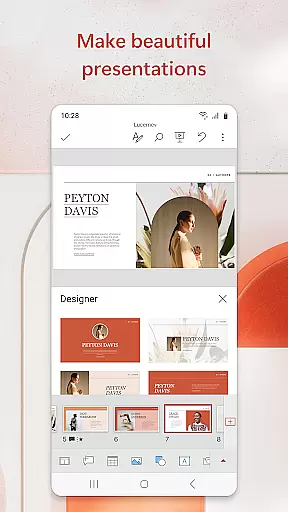
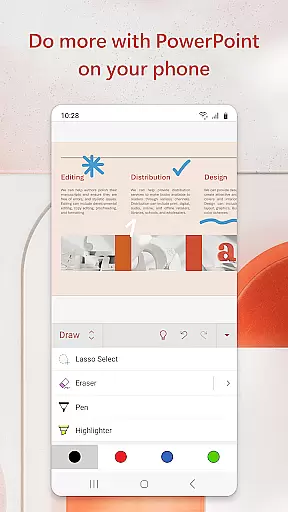
The app supports multimedia integration, enabling users to add music, graphics, charts, photos, and videos to their slideshows. Pre-designed templates help streamline the creation process for reports and presentations, while collaboration tools allow teams to work together in real time. PowerPoint also provides customizable options for creating presentations from scratch or editing existing ones, making it suitable for both beginners and advanced users.
Whether you're preparing quarterly reports or delivering impactful business presentations, Microsoft PowerPoint ensures your content stands out. Its intuitive interface and robust functionality make it an essential productivity tool for professionals who need to present confidently and effectively on the go.
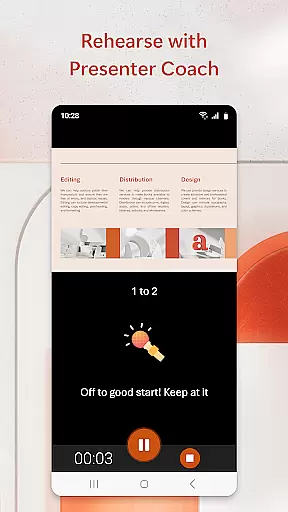
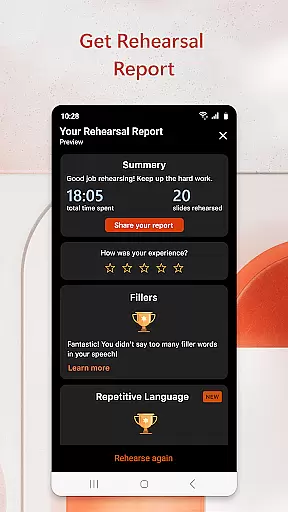
Microsoft PowerPoint offers a comprehensive suite of features designed to enhance productivity and presentation quality. One standout feature is Presenter Coach, which uses AI technology to provide real-time feedback on pacing, language usage, and delivery. This helps users improve their public speaking skills by identifying filler words and suggesting better phrasing during practice sessions.
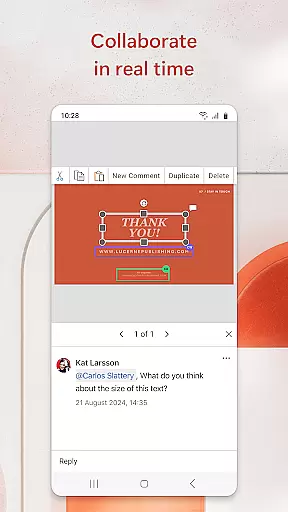
The app includes highly customizable tools for designing slides, allowing users to incorporate multimedia elements such as images, videos, and charts. Templates are available for various presentation types, ensuring polished results even for those without design expertise. Additionally, PowerPoint supports real-time collaboration, enabling multiple users to edit and comment on slides simultaneously.
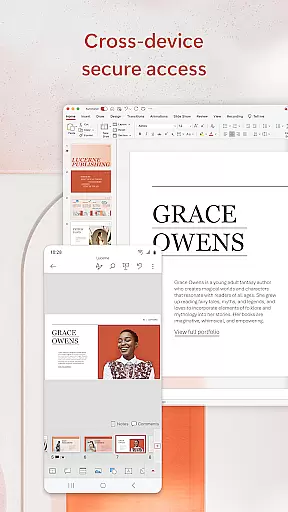
With its cross-device synchronization capabilities, PowerPoint ensures that users can access their files from anywhere without worrying about version control issues. The app also offers offline functionality, allowing users to work on presentations without an internet connection. These features collectively empower users to create impactful presentations efficiently and collaborate seamlessly with their teams.
Microsoft PowerPoint offers robust core task management features that streamline the process of creating, editing, and presenting slideshows. This functionality is crucial for users who need to manage multiple tasks within a presentation efficiently.
The app allows users to create presentations from scratch or work on pre-existing slides, ensuring flexibility in task handling. With seamless synchronization across devices, users can pick up where they left off, eliminating the worry of managing different file versions.
Additionally, PowerPoint's Presenter Coach acts as an AI-driven assistant that helps refine public speaking skills. It provides real-time suggestions, helping users adjust their pacing, avoid filler words, and speak confidently during practice sessions.
By integrating these task management features, Microsoft PowerPoint ensures that users can focus on delivering impactful presentations without being bogged down by logistical challenges, thus enhancing productivity and effectiveness.
Cross-device synchronization is a cornerstone of Microsoft PowerPoint's productivity suite, ensuring reliable access to presentations regardless of the device being used. This feature is essential for users who work in dynamic environments and need consistent access to their files.
PowerPoint achieves synchronization reliability through cloud integration, allowing presentations to be updated in real time across all linked devices. Whether you're using a phone, tablet, or PC, your slideshow will always reflect the latest changes, ensuring continuity and coherence in your work.
Moreover, the app's ability to sync seamlessly means that users can collaborate with others without worrying about version control issues. Team members can view, edit, and provide feedback on the same document simultaneously, fostering a more efficient collaborative environment.
This reliable synchronization empowers users to work flexibly and efficiently, knowing that their data is consistently up-to-date and accessible wherever they go, thereby significantly boosting overall productivity.
User-friendly interface
Powerful customization options
Real-time collaboration tools
AI-powered Presenter Coach
Cross-device synchronization
Requires subscription for full features
Limited free template selection
Occasional sync delays
Advanced tools may overwhelm beginners
Large file sizes can impact performance

Secure, fast, open-source, VNC and SSH Remote Desktop for Windows, Linux and Mac
 4.70
4.70
AI Video AI Image Private LLM AI Browser Llama Gemma Ollama Connect LLM Studio
4.3
When you Focus, so will your Bean in this cozy focus timer
4.30
Protect and view your important info on your phone and tablet with eWallet®
4.80
Absolutely the best CNC machinist speed and feed calculator around. fswizard.com
4.60
Easiest event planning, volunteer signups & parent teacher conference scheduling
2.20
App lock - lock apps with fingerprint, password, pin or pattern, protect privacy
4.70
Cloud storage, automatic phone backup, and more.
4.10
A Pixel Art watchface inspired by other iconic 90s designs for Wear OS devices!
4.40
Best Tool for the professionals Electrician, Electrical contractors, etc.
4.90
A beautiful digital clock with autostart and many other functions
4.70
Scan paperwork into PDF/JPG, generate your own e-signature and send fax or email
4.70
Stay on top of your to-dos with Google Tasks, part of Google Workspace.
4.60
Secure your apps with lock screens, use custom themes and different features.
4.40
A customizable calendar for your Wear OS watch
4.20
All in One PDF Reader: Manage, Read and Edit your Documents
4.20
Todo reminder
4.10
Wake up & get tasks done! Add alarms & reminders on the Clock Launcher.
4.00
Ultimate Virtual AI Character for immersive Roleplay Chat. Perfect Companion
3.90


User Reviews